Manual · Leuze
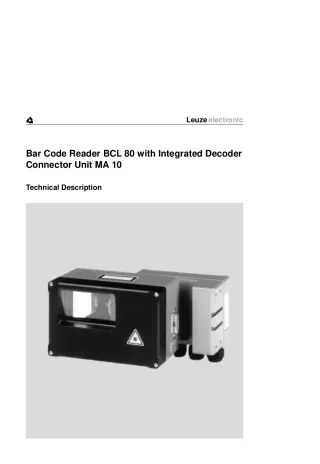
Bar Code Reader BCL 80 with Integrated Decoder, Connector Unit MA 10, Technical Description
Manual85 pagesPDF 1.2 MB
Technical description of the Leuze BCL 80 bar code reader and the MA 10 connector unit: specs, mounting, wiring, setup and commands.
Covers · 1 model
The models it covers
Summary
What is in it
The technical description for the Leuze electronic BCL 80, a stationary high-speed laser bar code reader with an integrated decoder, and the MA 10 connector and interface unit that adapts it to host interfaces and networks several readers. It covers safety, features, technical and optical data with reading fields, accessories, mounting and wiring (stand-alone or with the MA 10), commissioning and parameter setup, operation and error handling, online commands, the setup program and maintenance.
Its parts
- General Information
- Safety Notices
- Description
- Technical Data
- Accessories / Order Designation
- Installation
- Commissioning
- Operation
- Configuration
- Maintenance
From the manual
Key facts from this manual
Each line names its page in the PDF.
Leuze technical description for the BCL 80 bar code reader with integrated decoder and the MA 10 connector unit. It covers both the BCL 80 and the MA 10: specifications, accessories, mounting, wiring the MA 10 terminal strip, its status LEDs and error handling.
- What it is
- Connector and interface unit for the Leuze BCL 80 bar code reader p. 10
- Host interface
- MA 10 100: RS 485; MA 10 110: RS 232; MA 10 120: TTY; MA 10 130: RS 422; all galvanically isolated p. 14
- Service interface
- RS 232, 9-pin Sub D, on all MA 10 units p. 23
- Power
- 18 … 36 V DC, 2 VA max. p. 16
- Operating temperature
- 0 … +50°C p. 16
- Status LEDs
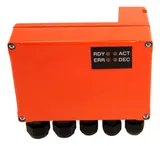
- 4 LEDs on the back: RDY, ERR, ACT, DEC p. 50
- Switched I/O
- Switched output for status messages (second on request); extra switched input to define reference code 1 p. 10
- Parameter storage
- 2 parameter sets stored in the MA 10 (current and customer-specific) p. 10
- Networking
- Up to 31 BCL 80 readers over RS 485 (multiNet plus); masters DD 55, MDS 70, MA 30 p. 12
- Connection cables
- KB 040-3000, KB 040-6000, KB 040-10000: 15-conductor BCL 80 to MA 10 cable, 3, 6 or 10 m p. 25
- Mounting kits
- BT 56 (round rods ∅ 16 … 20 mm), BT 57 and BT 58 (ITEM MB system) p. 23, 24
- Software
- BCL-Config terminal software, part no. 500 31298 p. 25
- BCL 80 reader
- BCL 80: 600 scans/s, reading distance up to 2300 mm, RS 232 or RS 485 p. 10
What this manual walks you through
- Opening the MA 10 housing and wiring the terminal strip p. 34, 35
- Connecting the MA 10 to a host by interface type p. 36
- Connecting the BCL 80 stand alone through its 15-pin SubD p. 32, 33
- Networking several BCL 80 readers with multiNet plus p. 12, 13
- Reading the MA 10 status LEDs p. 50
- Handling warnings and serious errors p. 51
- Choosing mounting and cable accessories p. 23, 24, 25
- Cleaning the reader p. 78
Good to know
- Only the MA 10 100 can be used as a multiNet slave unit. p. 14
- Protection class IP 65 is met only with the Leuze KB 040 cables. p. 25
- The power supply needs protected electrical separation by a double-insulated safety transformer. p. 31
- Do not clean with aggressive agents such as thinner or acetone. p. 78
- The BT 56 mounting kit does not suit the oscillating mirror version. p. 23
Questions this manual answers
Which MA 10 do I need for a multiNet network?
The MA 10 100, which has the RS 485 host interface module; it is the only type usable as a multiNet slave. p. 14
What does it mean when all four MA 10 LEDs blink?
The connection between the MA 10 and the BCL 80 is interrupted. p. 50
What cable connects a BCL 80 to an MA 10?
The 15-conductor KB 040 cable with Sub D plug and socket, in 3, 6 or 10 m lengths. p. 25
What supply voltage does the MA 10 need?
18 … 36 V DC, with 2 VA max. power consumption. p. 16
How many BCL 80 readers can be networked with MA 10 units?
Up to 31, using MA 10 units with the RS 485 interface module. p. 12
Contents
Chapters and sections
Each line opens the PDF at its page.
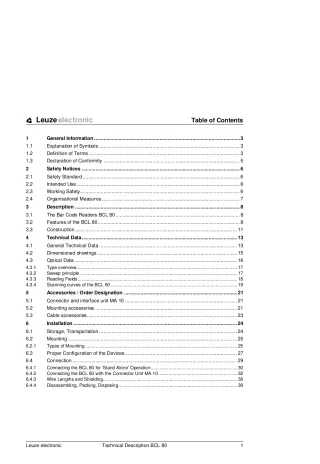
- 1 General Information5
- 2 Safety Notices8
- 3 Description10
- 4 Technical Data15
- 5 Accessories / Order Designation23
- 6 Installation26
- 7 Commissioning42
- 8 Operation50
- 9 Configuration52
- 10 Maintenance78
3 more lines, from page 79 on
The whole text · 12 parts
Read the manual here as text
Its text as extracted from the PDF, unedited, in parts; each page opens the PDF at that page.
The file