Manual · Intermec
JANUS 900 MHz TE Quick Reference Guide
Manual40 pagesPDF 203 KB
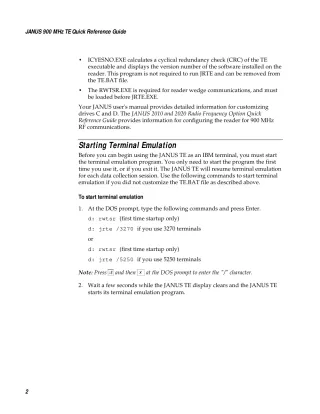
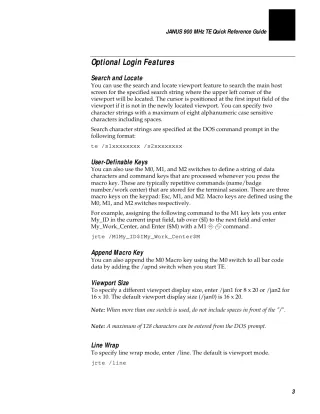
Quick reference guide for IBM 3270 and 5250 terminal emulation on Intermec JANUS hand-held computers with 900 MHz radios.
Filed with · 6 models
Also filed with these models on the old site
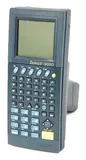 Intermec J2020Portable batch data collection terminal from$1,195.003 in stock
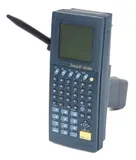 Intermec JG20202.4 GHz wireless portable data collection terminal from$1,295.003 in stock
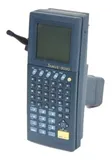 Intermec JR2020Wireless portable data collection terminal from$1,195.0010 in stock
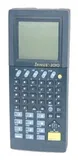 Intermec J2010Portable batch data collection terminal Call for availability
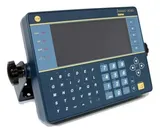 Intermec J2050Vehicle-mounted data collection terminal Call for availability Intermec JG2050802.11 (2 Mbps) vehicle-mounted data collection terminal Call for availability
Summary
What is in it
A quick reference guide for using a JANUS hand-held computer with 900 MHz terminal emulation (TE), which makes the reader act as an IBM 3270 or 5250 terminal. It explains setting up and starting the emulation program, optional login switches (search strings, macro keys, viewport size, line wrap, beep mode), the 3270 and 5250 TE keypads and key combinations, how the small viewport moves across the full host screen, roll keys for 5250, and entering data automatically with Auto Field Exit/AutoEnter. For 2.4 GHz terminal emulation it refers readers to the 2.4 GHz installation kit.
From the manual
Key facts from this manual
Each line names its page in the PDF.
This is the JANUS 900 MHz TE Quick Reference Guide for JANUS hand-held computers running 900 MHz terminal emulation, which makes the device act as an IBM 3270 or 5250 terminal. It explains how to start and exit terminal emulation, use the TE keypad and viewport, enter data automatically, read the status screen and error codes, and reinstall the TE software.
- What it is
- Terminal emulation that makes a DOS-compatible JANUS hand-held computer emulate an IBM 3270 or 5250 terminal over 900 MHz RF p. 1
- Viewport
- 16 x 20 window onto a 25 x 80 host screen; 8 x 20 (/jan1) or 16 x 10 (/jan2) selectable p. 3, 9
- Keypad
- 3270 or 5250 TE keypad with most keys of an IBM keyboard; three macro keys (Esc, M1, M2) p. 3, 5
- Software
- JRTE.EXE terminal emulator; RWTSR.EXE for reader wedge communications, loaded before JRTE.EXE; IC.EXE sets RF device address, frequency and network ID p. 1, 2
- Start command
- d: rwtsr, then d: jrte /3270 or d: jrte /5250; or te with the TE.BAT file p. 1, 2
- Auto data entry
- Auto Field Exit/AutoEnter (AT command), on by default p. 12
- Error codes
- Program error codes from 401 (invalid data stream received) to 499 (exception request received), cleared with Reset p. 34, 35
- Status screen
- Shown with the stat key; symbols such as PLU, SSCP, INACTIVE, PROG4nn and COMM5nn p. 33, 34
- Install PC
- DOS 5.0 or above, 386 SX with 4MB of RAM, 10MB free hard disk, MS Windows not active p. 36
- Install connection
- Null modem cable from the PC serial port to a communications dock or optical link adapter p. 37
- Upgrade disk
- JANUS boot companion disk version 1.30A or above for a standard upgrade p. 38
- Command line
- Up to 128 characters at the DOS prompt p. 3
What this manual walks you through
- Starting terminal emulation for 3270 or 5250 hosts p. 2
- Setting search and locate, macro keys, viewport size and line wrap p. 3
- Exiting terminal emulation to use the JANUS as a PC p. 4
- Using the Ctrl, Alt, Shift and compound function keys on the TE keypad p. 5, 6
- Moving the viewport around the host screen p. 9, 10
- Entering data automatically with the AT command and AutoEnter fields p. 12, 13
- Reading the status screen and program error codes p. 33, 34, 35
- Reinstalling the terminal emulation software from a host PC p. 36, 37, 38
Good to know
- A JANUS with terminal emulation has no IRL Desktop, even when used as a personal computer. p. 1
- The power key does not exit terminal emulation; it switches the reader between operating and suspend. p. 4
- After leaving the TE program, bar code configuration mode is off until the reader is set up again with IC.EXE. p. 4
- The TE install program cannot run from a Windows DOS box. p. 36
- In TE mode brackets display as parentheses and the ^ character cannot be used. p. 9
Questions this manual answers
How do I start 5250 terminal emulation on a JANUS?
At the DOS prompt type d: rwtsr (first startup only), then d: jrte /5250; or type te to use the TE.BAT shortcut. p. 1, 2
What does JANUS TE error code 454 mean?
Code 454 is a BIND screen size mismatch error. p. 35
What PC do I need to reinstall JANUS TE software?
A PC running DOS 5.0 or above with at least a 386 SX, 4MB of RAM and 10MB of free disk space, with MS Windows not active. p. 36
How do I change the JANUS TE viewport size?
Add /jan1 for 8 x 20 or /jan2 for 16 x 10 when starting TE; the default /jan0 is 16 x 20. p. 3
The whole text · 4 parts
Read the manual here as text
Its text as extracted from the PDF, unedited, in parts; each page opens the PDF at that page.
The file