Manual · Intermec
CK31 Handheld Computer User's Manual
Manual208 pagesPDF 2.2 MB
User's manual for the Intermec CK31 handheld computer: scanning, network and security setup, applications, diagnostics.
Covers · 1 model
The models it covers
Summary
What is in it
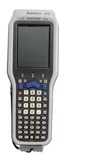
The user's manual for the Intermec CK31, a Windows CE .NET handheld computer. It covers the battery, keypad, touch screen, status lights and bar code scanning with the laser, linear imager and area imager options, then configuring the unit with Intermec Settings for 802.11b/g, Bluetooth, Ethernet and serial communications and wireless security. Later chapters cover installing applications, diagnostics screens, troubleshooting and booting, with appendices on specifications, default settings and reprogramming the keypad.
Its parts
- Using the CK31 Handheld Computer
- Configuring the CK31
- Developing and Installing Applications
- Running Diagnostics
- Troubleshooting and Maintaining the CK31
From the manual
Key facts from this manual
Each line names its page in the PDF.
The Intermec CK31 Handheld Computer User's Manual (version 006, 11/2007), the full reference for the CK31 Windows CE .NET handheld computer. It covers the battery, keypad, touch screen and scanning, network, Bluetooth and security setup, installing applications, diagnostics, troubleshooting, and the specifications, accessories and default settings.
- Device
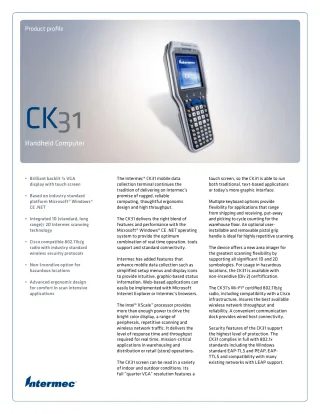
- Handheld computer on Microsoft Windows CE .NET, 400 MHz processor, 64 MB RAM/64 MB flash p. 19, 20
- Battery
- AB1G lithium-ion, P/N 318-020-xxx, 2400 mAh; backup keeps memory and clock at least 10 minutes during a change p. 21, 147, 156
- Scanner options
- Linear imager, area imager, near-far range area imager, standard range laser or long range laser p. 20
- Radios
- Optional 802.11b/g and Bluetooth radios p. 20
- Screen
- 240 RGB x 320 pixels, 8.9 cm (3.52 in) diagonal, 1/4 VGA, touch screen, LED backlight with high and low settings p. 20, 147
- Size and weight
- 23.4 x 9 x 5.3 cm (9.22 x 3.54 x 2.07 in); 594 g (20.8 oz) p. 147
- Electrical rating
- 7.4 to 12; 500 mA peak p. 147
- Operating temperature
- -20°C to 50°C (-4°F to 122°F), 5 to 95% humidity non-condensing; storage -20°C to 60°C p. 147
- Keypads
- 42-key large numeric and function, 50-key or 52-key full alphanumeric; programmable, international, 3270 TE/5250 TE and VT/ANSI TE overlays p. 147, 148
- Chargers and docks
- AC1 4-Slot Charger P/N 852-904-xxx; AC2 4-Bay Charging Dock P/N 852-905-xxx; AC3 8-Slot Dock P/N 852-906-xxx; AD1 Dock P/N 225-709-xxx; AD2 4-Bay Dock P/N 225-710-xxx p. 156, 157
- Charging time
- 5 hours in the AC1, AC2, AC3, AD1 or AD2 p. 22
- Serial adapters
- AA2 P/N 236-069-xxx (power on pin 9); AA3 P/N 236-070-xxx (no pin 9 power); decoded P/N 225-715-001; undecoded P/N 225-714-001 p. 156, 158
- Power supplies
- 851-082-xxx for the docks and chargers; the AC3 needs the 851-064-xxx p. 156
- Other accessories
- CK30 and CK31 Handle P/N 203-754-xxx; Handstrap P/N 075289; Tethered Stylus P/N 203-773-xxx; Vehicle Cradle P/N 075436; holster, boot, case, dust cover p. 157
What this manual walks you through
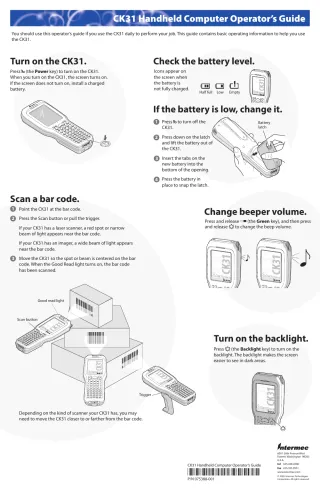
- Charging and installing the battery p. 22, 23
- Making the battery last longer p. 23
- Configuring the CK31 with Setup Assistant and Intermec Settings p. 7
- Setting up 802.11b/g, Bluetooth and WPA, 802.1x, LEAP or WEP security p. 7, 8
- Installing applications with ActiveSync, SD card, FTP, Avalanche or SmartSystems p. 8
- Running the diagnostics screens p. 8, 9
- Fixing a CK31 that will not turn on, locks up or shows the Backup Battery Very Low box p. 132, 133
- Fixing bar codes that will not scan p. 141
Good to know
- Do not use the undecoded serial adapter with a near-far range area imager. p. 20, 158
- Removing the main battery while the backup battery low icon shows may cold boot the CK31 and lose data. p. 21
- The lithium-ion pack must not be disassembled, heated above 100°C (212°F) or incinerated. p. 21
- Data and configuration should be saved before sending the CK31 for service. p. 132
- The vehicle cradle protects against vibration beyond what the CK31 can withstand alone. p. 157
Questions this manual answers
What battery does the Intermec CK31 use?
The AB1G lithium-ion battery, P/N 318-020-xxx; it takes about 5 hours to charge in any of the CK31 chargers or docks. p. 21, 22
How do I warm boot a CK31?
Press and hold the Power key for five seconds. p. 133
What does the Backup Battery Very Low message mean on a CK31?
The backup battery needs charging; install a fully charged main battery or place the CK31 in a charger, and it charges in about 15 minutes. Do not swap the main battery until the box stops appearing. p. 133
Which serial adapter connects a scanner to the CK31?
The decoded serial adapter (P/N 225-715-001) or undecoded serial adapter (P/N 225-714-001) turn the 26-pin port into a male DB9. p. 158
How can I make the CK31 battery last longer?
Enable radio power management (Fast PSP), set the backlight timeout to 15 seconds, and set each Power Management setting to 1 minute. p. 23
Contents
Chapters and sections
Each line opens the PDF at its page.
- Chapter 1 - Using the CK31 Handheld Computer18
- Chapter 2 - Configuring the CK3154
- Chapter 3 - Developing and Installing Applications96
- Chapter 4 - Running Diagnostics112
- Chapter 5 - Troubleshooting and Maintaining the CK31130
- Appendix A - Specifications146
- Physical and Environmental Specifications146
- Bar Code Symbologies148
- Area Imager Standard Minimum Reading Distances149
- Linear Imager Reading Distances151
- Standard Range Laser Minimum Reading Distances153
- Near-Far Range Area Imager Reading Distances155
- Accessories for the CK31156
- Typing Characters Not Printed on the Keypad159
- Pin Assignments for the Serial Port162
- Appendix B - Default Settings164
The whole text · 25 parts
Read the manual here as text
Its text as extracted from the PDF, unedited, in parts; each page opens the PDF at that page.
- Pages 1 to 91-9
- Pages 10 to 1710-17
- Chapter 1 - Using the CK31 Handheld Computer, pages 18 to 2618-26
- Chapter 1 - Using the CK31 Handheld Computer, pages 27 to 3527-35
- Chapter 1 - Using the CK31 Handheld Computer, pages 36 to 4436-44
- Chapter 1 - Using the CK31 Handheld Computer, pages 45 to 5345-53
- Chapter 2 - Configuring the CK31, pages 54 to 6254-62
- Chapter 2 - Configuring the CK31, pages 63 to 7163-71
- Chapter 2 - Configuring the CK31, pages 72 to 8072-80
- Chapter 2 - Configuring the CK31, pages 81 to 8981-89
- Chapter 2 - Configuring the CK31, pages 90 to 9590-95
- Chapter 3 - Developing and Installing Applications, pages 96 to 10396-103
- Chapter 3 - Developing and Installing Applications, pages 104 to 111104-111
- Chapter 4 - Running Diagnostics, pages 112 to 120112-120
- Chapter 4 - Running Diagnostics, pages 121 to 129121-129
- Chapter 5 - Troubleshooting and Maintaining the CK31, pages 130 to 137130-137
- Chapter 5 - Troubleshooting and Maintaining the CK31, pages 138 to 145138-145
- Appendix A - Specifications, pages 146 to 154146-154
- Appendix A - Specifications, pages 155 to 163155-163
- Appendix B - Default Settings164-171
- Appendix C - Reprogramming the Keypad, pages 172 to 178172-178
- Appendix C - Reprogramming the Keypad, pages 179 to 185179-185
- Appendix C - Reprogramming the Keypad, pages 186 to 192186-192
- Index, pages 193 to 200193-200
- Index, pages 201 to 208201-208
The file