Manual · Intermec
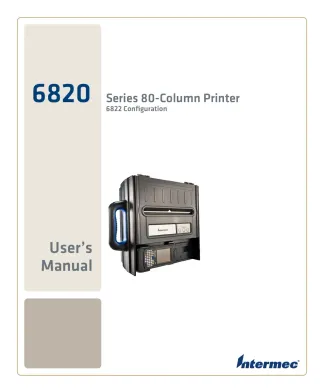
6820 Series 80-Column Printer User's Manual, 6822 Configuration
Manual171 pagesPDF 6.2 MB
User's manual for the Intermec 6820 series 80-column printer in its 6822 configuration: installation, setup, control codes and troubleshooting.
Covers · 1 model
The models it covers
Summary
What is in it
The user's manual for the Intermec 6820 Series 80-Column Printer, 6822 configuration, a route accounting printer for invoices, receipts and load reports, offered as a fixed mount or portable model. It explains the control panel, power supply options, installing the battery and ribbon cartridge, loading paper, configuring the printer with the Printer Configuration Utility, the full set of printer control codes, and troubleshooting and maintenance.
Its parts
- Before You Begin
- Using the 6820 80-Column Printer
- Installing the 6820 Printer
- Configuring the 6820 Printer
- Control Code Definitions
- Troubleshooting and Maintaining the 6820
From the manual
Key facts from this manual
Each line names its page in the PDF.
User's manual for the Intermec 6820 Series 80-Column Printer, in the edition revised for the 6822 version, covering both the fixed mount and the portable printer. It explains the control panel, power options, loading paper and docking a mobile computer, configuring the printer from a PC, control codes, beep and light error codes, cable pinouts and specifications.
- Device
- 80-column printer for route accounting invoices, receipts and load reports, in fixed mount and portable models p. 1, 16
- Print speed
- 230 cps, whatever the font p. 124
- Paper
- 1-3 ply carbonless, single-edge glued, sprocket feed; standard 8.5 x 11 in; 3-ply up to 0.23 mm thick p. 126
- Paper tray
- Fixed mount: deep tray, up to 200 3-ply forms; portable: shallow tray, up to 50 3-ply forms p. 16
- Electrical
- 13.8 VDC nominal; 3.35 A average while printing, 30 mA idle p. 124
- Internal battery
- Optional, P/N 317-075-xxx; 12 V sealed lead-acid, 2.3 Ah p. 20, 125
- Weight
- Fixed mount 6.55 kg (14.41 lbs); portable with 700 series or CK60 holder 5.67 kg (12.25 lbs) p. 124
- Operating temperature
- DC: -20°C to 60°C (-4°F to 140°F); AC: -20°C to 45°C (-4°F to 113°F) p. 124
- Terminal holders
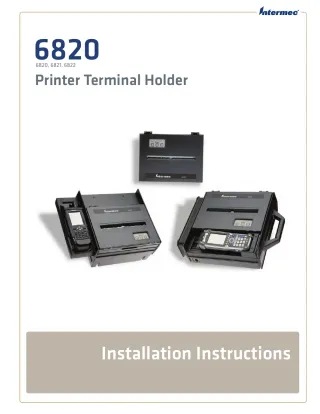
- Holder options for 700 Series, CK60 and CN3 Series computers p. 31
- Vehicle installation kits
- P/N 203-242-101 (fixed mount), P/N 203-242-102 (portable) p. 20
- PC serial cable
- P/N 226-270-xxx, to the COM port on the printer mechanism p. 34
- Configuration software
- Printer Configuration Utility on the 6820 Printer Toolkit CD (P/N 235-145-xxx), for Windows 2000 or XP p. 35
- Font modules
- Default International, Code Page 437, JIS Japanese, GB2312 Simplified Chinese, KSC5601 Korean, Big 5 Traditional Chinese p. 34, 35
- Data cables
- 216-605-xxx (15-pin to 25-pin), 216-771-xxx (25-pin to 25-pin), 226-016-xxx (9-pin to 15-pin), 226-162-xxx (25-pin to 15-pin) p. 112, 113, 114, 115
What this manual walks you through
- Reading the status lights and using the Form Feed, Set Page and Line Feed buttons p. 17, 18
- Using the reset button p. 19
- Choosing a power source: internal battery, vehicle or DC supply p. 20, 21
- Installing the internal battery p. 24
- Docking a mobile computer in the terminal holder p. 31
- Connecting the printer to a PC and choosing font modules p. 34, 35
- Troubleshooting power, printer and communication problems p. 92, 93
- Decoding beep and light error codes, including POST errors p. 96, 97, 98
- Wiring data cables between computers, docks and the printer p. 112, 113, 114, 115
- Choosing paper that meets the media specifications p. 126, 127, 128
Good to know
- The printer drains its internal battery even when idle: plug it in or disconnect the battery for storage. p. 20
- Remove the battery when storing the printer for more than 2 or 3 days, then recharge at least 14 hours. p. 24
- Disconnect the printer power cable when jump-starting the vehicle, and do not start or stop the engine while printing. p. 17
- The printer battery does not charge the docked computer. p. 24
- The reset button does not reset a connected Bluetooth module, which has its own power source. p. 19
Questions this manual answers
What does one set of two beeps mean on a 6820 printer?
A 12 V over voltage fault: the input voltage is too high. The Low Battery light blinks twice. p. 96
How do I run a self-test on the 6820 printer?
Press and hold the Form Feed and Set Page buttons together until the printer beeps and all lights come on; it then prints a report. p. 93
What battery does the 6820 printer use?
An optional internal battery, P/N 317-075-xxx, a 12 V sealed lead-acid pack of 2.3 Ah. p. 20, 125
How far apart can the printer and computer be?
Up to 9 m (30 ft) using the supplied serial cable. p. 125
What are the default Bluetooth serial settings of the 6820?
19,200 baud, 8 data bits, 1 stop bit, no parity and hardware handshaking; the device name is 6820-DDEEFF. p. 148
Contents
Chapters and sections
Each line opens the PDF at its page.
The whole text · 21 parts
Read the manual here as text
Its text as extracted from the PDF, unedited, in parts; each page opens the PDF at that page.
- Pages 1 to 111-11
- Before You Begin12-14
- Using the 6820 80-Column Printer15-22
- Installing the 6820 Printer23-32
- Configuring the 6820 Printer, pages 33 to 4033-40
- Configuring the 6820 Printer, pages 41 to 4841-48
- Control Code Definitions, pages 49 to 5749-57
- Control Code Definitions, pages 58 to 6658-66
- Control Code Definitions, pages 67 to 7567-75
- Control Code Definitions, pages 76 to 8476-84
- Control Code Definitions, pages 85 to 9085-90
- Troubleshooting and Maintaining the 6820, pages 91 to 9891-98
- Troubleshooting and Maintaining the 6820, pages 99 to 10699-106
- Troubleshooting and Maintaining the 6820, pages 107 to 114107-114
- Troubleshooting and Maintaining the 6820, pages 115 to 122115-122
- Specifications123-130
- Bluetooth Configuration Commands and Specifications, pages 131 to 139131-139
- Bluetooth Configuration Commands and Specifications, pages 140 to 148140-148
- Cross-Reference Tables149-156
- Printer Font Test Jobs157-160
- Index161-171
The file