Manual · Intermec
Windows 95 and Windows CE Configuration Utilities Reference Manual
Manual42 pagesPDF 138 KB
Reference manual for the Intermec Windows 95 and Windows CE Configuration Utility on the 602 and 6110 hand-held computers.
Covers · 1 model
The models it covers

Summary
What is in it
Reference manual for the Intermec Windows Configuration Utility, which sets up a 602 or 6110 hand-held computer running Windows 95 or Windows CE to perform TCOM sessions. It lists the target platforms and the files the utility needs, describes its clock, program launch, system information and communications functions (LAN, dial-up networking and non-DHCP settings), walks through each screen of the utility, and ends with a table of TCOM error codes.
Its parts
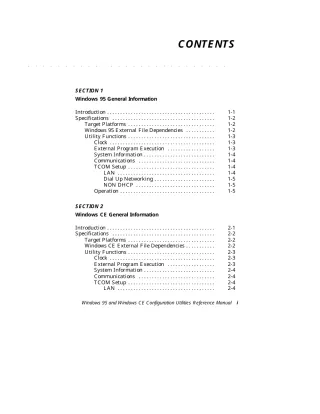
- Windows 95 General Information
- Windows CE General Information
- User Reference
- TCOM Error Codes
From the manual · read page by page
Key facts from this manual
Each line names its page in the PDF.
Reference manual for the Windows 95 and Windows CE Configuration Utilities, which set up the Intermec 602 and 6110 hand-held computers for NRINet TCOM sessions. It explains how to start the utility and its command line options, set the clock, see battery and unit information, run other programs and set up dial-up or wired network communications. It ends with a table of TCOM error codes.
- Software
- Configuration utility that sets up the 602 and 6110 for NRINet TCOM sessions p. 7
- Platforms
- 602 and 6110 running Windows 95 or Windows CE on the x86 processor p. 8, 14
- Program files
- PSWCM0C.EXE for Windows 95; PSWCMCE.EXE for Windows CE p. 7, 13
- Version shown
- PSWinCfg V01.00 (BUILD 1) p. 22
- Communications
- Modem (dial-up) and LAN based NRINet TCOM sessions p. 10
- RS-485 line speed
- 6110: link to the 6710 at 115,200 bps, the only valid choice p. 35
- System information
- Main and backup battery status, date and time, model number, serial number p. 10
- Main menu
- Identification, Communicate, Run Program, Battery, Date/Time, Start FTP Server, Exit, About p. 23
- Command line
- PSWCMCE.EXE [--b] [--t] [--x] [--s] [--h] [--d] [--v] [--f] [--?] p. 19
- Load NDIS driver
- Checked by default; loads the NDIS driver before a socket is opened p. 35
- Route ID
- Defaults to the serial number if left empty p. 26
- Error codes
- 0x194 (404) Winsock unknown error; 0x258 and higher are Microsoft RAS errors p. 40
What this manual walks you through
- Starting the configuration utility and its command line options p. 19, 20
- Entering the user name, password and route ID for TCOM p. 25, 26
- Running another program from the utility p. 27
- Setting the date and time p. 28, 29
- Setting up dial-up networking for a TCOM session p. 30, 32, 33
- Setting up a wired network connection p. 34, 35
- Entering client IP settings when DHCP is not used p. 31, 36, 37
- Starting a TCOM session p. 31
- TCOM error codes p. 39, 40
Good to know
- In Windows 95 the Model and Serial # fields of the Identification screen are not yet implemented. p. 25
- If a program cannot be found or started, the utility returns to the main menu without any error or warning. p. 28
- TCOM Setup covers only the most commonly used settings; others come from the NRINet.ini file. p. 10
- Clear the Load NDIS driver box if the HHC is already connected and operating on a LAN. p. 35
Questions this manual answers
What does the Intermec Windows Configuration Utility do?
It sets the clock, shows battery and other unit information, runs other applications, and sets up and runs a TCOM session. p. 7
What RS-485 line speed should a 6110 use to reach the 6710?
115,200 bps; the manual says it is currently the only valid choice. p. 35
How do I make the configuration utility open on a given screen?
Use the --d option: --d0 Main Menu (default), --d1 Identification, --d2 TCOM Settings, --d3 Run Program, --d4 Battery Status, --d5 Date/Time. p. 20
What does a TCOM error of 0x258 or higher mean?
Codes 0x258 and higher are Microsoft RAS errors. p. 40
Why are the model and serial number blank under Windows 95?
The manual states these Identification fields are not yet implemented in Windows 95. p. 25
The whole text · 5 parts
Read the manual here as text
Its text as extracted from the PDF, unedited, in parts; each page opens the PDF at that page.
The file