Manual · Intermec
6110 Hand-Held Computer Technical Reference
Manual160 pagesPDF 1.9 MB
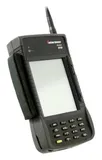
Technical reference for developers of applications for the Intermec PEN*KEY 6110 hand-held computer under Windows 95 and DOS.
Covers · 1 model
The models it covers
Summary
What is in it
A technical reference for programmers writing applications for the Intermec PEN*KEY 6110 hand-held computer. It describes the hardware (batteries, docks, connectors, display, keypad, memory, scanners), then covers the Windows 95 Toolkit and how to build Windows 95 images, Windows 95 and DOS device drivers for printers, radios, scanners and serial ports, DOS utilities, conversion of 4000 Series applications, and communications tools.
Its parts
- Introduction
- Windows 95 Toolkit
- Windows 95 Device Drivers
- DOS Device Drivers
- Application Conversion
- Communications
From the manual
Key facts from this manual
Each line names its page in the PDF.
The 6110 Hand-Held Computer Technical Reference (P/N 977-054-009, Revision J, May 2001), written for programmers developing applications for the PEN*KEY 6110. It describes the hardware (processor, memory, batteries, docks, ports, scanners), the Windows 95 Toolkit for building a Windows 95 PC Card image, the Windows 95 and DOS device drivers, and communications utilities.
- Device
- Hand-held computer with touch screen, signature capture, backlit display and keys p. 10
- Processor
- ÉlanSC400 at up to 99 MHz, modeled after the AMD Am486, with 8 KB write-back cache p. 18
- Memory
- 8, 16 or 32 MB DRAM (8 MB not offered with Windows 95); 512 KB flash for the BIOS only p. 16
- PC Card slots
- One ATA slot (slot C, used to boot) and two Type II slots; any pair of Type II bays takes a Type III card p. 15
- Display
- Backlit LCD, 240 by 320 pixels, resistive analog touch screen for stylus or finger p. 13
- Keypad
- 16-key backlit; all keys except [I/O] and [GOLD] can be remapped with SC400CFG.COM p. 14
- Main battery
- 1350 mAH lithium ion pack, 500 charge/discharge cycles, two hours to recharge when discharged p. 11
- Backup battery
- 100 mAH, two 3.0 volt vanadium-lithium coin cells; keeps 8 or 16 MB DRAM about 24 hours, 32 MB 16 hours p. 11
- Docks
- Single Dock (two RS-232 ports, cable option for RS-485), Multidock (up to eight units), Vehicle Dock, Vehicle Docking Station with keyboard tray p. 12
- Dock serial port
- COM1: RS-232 with RXD, TXD, RTS, CTS and GND (no DCD, DTR, DSR, RI); RS-485 up to 115.2 KB p. 12
- Port replicator
- Optional: power jack, PS/2 keyboard connector, DB-9 RS-232 serial port (COM1), TNC antenna connector, pass-through IrDA p. 16, 17
- Internal scanner
- Optional laser, 670 nm; reads UPC/EAN, Code 39, Interleaved 2 of 5, Code 93, Discrete 2 of 5, USS-128, Codabar, MSI, UCC/EAN 128, ISBT-128, TriOptic Code 39 p. 18
- Magnetic stripe reader
- Optional; reads debit, credit and airline formats on all three tracks p. 19
- Related part numbers
- 6110 User's Guide P/N 961-028-102; 6100 Series Docks Installation Instructions P/N 962-020-003 p. 21
What this manual walks you through
- Charging the main and backup batteries p. 11, 12
- Resetting the computer from the keypad p. 14, 88
- Remapping the keypad with SC400CFG.COM p. 14
- Choosing PC Card slots and booting from an ATA card p. 15
- Updating the BIOS flash with 6110FLSH.EXE p. 20, 88
- Installing a Windows 95 image from the Toolkit onto a PC Card p. 23, 24
- Planning disk space and virtual memory for an application p. 24, 89
Good to know
- The main battery must stay installed at all times, including storage and suspend; the backup battery only holds RAM during a battery change. p. 11
- Pin 9 of the serial pod's D-sub connector can carry power and may damage a device that uses pin 9 as ring indicator. p. 19
- The unit must be on charge for a BIOS reflash to begin. p. 20
- Shut down Windows before resetting the computer. p. 14
- Hard Disk Cards larger than 240 MB may not meet the rugged requirements of a hand-held unit. p. 24
Questions this manual answers
How do I reset an Intermec 6110?
Shut down Windows first, then hold [GOLD], press [Esc] and then [0], and keep all three down until the Power Status LED lights. p. 14
What battery does the Intermec 6110 use?
A 1350 mAH lithium ion main battery pack, plus a 100 mAH backup battery that keeps RAM during battery changes. p. 11
How long should I charge a 6110?
A discharged main battery takes two hours, but keep the unit on charge a full 14 hours so the backup battery is also charged. p. 11
Which PC Card slot does the 6110 boot from?
Slot C, the ATA slot closest to the screen; put an ATA card there to boot. p. 15
How much RAM can the 6110 have?
8, 16 or 32 MB of DRAM; the 8 MB configuration cannot be ordered for Windows 95. p. 16
Contents
Chapters and sections
Each line opens the PDF at its page.
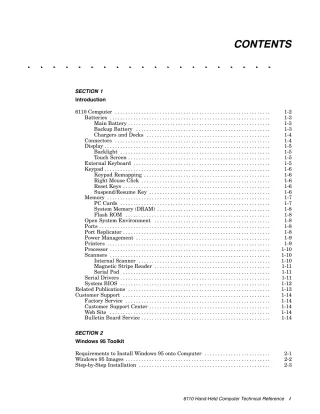
- Title1
- Section 1: Introduction9
- Section 2: Windows 95 Toolkit23
- Section 3: Windows 95 Device Drivres53
- Section 4: DOS Device Drivers93
17 more lines, from page 113 on
The whole text · 17 parts
Read the manual here as text
Its text as extracted from the PDF, unedited, in parts; each page opens the PDF at that page.
- Pages 1 to 81-8
- Section 1: Introduction9-22
- Section 2: Windows 95 Toolkit, pages 23 to 3223-32
- Section 2: Windows 95 Toolkit, pages 33 to 4233-42
- Section 2: Windows 95 Toolkit, pages 43 to 5243-52
- Section 3: Windows 95 Device Drivres, pages 53 to 6253-62
- Section 3: Windows 95 Device Drivres, pages 63 to 7263-72
- Section 3: Windows 95 Device Drivres, pages 73 to 8273-82
- Section 3: Windows 95 Device Drivres, pages 83 to 9283-92
- Section 4: DOS Device Drivers, pages 93 to 10293-102
- Section 4: DOS Device Drivers, pages 103 to 112103-112
- Section 4: DOS Device Drivers, pages 113 to 122113-122
- Section 5: Application Conversion123-126
- Section 6: Communications, pages 127 to 134127-134
- Section 6: Communications, pages 135 to 142135-142
- Glossary143-154
- General Index155-160
The file