Manual · Intermec
6110 Hand-Held Computer User's Guide
Manual106 pagesPDF 1.3 MB
User's guide for the Intermec 6110 hand-held computer: components, batteries, PC cards, options, care, troubleshooting and utilities.
Covers · 1 model
The models it covers
Summary
What is in it
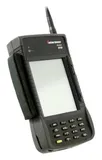
The user's guide for the Intermec 6110 Hand-Held Computer, a touch screen hand-held with signature capture and PC card slots. It describes the keyboard, display, batteries, memory and serial ports, options such as the radio card, integrated scanner pod, port replicator, magnetic stripe reader and GSM with SIM, then explains batteries and charging, PC cards, modem card, routine care and troubleshooting. Appendices give connector pin-outs and the PEN*KEY Utilities Program screens.
Its parts
- General Information
- Operation
- Routine Care and Maintenance
- Troubleshooting
From the manual
Key facts from this manual
Each line names its page in the PDF.
User's guide for the Intermec 6110 Hand-Held Computer, a Windows 95 handheld with a touch screen, a 16-key keyboard and three PC card slots. It describes the parts and specifications, installing and charging the batteries, PC cards, routine care, troubleshooting and the connector pin-outs. An appendix shows the PEN*KEY utilities program screens.
- Device
- Hand-held computer with a touch screen display and a 16-key keyboard p. 8, 10
- Processor
- 99 MHz AMD Élan SC400 p. 24
- Operating system
- Win 95 p. 24
- RAM
- 8 MB standard; 16 or 32 MB optional p. 24
- Display
- Quarter size VGA LCD with backlight, 240 by 320 pixels, portrait; panning shows a full 640 x 480 window p. 24
- Main battery
- 7.2 V, 1500 mA hour lithium ion battery pack p. 23
- Battery pack label
- 6110 TERMINAL BATTERY PACK 317-206-001 p. 26
- Backup battery
- Two 3V, 100 mA hour vanadium lithium batteries p. 23
- Charge time
- 14 hours before first use, then normally 2-1/2 hours p. 27
- PC card slots
- One ATA slot for the system disk (Type II or Type III) plus two PC card slots p. 24
- Interfaces
- RS-232, RS-485 and infrared; protocols NPCP, Xmodem, Ymodem, IrDA p. 23
- Serial pod
- 9-pin D-sub serial port; +5 volts on pin 9 as a software option, for tethered scanners p. 21
- Size and weight
- 8.1 inches long, 4.3 inches wide, 2.2 inches tall; 1 lb. 12 oz. (793.79 g) with battery p. 23
- Operating temperature
- 14 to +122 F (-10 to +50 C) p. 23
What this manual walks you through
- Installing the main battery pack p. 27
- Charging the batteries in the computer or in a pack charger p. 28, 30
- Reading the Power Status LED p. 29
- Checking battery pack capacity with its LEDs p. 33
- Adjusting display contrast and the backlight p. 11
- Resetting the computer p. 17
- Booting from an ATA card and updating the BIOS p. 35
- Troubleshooting power, charging and communication problems p. 46, 47, 48, 49
- Docking connector and RJ-45 jack pin-outs p. 52, 53
Good to know
- Slot C must always hold a flash card or hard disk as the system disk; the computer will not run without it. p. 15
- Shut down Windows 95 before removing the battery pack, or the computer treats it as a crash. p. 32
- The backup batteries are not user replaceable and keep data about 2 days with the main battery removed or run down. p. 34
Questions this manual answers
What processor and memory does the Intermec 6110 have?
A 99 MHz AMD Élan SC400 with 8 MB of RAM standard, 16 or 32 MB optional. p. 24
What battery does the Intermec 6110 use?
A 7.2 V, 1500 mA hour lithium ion main battery pack, plus two 3V vanadium lithium backup batteries. p. 23
How do I reset an Intermec 6110?
Press the Gold (shift), Ctrl and Alt keys together and hold them for three seconds; the computer reboots. p. 17
Why will my 6110 not start without a card in slot C?
Slot C, the ATA slot, must hold a flash card or hard disk as the system disk (C:); the system will not operate without it. p. 15
How long does a 6110 take to boot after a reset?
Normally 30 to 45 seconds; the guide suggests contacting support if it takes longer. p. 49
The whole text · 11 parts
Read the manual here as text
Its text as extracted from the PDF, unedited, in parts; each page opens the PDF at that page.
The file