Manual · Intermec
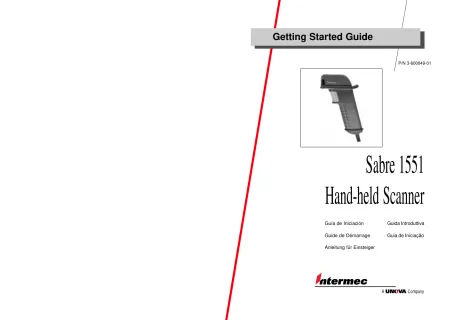
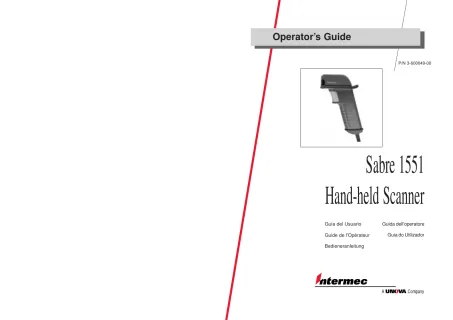
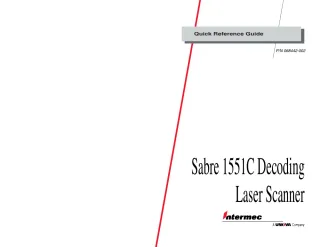
Sabre 1551C Decoding Laser Scanner Quick Reference Guide
Manual24 pagesPDF 296 KB
Quick reference guide for the Intermec Sabre 1551C decoding laser scanner: models, cables, connection, operation and troubleshooting.
Covers · 1 model
The models it covers
Summary
What is in it
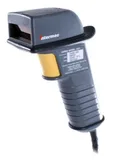
Quick reference guide for the Intermec Sabre 1551C decoding laser scanner. It lists the RS-232 (1551C020X) and keyboard wedge (1551C070X) versions and the terminals each suits, explains the status light and beeps, gives the electrical rating and a cable ordering table, and covers connecting the scanner, hand-held and hands-free scanning, the marker beam, configuring for selected terminals, troubleshooting, maintenance, accessories and agency approvals.
Its parts
- Overview of the Sabre 1551C Laser Scanner
- Unpacking the Sabre 1551C Laser Scanner
- Understanding the Scanner Features
- Connecting the 1551C Laser Scanner
- Operating the Sabre 1551C Laser Scanner
- Configuring the Marker Beam
- Configuring for Selected Terminals
- Troubleshooting
- Maintaining the Sabre 1551C Laser Scanner
- Accessories for the Scanner
- Agency Approvals
- Patents
From the manual · read page by page
Key facts from this manual
Each line names its page in the PDF.
An Intermec quick reference guide (P/N 068442-002, 1998-2000) for the Sabre 1551C decoding laser scanner, a version of the 1551. It covers the 1551C0200 to 1551C0705 versions for RS-232 and keyboard wedge hosts. It lists the cables and accessories to order and shows how to connect, scan, configure for common terminals, troubleshoot and clean the scanner.
- Device
- Sabre 1551C decoding laser scanner for hand-held or hands-free (stand) scanning p. 5, 13
- Interface versions
- 1551C0200: RS-232 PC or terminal serial port and DEC VT220/320/420; 1551C0700: keyboard wedge for PCs, IBM terminals, Apple Mac ADB, laptops and TTL RS232 p. 5
- Optics options
- Model numbers ending 01 advanced long-range, 02 long-range, 04 high-visibility, 05 high-density optics p. 5, 6
- Electrical rating
- 4.5 to 12V; 215 mA p. 8
- Host power limit
- Host output to the 1551 limited to 14.75V at 1 A p. 22
- Power supplies
- 043230 (100V), 047793 (120V), 047794 (240V UK plug), 047795 (230V European plug); 590451 PS/2 mouse cable power pick-up p. 11
- Intermec cables
- 944X, 9430, 95XX RJ11: 068414-011; 9465/9450, J2050, JG2050 11 pin Fisher: 068414-046; J2010, JG2010, 97XX, T242X, T246X, T248X, 5020 10 pin: 068414-012 p. 8
- RS-232 cables
- DCE 25 pin male D-Sub 6 ft: 068414-001; DTE 25 pin male D-Sub 6 ft: 068414-003; DTE, 6400, 6550, 5055 9 pin female D-Sub 6 ft: 068426 p. 9
- Wedge cables
- PC XT/AT Y 5 pin DIN: 068414-061; PS2 30/50/60/80 Y 6 pin mini-DIN: 068414-006; laptops PS2 style 6 pin mini-DIN: 068414-053 (6 ft each) p. 11
- Accessories
- Holster and belt 068174; wall-mount 068176; vehicle-mount 068175; desk-mount 068483; scanner stand 068484; stand upgrade kit 066799 p. 21
- Temperature
- Operating -30 to 50 C (-22 to 122 F); storage -40 to 70 C (-40 to 158 F); 0 to 95% relative humidity p. 20
- Marker beam
- Long-range and high-visibility versions: off, 500 milliseconds (default) or 1.25 seconds p. 15
- User's manual
- Sabre 1551C Decoding Laser Scanner User's Manual, Part No. 066104 p. 6
What this manual walks you through
- Choosing the interface cable for a terminal or computer p. 8, 9, 10, 11
- Connecting the scanner to a reader or terminal p. 12
- Hand-held scanning p. 13, 14
- Hands-free scanning with a scanner stand p. 14, 15
- Setting the marker beam time p. 15
- Configuring for selected terminals and laptops p. 16, 17
- Reading the light and beep signals p. 7, 8
- Troubleshooting common scanner problems p. 18, 19
- Cleaning and caring for the scanner p. 20
Good to know
- Unless a kit was ordered, interface cables must be ordered separately. p. 6
- Do not wipe the window with a dry tissue and do not immerse the unit in water. p. 20
- A scanner stand without a small magnet in the holder needs upgrade kit 066799. p. 14
- Cables marked with one asterisk need an external power supply; cables marked with two asterisks carry power on pin 9. p. 11
Questions this manual answers
What does it mean when the Sabre 1551C beeps three times?
Three beeps indicate an error, usually that the scanner did not recognize the programming bar code; scan the correct one and try again. p. 8, 19
What cable connects a 1551C to a PC keyboard port?
The guide lists 068414-061 (Y 5 pin DIN) for PC XT/AT and 068414-006 (Y 6 pin mini-DIN) for PS2 30/50/60/80, both 6 ft. p. 11
What power does the Sabre 1551C need?
The guide rates it at 4.5 to 12V and 215 mA; a host that powers it must limit its output to 14.75V at 1 A. p. 8, 22
How do I set up the 1551C for a DEC VT510 or VT520?
Scan the plug-and-play bar code in the guide for a DEC VT510/520 with a PC/AT style keyboard or with an LK 411 keyboard. p. 16
Why does my 1551C scanner not emit a beam?
It is not receiving power: check that the cable is correct, plugged in and undamaged, the terminal is on, and the scanner is configured for that terminal. p. 19
The whole text · 3 parts
Read the manual here as text
Its text as extracted from the PDF, unedited, in parts; each page opens the PDF at that page.
The file