Manual · Intermec
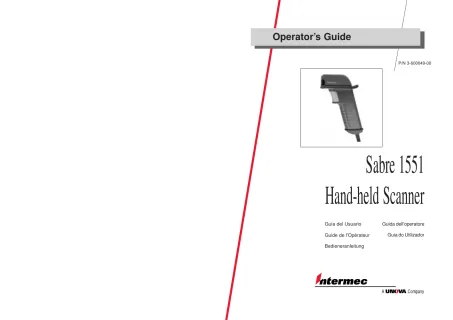
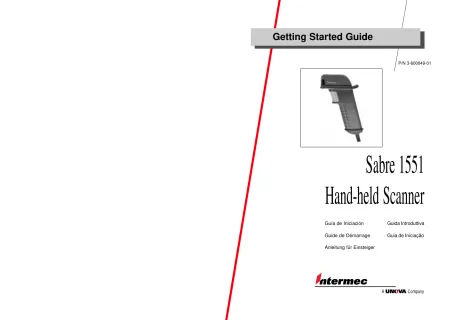
Sabre 1551 Hand-held Scanner Getting Started Guide
Manual9 pagesPDF 646 KB
Getting started guide for the Intermec Sabre 1551E handheld laser scanner: keyboard wedge, RS-232 C and wand emulation setup barcodes.
Covers · 1 model
The models it covers
Summary
What is in it
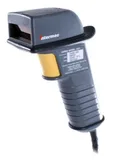
Intermec's multilingual getting started guide for the Sabre 1551E handheld laser scanner. It shows how to connect and set up the scanner as a PC keyboard wedge (with keyboard language and postamble codes), on RS-232 C (baud rate, data bits, parity, postamble) or in wand emulation, how to select symbologies and read the test and default setup codes, and how to start the EasySet setup software. It ends with laser warnings and regulatory statements. It does not apply to the Sabre 1551A, B or C.
From the manual · read page by page
Key facts from this manual
Each line names its page in the PDF.
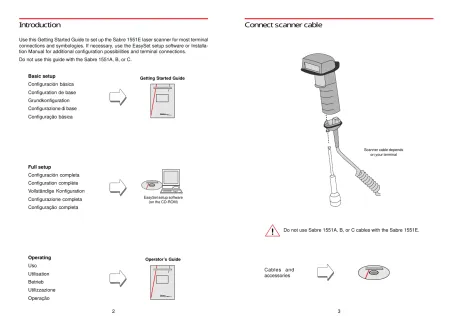
A multilingual Intermec Getting Started Guide (P/N 3-600049-01, edition 1.2, 2000) for the Sabre 1551E hand-held laser scanner, a version of the 1551. It walks through basic setup for a PC keyboard wedge, an RS-232 C port and wand emulation, plus symbology selection and full setup with the EasySet software. It states that it is not for the Sabre 1551A, B, or C.
- Device
- Sabre 1551E hand-held laser scanner p. 1, 2
- Interfaces
- PC keyboard wedge, RS-232 C, wand emulation (digital, or analog Intermec interface, white high) p. 3, 4, 5
- Cables
- PC wedge cable P/N 3-604037-00; standard RS-232 C cable P/N 3-604032-00; wand emulation cable P/N 3-606031-00 p. 3, 4, 5
- RS-232 settings
- 9600 (default) or 19200 baud; 7 (default) or 8 data bits; even (default), odd or no parity; postamble CR + LF (default), CR or none p. 4
- Wedge keyboards
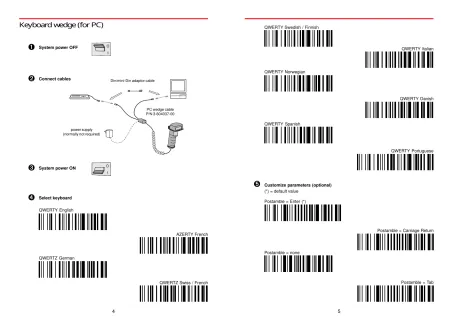
- QWERTY English, Swedish/Finnish, Italian, Norwegian, Danish, Spanish, Portuguese; AZERTY French; QWERTZ German, Swiss/French p. 3
- Wedge postamble
- Enter (default), Carriage Return, none or Tab p. 3
- Symbologies
- Code 39; UPC-A, UPC-E, EAN-8, EAN-13; Code 128 / EAN 128; PDF417 on the 1551 0808 only p. 5
- Laser
- Maximum output 1mW at 630-680 nm; Class 2 except Sabre 1551 0601, which is Class 3A p. 7
- Power supplies
- P/N 0-302029-01 (~120V, 60 Hz); P/N 0-301029-01 (~230V, 50 Hz); P/N 0-303029-01 (~240V, 50 Hz) p. 8
- Setup software
- EasySet setup software on the CD-ROM, run over the RS-232 C cable p. 2, 6
What this manual walks you through
- Connecting the scanner as a PC keyboard wedge and choosing the keyboard p. 3
- Connecting to an RS-232 C serial port and setting baud rate and parity p. 4
- Connecting for wand emulation p. 5
- Enabling only the symbologies needed p. 5
- Full setup with the EasySet software p. 6
Good to know
- The guide is not for the Sabre 1551A, B, or C, and their cables must not be used with the 1551E. p. 2
- The wedge setup shows a power supply as normally not required. p. 3
- Laser warning labels should be fixed onto the product if not already present. p. 7
- The manual states it is a Class A digital device meant for commercial use, not a residential environment. p. 8
Questions this manual answers
Which cable connects a Sabre 1551E to a PC keyboard port?
The guide shows the PC wedge cable, P/N 3-604037-00, with a DIN/mini-DIN adaptor cable. p. 3
Can I use Sabre 1551A, B or C cables with the 1551E?
No. The guide says not to use 1551A, B, or C cables with the 1551E, and not to use this guide with those models. p. 2
What are the default RS-232 settings of the Sabre 1551E?
9600 baud, 7 data bits and even parity, with a carriage return plus line feed postamble. p. 4
Which Sabre 1551 reads PDF417?
The guide lists PDF417 for the 1551 0808 only. p. 5
The whole text · 1 part
Read the manual here as text
Its text as extracted from the PDF, unedited, in parts; each page opens the PDF at that page.
The file