Manual · Intermec
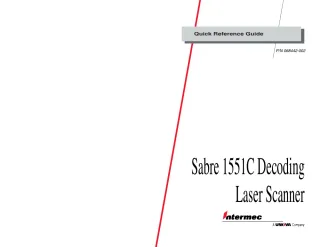
1551C Decoding Laser Scanner User's Manual
Manual95 pagesPDF 712 KB
User's manual for the Intermec 1551C decoding laser scanner: connecting it, operating it and configuring interfaces and bar code symbologies.
Covers · 1 model
The models it covers
Summary
What is in it
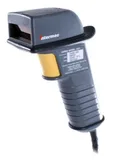
The user's manual for the Intermec 1551C hand-held decoding laser scanner. It explains how to connect the 1551C02XX, 1551C03XX and 1551C07XX versions to RS232 ports, DEC terminals, IBM 4683, OCIA and OCR interfaces, keyboard wedges, laptops and portable readers, then how to operate and troubleshoot the scanner. Configuration sections cover prefix and suffix, output, serial communication, data formatting, wand emulation and keyboard settings, plus industrial and retail symbologies and supported interface keys.
Its parts
- Before You Begin
- Connecting the Scanner
- Operating the Scanner
- Configuring the Scanner
- Configuring Bar Code Symbologies
- Supported Interface Keys
From the manual
Key facts from this manual
Some pages are scans or cannot be read; this says only what the readable text supports. Each line names its page in the PDF.
The Intermec user's manual (P/N 066104-002) for the 1551C decoding laser scanner, a version of the 1551, in its 1551C02XX, 1551C03XX and 1551C07XX versions. It explains how to connect each version to its host, operate and troubleshoot the scanner, and program its output, communication, keyboard and bar code settings. Much of the text layer is scrambled, so only the legible pages are summarized here.
- Device
- 1551C decoding laser scanner, for terminals, portable readers or a scanner stand p. 15
- Versions
- 1551C02XX: RS232 port, DEC VT220/320/420, portable reader; 1551C03XX: IBM 4683, OCIA, OCR RS232, portable reader; 1551C07XX: keyboard wedge, portable reader, laptop p. 6
- RS232 defaults
- 9600 bits per second, even parity, 7 data bits, parity bit, 1 stop bit p. 16, 22
- Wand defaults
- 1551C07XX with a portable reader: 40 inches per second, White High polarity, Wand Emulation Code 39 format, switched (low) power p. 26
- IBM 4683 connector
- 1551C03XX cable: 8-pin SDL for the 5B port or 4-pin SDL for the 9A or 9B port p. 19
- Power modes
- Switched power on 1551C02XX and 1551C07XX only; constant power needed with Y cable accessory 054364 and the 1700 keyboard, T248X, or 9560 with badge scanner p. 33
- Terminal IDs
- Two-digit IDs, for example Esprit 200, 400: 05; IBM PC XT: 01; IBM PS/2 25, 30: 02; Siemens 9758 (German only): 34 p. 31, 32
- Symbologies
- Codabar, Code 39, Code 93, Interleaved 2 of 5, Code 2 of 5, Matrix 2 of 5, Code 11, Code 128, Code 16K, Code 49, EAN, UPC, MSI, Plessey p. 60
- Keyboard countries
- United States (default), Denmark, Finland, Norway, Sweden, Germany, Austria, Switzerland, Belgium, France, Italy, United Kingdom p. 58
- NCR 7052 keypad
- 1551C03XX only; default Layout 1 (Telephone) p. 59
- Humidity
- Operate and store at 0% to 95% relative humidity p. 39
What this manual walks you through
- Connecting the 1551C02XX to an RS232 port p. 16
- Connecting the 1551C02XX to a DEC VT220/320/420 terminal p. 17
- Connecting the 1551C03XX to an IBM 4683 or OCIA interface p. 19, 21
- Programming a terminal ID for other terminals p. 31, 32
- Choosing switched or constant power mode p. 33
- Scanning tips for distance and angle p. 36
- Troubleshooting and maintenance p. 38, 39
- Adding prefixes and suffixes to scanned data p. 45
- Selecting a foreign keyboard layout p. 58
Good to know
- Do not look into the window or at a reflection of the laser beam while it is scanning. p. 34
- Interface cables must be ordered separately. p. 14
- In wand emulation, 95XX terminals must use Quiescent State High, and the idle state setting needs Constant Power mode. p. 57
- For countries other than the United States, some symbol characters are generally not supported. p. 58
- Do not wipe the window with a dry tissue and do not immerse the unit in water. p. 39
Questions this manual answers
What are the default serial settings of the Intermec 1551C?
For RS232 the manual lists 9600 bits per second, even parity, and 7 data bits with a parity bit and 1 stop bit. p. 16
Which 1551C versions support switched power mode?
Only the 1551C02XX and 1551C07XX; constant power is needed with Y cable 054364 and the 1700 keyboard, the T248X, or the 9560 with badge scanner. p. 33
What does three beeps mean on a 1551C scanner?
The scanner did not recognize the programming bar code; make sure the correct programming bar code is scanned and try again. p. 39
What cable connector does the 1551C use on an IBM 4683?
The 1551C03XX interface cable has an 8-pin SDL connector for the 5B port or a 4-pin SDL connector for the 9A or 9B port. p. 19
Which bar codes can the 1551C read?
The manual has settings for Codabar, Code 39, Code 93, the 2 of 5 codes, Code 11, Code 128, Code 16K, Code 49, EAN, UPC, MSI and Plessey. p. 60
The whole text · 10 parts
Read the manual here as text
Its text as extracted from the PDF, unedited, in parts; each page opens the PDF at that page.
The file