Manual · Ingenico
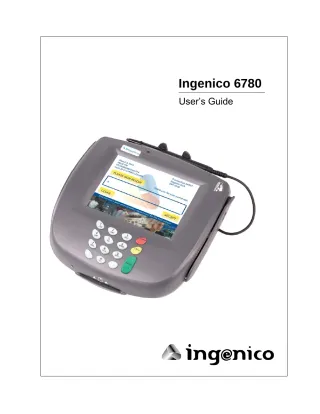
Ingenico 6780 User's Guide
Manual119 pagesPDF 1.1 MB
User's guide for the Ingenico 6780 signature capture payment terminal: Extended Menu, security keys, downloading and troubleshooting.
Covers · 1 model
The models it covers
Summary
What is in it
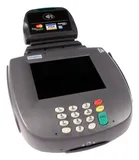
Ingenico's user's guide for the 6780 customer input terminal used for payments at the point of sale. It explains how to reach and use the Extended Menu (system configuration, system info, supervisor, system parameters and diagnostic menus), then gives background on the terminal and key architecture and the secure certificate, and closes with IBMEFT downloading, download errors and IBMEFT troubleshooting. It also lists the installation and software development kits available.
Its parts
- Introduction
- Extended Menu Overview
- System Configuration Menu
- System Info Menu
- Supervisor Menu
- System Parameters Menu
- Diagnostic Menu
- Architecture
- Key Architecture
- Secure Certificate
- IBMEFT Download
- Download Errors
- IBMEFT Troubleshooting
From the manual
Key facts from this manual
Each line names its page in the PDF.
The Ingenico 6780 User's Guide, for the i6780 customer input payment terminal used at the point of sale. It explains the terminal's Extended Menu, hardware diagnostic tests, ports and internal architecture, program downloads, download errors and register error messages.
- Device
- Customer input payment terminal for credit, debit/ATM and EBT, with signature capture p. 9
- Host port
- RS232, USB/PoweredUSB, RS485 IVI LAN, or RS485 Tailgate (North America only) p. 89
- Other ports
- AUX: RS232 for a printer or check reader; E-NET: Ethernet 10 base T, TCP/IP; ITI port not used p. 89
- Processor
- Millennium ASIC processor p. 89
- Flash memory
- 8 MB in all, split between code and data file systems at the factory p. 90
- Operating system
- UNICAPT 32 p. 11
- Default download setup
- IBMEFT protocol, Com1, RS232, 19200 baud, 8 data bits, no parity, 1 stop bit p. 116
- Installation kits
- Basic: terminal and 6780-to-ECR cable; Store: adds a CD with the Retail Base Application and MLDT p. 11
- Development kits
- OPOS, JavaPOS and UNICAPT 32 software development kits p. 11
- Diagnostic tests
- Include RS232, RS485 Tailgate, USB, magnetic stripe reader, smart card reader, SAMs, touch screen and signature capture p. 77, 78, 79, 80, 81, 82, 83, 84
- Menu version
- Extended Menu described as of SSA VAR05 version 2.36 p. 12
- Related guide
- Ingenico 6780 Installation & Operations Guide, part number DIV350487 p. 9
- Manual part number
- DIV350489, Revision A, December 8, 2006 p. 2
What this manual walks you through
- Choosing an installation or software development kit p. 11
- Navigating the Extended Menu with the stylus or keys p. 12
- Testing the display, keypad, beeper, ports, card readers and SAMs p. 75, 76, 77, 78, 79, 80, 81, 82
- Understanding host connections and the terminal's ports p. 89
- How the terminal screens secure input and installs downloaded software p. 90, 91, 92
- Resolving download errors such as port, NAK, CRC and DFS space errors p. 114, 115, 116, 117
- Fixing Card Read Error and EFT Device Not Available messages p. 118, 119
Good to know
- A CRC Error followed by a string of characters means the security module has been compromised; the unit must go to an authorized repair facility. p. 116
- Pen and finger calibration are set by the manufacturer and are meant for repair facilities only. p. 85
- Extended Menu items are too small to select with a finger; use the stylus or keys. p. 12
Questions this manual answers
What does CRC Error mean on an Ingenico 6780?
It means the security module has been compromised; note the error and arrange an RMA to return the unit to an authorized repair facility. p. 116
What are the Ingenico 6780 default download port settings?
IBMEFT protocol on Com1, RS232 at 19200 baud, 8 data bits, no parity and 1 stop bit. p. 116
What should I do about a Card Read Error on the i6780?
Swipe again at different speeds, try the reverse direction and keep the card straight in the track; if it still fails, the card is worn and the number must be entered manually. p. 118
What payment types does the Ingenico 6780 support?
With the right application software: credit, debit or ATM, and Electronic Benefits Transfer (EBT). p. 9
How do I fix a Not Enough DFS Space error on the 6780?
Free space in the data file system, for example by using MLDT or Wingload 32 to read the DFS and delete redundant files. p. 117
Contents
Chapters and sections
Each line opens the PDF at its page.
- Revision History7
- 1 Introduction9
- 2 Extended Menu Overview12
- 3 System Configuration Menu18
- 4 System Info Menu26
- 5 Supervisor Menu33
- 6 System Parameters Menu46
52 more lines, from page 73 on
- 6.6 Editing Parameters73
- 7 Diagnostic Menu75
- 7.1 Overview75
- 7.2 Testing the Display Contrast75
- 7.3 Testing the Keypad76
- 7.4 Testing the Beeper76
- 7.5 Testing the RS232 Connection77
- 7.6 Testing the RS485 Tailgate Connection78
- 7.7 Testing the USB Port79
- 7.8 Testing the Magnetic Stripe Reader80
- 7.9 Testing the Smart Card Reader81
- 7.10 Testing the SAMs82
- 7.11 Testing the Touch Screen83
- 7.12 Testing Signature Capture84
- 7.13 Testing Pen Calibration85
- 7.14 Testing Finger Calibration86
- 7.15 SCV Verification (Ingenico use only)87
- 8 Architecture88
- 9 Key Architecture94
- 10 Secure Certificate102
- 11 IBMEFT Download111
- 12 Download Errors114
- 13 IBMEFT Troubleshooting118
The whole text · 15 parts
Read the manual here as text
Its text as extracted from the PDF, unedited, in parts; each page opens the PDF at that page.
- Table of Contents1-6
- Pages 7 to 117-11
- 2 Extended Menu Overview12-17
- 3 System Configuration Menu18-25
- 4 System Info Menu26-32
- 5 Supervisor Menu33-45
- 6 System Parameters Menu, pages 46 to 5546-55
- 6 System Parameters Menu, pages 56 to 6556-65
- 6 System Parameters Menu, pages 66 to 7466-74
- 7 Diagnostic Menu75-87
- 8 Architecture88-93
- 9 Key Architecture94-101
- 10 Secure Certificate102-110
- 11 IBMEFT Download111-113
- Pages 114 to 119114-119
The file