Manual · HHP
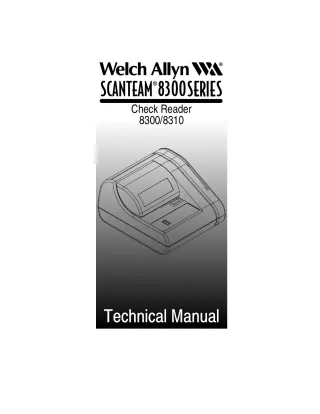
SCANTEAM 8300 Series Check Reader 8300/8310 Technical Manual
Manual111 pagesPDF 580 KB
Technical manual for the Welch Allyn SCANTEAM 8300 and 8310 MICR check readers: setup, interfaces, protocols and MICR data formatting.
Covers · 1 model
The models it covers
Summary
What is in it
The technical manual for the Welch Allyn SCANTEAM 8300 Series check readers, models 8300 and 8310. It covers physical description and setup for host-powered and externally powered installations, the check reading procedure, the DB-15 host port pin assignments for the 8300-1, -2 and -4, auxiliary RS-232, magnetic stripe and bar code scanner ports, power requirements, communication protocols, MICR data parsing and formatting, error codes, maintenance, service and specifications, plus an introduction to MICR technology.
Its parts
- Introduction to the SCANTEAM 8300 Check Reader
- Physical Description, Illustrations, and Operation
- Hardware Interface Description
- Software Operation
- MICR Data Processing
- Maintenance
- Service and Repair
- Specifications
From the manual
Key facts from this manual
Some pages are scans or cannot be read; this says only what the readable text supports. Each line names its page in the PDF.
Welch Allyn's SCANTEAM 8300 Series Check Reader 8300/8310 Technical Manual (1998), for the SCANTEAM 8300 and SCANTEAM 8310 MICR check readers, including the 8300-1, 8300-2 and 8300-4 host interface versions. It gives specifications, connector pinouts, power options, host interface details and error codes.
- MICR fonts
- E13-B and CMC-7, auto-discrimination or a single font; personal and commercial checks p. 74
- Read rate
- 99.5% first pass, 99.9% second pass; read to host in no more than 2 seconds p. 74, 75
- Host versions
- 8300-1: IBM 468X/469X and retail; 8300-2: retail (non-IBM) and commercial; 8300-4: RS-232 (PC-POS) and IBM 468X/469X; DB-15F host port p. 10, 34
- Input power
- Regulated +5 VDC (100 mV ripple max), +7 to +13.5 VDC (500 mV ripple max), or +9 VDC wall power pack p. 76
- Power pack
- PS120/9V, 120V/60hz wall mount; +9 VDC unregulated, 5.5 mm barrel connector, inside of barrel positive p. 42, 76
- Size and weight
- 4.08 in (10.4 cm) wide x 5.75 in (14.6 cm) deep without MSR, 4.71 in wide with MSR; 1.25 lb (567 g) max without power pack p. 16, 74
- Operating environment
- +32°F to +122°F (0°C to 50°C), 90% humidity max; storage 0°F to +140°F p. 76
- Aux ports
- SCANTEAM 8300: one RS-232 aux port; a second is a factory-installed option p. 38
- Card reader
- SCANTEAM 8300: RJ-45 8-pin MSR port (ST2000 compatible) for single, dual or triple track readers; integrated MSR optional p. 39, 75
- Scanner port
- SCANTEAM 8300: optional 9-pin D port for +5V wand, CCD or laser scanners; not field upgradeable p. 40, 75
- Display
- SCANTEAM 8300: green seven-segment LED display; SCANTEAM 8310: single green LED p. 75
- SCANTEAM 8310
- SCANTEAM 8310: reads MICR data only, with no MSR, auxiliary or scanner ports p. 14
What this manual walks you through
- Physical specifications of the SCANTEAM 8300 p. 16
- DB-15 host port pin assignments for models 8300-1, 8300-2 and 8300-4 p. 35, 36, 37
- Pinouts of the auxiliary RS-232, card reader and bar code scanner ports p. 38, 39, 40
- Powering the reader from the host or from an external power pack p. 41, 42, 43
- Connecting to IBM 4683/4 and 4693/4 POS terminals and their logical addresses p. 45
- Testing MICR signal strength to catch photocopied checks p. 64
- LED display error codes, host error codes and unreadable-check codes p. 64, 65, 66
- Full specifications: power, environment, shock, vibration and emissions p. 74, 75, 76, 77
- Physical specifications of the SCANTEAM 8310 p. 78
Good to know
- Many early PCs cannot power the reader through the keyboard port; use an external power pack then. p. 42
- Some Fujitsu systems lack enough +5 volt power and need an external power pack and an external power (EP) host cable. p. 43
- With an external pack on a host interface that also supplies power, use an EP cable or set the PC board for external power. p. 41
- No +12V scanners are supported in the standard scanner port configuration. p. 40
Questions this manual answers
What power supply does the SCANTEAM 8300 check reader use?
A +9 VDC wall mount power pack (PS120/9V for 120V), or host power: regulated +5 VDC or +7 to +13.5 VDC. p. 42, 76
Which check fonts can the SCANTEAM 8300 read?
E13-B and CMC-7 MICR characters, either by auto-discrimination or a single programmed font. p. 74
What is the difference between the SCANTEAM 8300 and 8310?
The 8310 reads only MICR data from checks and has no card reader, auxiliary or scanner ports, and it shows status on a single green LED. p. 14, 75
Can the SCANTEAM 8300 detect photocopied checks?
It measures MICR signal strength, and the host can reject checks whose average falls below a programmed minimum. p. 64
Does the SCANTEAM 8300-1 need a power pack on an IBM POS terminal?
No. For IBM 468X/469X direct connect it takes +5 VDC or +12 VDC through the communication cable. p. 45
The whole text · 12 parts
Read the manual here as text
Its text as extracted from the PDF, unedited, in parts; each page opens the PDF at that page.
The file