Manual · HHP
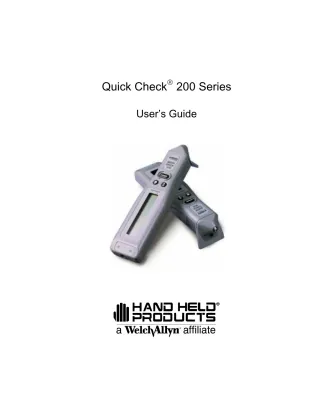
Quick Check 200 Series User's Guide
Manual84 pagesPDF 2.9 MB
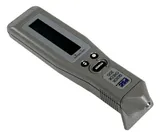
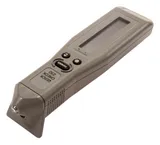
User's guide for the Hand Held Products Quick Check 200 Series portable bar code verifiers, including the QC200 and QC210.
Covers · 2 models
The models it covers
Summary
What is in it
Hand Held Products' user's guide for the Quick Check 200 Series of portable bar code verifiers, which grade print quality against the ANSI X3.182-1990 guideline. It covers unpacking and charging, operation and reflectance calibration, configuration of symbologies, model applications (QC200 to QC250), tests and settings, how to read test results, sample printouts, reflectometer mode and command codes, maintenance, Single Scan To Result, and the QCP, QCHSP and QCSSP printers.
Its parts
- About This Manual
- Overview
- Detailed Operation
- Configuration/Programming
- Symbol Testing & Scan Results
- Printer Print Out Samples
- Special Functions
- Quick Check Maintenance
- Single Scan To Result (SSTR)
- Printer Information
- Customer Service
From the manual
Key facts from this manual
Some pages are scans or cannot be read; this says only what the readable text supports. Each line names its page in the PDF.
Hand Held Products' user's guide (2001) for the Quick Check 200 Series pen-style bar code verifiers: the QC200, QC210, QC220, QC230 and QC250. It explains charging, scanning, calibration, choosing industry applications and test methods, reading results, and printing them on the Quick Check printers.
- Device
- Portable hand held bar code verifier, both a pass/fail tester and a measuring tool p. 11
- Test standard
- ANSI X3.182-1990 Bar Code Print Quality Guideline, or traditional pass/fail p. 11, 27
- Battery
- Supplied NiCad rechargeable pack; charge at least six hours; one hour minimum use per charge p. 12
- Charger
- QCAC AC charger into the power jack on the end of the unit p. 13, 14
- Controls and display
- POWER, SELECT and SCROLL buttons; red and green LEDs; custom LCD p. 15
- Symbologies
- EAN/UPC, Code 39, Interleaved 2 of 5, Codabar, Code 128, MSI, Code 16K, IATA 2 of 5, Regular 2 of 5 p. 11
- Models
- QC200 symbologies only; QC210 retail; QC220 health; QC230 industrial/government; QC250 all applications p. 27
- QC210 applications
- QC210: SCC, BOOKLAND and SISAC p. 27
- Printers
- QCP and QCHSP impact printers; QCSSP thermal printer p. 56
- Stored results
- Up to 25 scans in a temporary buffer p. 57
- Calibration page
- QC200 Reflection Calibration Page (QCRFPG) p. 18
- Auto power off
- After about a minute of inactivity p. 18
What this manual walks you through
- Unpacking and charging the battery p. 12, 13
- Quick start setup with command codes p. 14
- Scanning a bar code and reading the beeps p. 17
- Calibrating the reflectance scale p. 18
- Selecting an industry application p. 25, 26
- Choosing traditional or ANSI pass/fail criteria p. 27
- Handling the Low Battery warning p. 9, 10
- Cleaning the scanner tip p. 49
- Storing, printing and deleting results p. 57, 58
- Troubleshooting the QCSSP printer p. 67, 68, 69
Good to know
- Never connect the unit to its charger or printer without a battery pack installed: it damages the unit. p. 13
- Use only an HHP supplied NiCad pack; other batteries could explode. p. 13
- The unit cannot run directly from an adapter or AC outlet. p. 12
- Do not replace the battery pack without first contacting the maker's service department. p. 15
- Printers should not run below 5°C or above 40°C. p. 56
Questions this manual answers
What is the difference between the QC200 and QC210?
The QC200 tests symbologies only; the QC210 retail model adds the SCC, BOOKLAND and SISAC industry applications. p. 27
How long does the Quick Check 200 battery take to charge?
At least six hours, through the AC charger plugged into the power jack on the end of the unit. p. 13
What does Low Battery mean on a Quick Check 200?
Turn it off for one or two minutes and back on; if the warning returns at once, recharge the unit. p. 10
Which printers work with the Quick Check 200 Series?
The Quick Check Printer (QCP), High Speed Printer (QCHSP) and Super Speed Printer (QCSSP). p. 56
How do I calibrate a Quick Check 200 verifier?
Scan the reference target on the QCRFPG calibration page 10 times at the proper scanning angle. p. 18
The whole text · 9 parts
Read the manual here as text
Its text as extracted from the PDF, unedited, in parts; each page opens the PDF at that page.
The file