Manual · Hach
Portable pH Meter Instruction Manual
Manual40 pagesPDF 597 KB
Instruction manual for the Hach sension1 portable pH meter: setup, calibration, measuring samples, specifications.
Covers · 1 model
The models it covers
Summary
What is in it
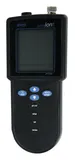
Instruction manual for the Hach sension1 Portable pH Meter. It gives the certifications, safety precautions and specifications, then explains unpacking, the keypad, display and audible signals, battery installation, probe connections, temperature and millivolt measurements, the setup menu, calibrating with pH 4, 6.86, 7 and 10 buffers, measuring samples and troubleshooting with error codes, plus replacement parts and service information.
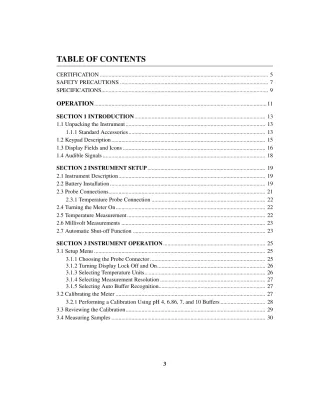
Its parts
- Certification
- Safety Precautions
- Specifications
- Operation
- Introduction
- Instrument Setup
- Instrument Operation
- Troubleshooting
- General Information
From the manual
Key facts from this manual
Some pages are scans or cannot be read; this says only what the readable text supports. Each line names its page in the PDF.
The instruction manual for the Hach sension1 portable pH/mV/temperature meter. It covers battery fitting, probe connections, the setup menu, buffer calibration, sample measurement, error codes and a list of replacement parts and buffers.
- What it is
- Portable pH, millivolt and temperature meter for field or laboratory use p. 13, 19
- Inputs
- 1 BNC; 5-pin Hach pH/temperature or Hach temperature probe; 1 pin-tip p. 9
- Power
- 4 alkaline AA batteries, at least 500 hours of continuous use p. 9, 19
- pH range
- -2.0 to 19.99 pH units, temperature corrected p. 19
- Millivolt range
- -2000 to 2000 mV at 0.1 mV resolution p. 23
- Temperature range
- -10.0 to 110 °C, shown in °C or °F p. 22, 26
- Display
- Custom LCD with two screens: readings above, active keys below p. 9, 16
- Keypad
- Exit/Power, arrow, READ/ENTER, pH/mV, Setup, Cal and Review keys p. 15
- Calibration buffers
- Auto-recognizes pH 4.01, 6.86 or 7.00, and 10.01 buffers p. 27
- Dimensions
- 21.2 x 8.7 x 4.2 cm (8.35 x 3.43 x 1.65 in.) p. 9
- Environment
- 0 to 50 °C at 85% non-condensing relative humidity p. 9
- Enclosure
- Waterproof (designed to meet IP67), chemical resistant, dust proof; the meter floats p. 9
- Auto shut-off
- 15 minutes after the last key press; 4 hours in Calibration mode p. 23
- Parts named
- Meter 51700-00; 5-pin temperature probe 51980-00; BNC shorting cap 50071-00; 5-pin pH electrode with temperature 51910-00 p. 35
What this manual walks you through
- Installing the four AA batteries p. 19, 20
- Connecting 5-pin, BNC and pin-tip electrodes p. 21
- Using a temperature probe or setting a default temperature p. 22, 23
- Choosing connector, display lock, units, resolution and buffer set in the Setup menu p. 25, 26, 27
- Calibrating with two or three pH buffers p. 27, 28, 29
- Reviewing the stored calibration, slope and offset p. 29
- Measuring samples p. 30
- Running the shorting test for meter offset p. 31
- Reading the error codes p. 32
Good to know
- Use only alkaline batteries; the batteries are not rechargeable. p. 13, 19
- The meter has no field-serviceable parts and should not be opened. p. 31
- Electrodes on both the 5-pin and BNC inputs at once must not be in the same solution. p. 21
- Buffers other than pH 4.01, 6.86 or 7.00, and 10.01 cannot be used to calibrate. p. 27
Questions this manual answers
What batteries does the Hach sension1 take?
Four alkaline AA batteries; other battery types should not be used. p. 19
What does error 2 mean on the sension1?
A calibration slope error: the slope is too high or low. Check the buffers, connect a pH probe and disconnect any probe on the BNC input. p. 32
What does error 3 mean on the sension1?
A calibration standard error: the value read will not work in the calibration. Check that no buffer was measured twice and repeat with new buffers. p. 32
How do I measure temperature with a BNC pH electrode on the sension1?
Connect a Hach temperature probe (51980) to the meter's 5-pin connector, or enter the temperature by hand as the default. p. 22
When does the sension1 turn itself off?
15 minutes after the last key press, or four hours after it when in Calibration mode. p. 23
Contents
Chapters and sections
Each line opens the PDF at its page.
The whole text · 7 parts
Read the manual here as text
Its text as extracted from the PDF, unedited, in parts; each page opens the PDF at that page.
The file