Manual · Denso
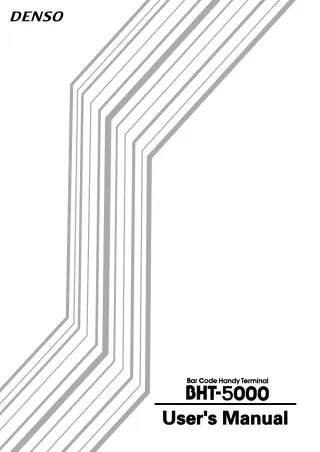
User's Manual (BHT-5000)
Manual143 pagesPDF 1.1 MB
User's manual for the Denso BHT-5000 bar code handy terminal and its CU-5000 optical communications unit.
Names · 2 models
The models it names
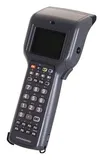 NipponDenso BHT-5000Portable batch data collection terminal from$595.001 in stock Denso BHT-5000Portable batch data collection terminal Call for availability
Filed with · 4 models
Also filed with these models on the old site
Denso BHT-5079Portable batch data collection terminal from$595.004 in stock NipponDenso BHT-5079Portable batch data collection terminal Call for availability 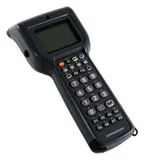 NipponDenso BHT-5171Portable batch data collection terminal Call for availability NipponDenso BHT-5175Portable batch data collection terminal Call for availability
Summary
What is in it
The user's manual for the Denso BHT-5000 Bar Code Handy Terminal, which reads bar codes and accepts keypad entry, and for the CU-5000 unit that links it to a host computer. It covers reading bar codes, the keypad and backlight, loading the battery cartridge, initializing and setting the clock, System Mode functions such as downloading, uploading, settings and tests, RS-232C interface and BHT-protocol communications, error messages, charging the Ni-MH battery in the CU-5001, and specifications.
Its parts
- Quick Guide
- Getting Started the BHT-5000 and System Mode
- Communications Operations of BHT-5000
- Error Messages
- Handling the CU-5000
From the manual
Key facts from this manual
Each line names its page in the PDF.
Denso user's manual for the BHT-5000 Bar Code Handy Terminal and its CU-5000 optical communications unit (CU-5001 and CU-5002). It covers loading and charging the battery cartridge, the keypads, System Mode, RS-232C communications, error messages and full specifications. The manual names only the BHT-5000 itself.
- What it is
- Hand-held bar code terminal that reads bar codes and accepts keypad entry p. 23
- Power
- Rechargeable Ni-MH battery cartridge (2.4 VDC) or dry battery cartridge with two LR6s; integrated 3.0 VDC lithium backup battery p. 133
- Memory
- 16-bit CMOS CPU; RAM 128KB, 512KB, 1MB or 2MB; flash ROM 512KB p. 133
- Display
- Dot-matrix FSTN LCD with backlight, 128 x 64 dots, 21 characters x 8 lines p. 133
- Keypad
- 32-key pad (10 function keys, 2 magic keys) or 26-key pad (8 function keys, 2 magic keys) p. 133
- Interfaces
- Optical interface and direct-connect interface (RS-232C levels), both 38400 bps max p. 136
- Symbologies
- EAN-13, EAN-8, UPC-A, UPC-E (with or without add-ons), Interleaved 2 of 5, Standard 2 of 5, CODABAR (NW7), CODE39, CODE93, CODE128 p. 134
- Size and weight
- 77 x 197 x 50 mm (3.03 x 7.76 x 1.97 inches); approx. 280 g (9.9 oz.) with battery cartridge p. 133
- Operating environment
- 0˚C to 40˚C (32˚F to 104˚F); 20% to 80% humidity, no condensation p. 133
- Communications unit
- CU-5001 exchanges data and charges Ni-MH cartridges (12 VDC via AC adapter); CU-5002 exchanges data only p. 121, 137
- Charging
- CU-5001 or quick charger C-500; CU-5001 charges at 110 mA in approx. 10 hours p. 33, 137
- CU-5000 host port
- RS-232C D-sub 25 (Dsub-25S): SD pin 2, RD pin 3, RS pin 4, CS pin 5, SG pin 7, ER pin 20 p. 138
- Host computer
- MS-DOS Ver. 3.1 or later on IBM PC/AT, PS/2 or Toshiba T-3100 series p. 23
- Software
- System Program in flash ROM; optional BHT-BASIC 3.0 Extension Library, BHT-BASIC 3.0 Compiler and Transfer Utility p. 23
What this manual walks you through
- Setting up the terminal, CU-5000 and host computer p. 23, 24
- Understanding the flash ROM and RAM drives p. 25
- Parts of the terminal and the 32-key and 26-key pads p. 28, 29, 30
- Loading the battery cartridge p. 31
- Checking battery level and responding to a low battery p. 33
- Reading system error messages p. 111, 112
- Reading the CU-5001 status lights p. 122
- Powering the CU-5001 from its AC adapter p. 123
Good to know
- The flash ROM allows about 10,000 rewrites; the manual advises rewriting it no more than once a day. p. 25
- After first loading a battery cartridge, or after long disuse, leave it in for 24 hours. p. 32
- Leaving the terminal long without a battery cartridge may lose memory contents. p. 32
- The direct-connect port is not made for frequent plugging; the CU-5000 is advised for that. p. 24
- Use only the furnished AC adapter with the CU. p. 123
Questions this manual answers
What battery does the Denso BHT-5000 use?
A rechargeable Ni-MH battery cartridge (2.4 VDC) or a dry battery cartridge holding two LR6 batteries; a built-in lithium battery backs up memory. p. 133
How do I charge the BHT-5000 battery?
With the CU-5001 communications unit or the C-500 quick charger. The CU-5001 charges at 110 mA in about 10 hours. p. 33, 137
How does the BHT-5000 connect to a PC?
Optically through the CU-5000, which links to the host computer by RS-232C cable, or through the direct-connect port with a 3-pole mini stereo plug cable. p. 23, 24
What is the difference between the CU-5001 and CU-5002?
Both exchange data between the terminal and host; only the CU-5001 also charges Ni-MH battery cartridges. p. 121
What does "Reload the battery to restart" mean on a BHT-5000?
The System Program hit an error, such as writing to protected RAM; unload and reload the battery cartridge, then turn the power on. p. 112
Contents
Chapters and sections
Each line opens the PDF at its page.
The whole text · 18 parts
Read the manual here as text
Its text as extracted from the PDF, unedited, in parts; each page opens the PDF at that page.
- Preface1-3
- Pages 4 to 124-12
- Content Overviews13-15
- Chapter 1 Quick Guide16-21
- Chapter 2 Getting Started the BHT-5000 and System Mode, pages 22 to 3022-30
- Chapter 2 Getting Started the BHT-5000 and System Mode, pages 31 to 3931-39
- Chapter 2 Getting Started the BHT-5000 and System Mode, pages 40 to 4840-48
- Chapter 2 Getting Started the BHT-5000 and System Mode, pages 49 to 5749-57
- Chapter 2 Getting Started the BHT-5000 and System Mode, pages 58 to 6658-66
- Chapter 2 Getting Started the BHT-5000 and System Mode, pages 67 to 7567-75
- Chapter 2 Getting Started the BHT-5000 and System Mode, pages 76 to 8376-83
- Chapter 3 Communications Operations of BHT-5000, pages 84 to 9284-92
- Chapter 3 Communications Operations of BHT-5000, pages 93 to 10193-101
- Chapter 3 Communications Operations of BHT-5000, pages 102 to 109102-109
- Chapter 4 Error Messages110-119
- Chapter 5 Handling the CU-5000120-131
- Appendices132-139
- Index140-143
The file