Manual · Code
Code Reader 3500 User Manual
Manual64 pagesPDF 4.5 MB
User manual for the Code Reader 3500 (CR3500) portable bar code reader with display and keypad: batch, cabled and Bluetooth setup.
Covers · 1 model
The models it covers
Summary
What is in it
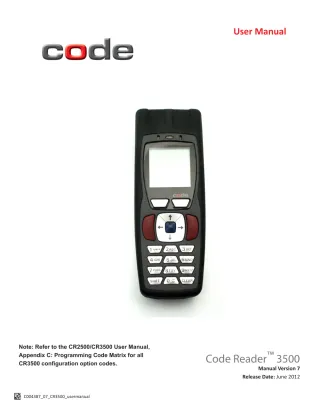
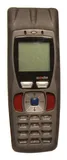
Code Corporation's user manual for the CR3500, a portable bar code reader with a graphic display and keypad that works in batch, cabled (USB, PS/2, RS232) or Bluetooth modes. It covers battery and handle installation, the keypad and display icons, the three batch modes, cable and Bluetooth setup, trigger and continuous scan programming, settings for each symbology, feedback and special settings, advanced decode options, prefixes, suffixes and text commands, and maintenance, warranty and FAQs.
Its parts
- Getting Started
- Optimization and Trigger Programming
- CR3500 Programming: Symbology Settings
- Reader Feedback and Special Settings
- Advanced Decode Performance
- Adding a Prefix or Suffix and Reader Text Commands
- CR3500: Maintenance and Troubleshooting
From the manual
Key facts from this manual
Each line names its page in the PDF.
User manual (version 7, June 2012) for the Code Reader 3500 (CR3500), a portable bar code reader and data terminal with a graphic display and keypad. It covers the battery and handles, batch, USB, PS/2, RS232 and Bluetooth operation, symbology and feedback settings, firmware checks, factory resets, safety and cleaning; the full list of configuration codes is in the separate CR2500/CR3500 User Manual.
- Device
- Portable bar code reader and data terminal with graphic display and keypad; reads wide linear and small 2D codes p. 8
- Operating modes
- Batch, cabled or Bluetooth wireless; hand-held or fixed presentation reader in a stand p. 8
- Interfaces
- USB (standard), RS232 and PS/2 cables, all on an 8-pin DIN connector p. 8, 14, 17
- USB modes
- USB Keyboard, USB Downloader, Native Two Way, Virtual COM 1 Way, HID POS (Terminal ID 131) p. 15
- Battery
- 1950 mAH lithium ion; about 4 hours to charge from empty; ships about 50% charged p. 8, 9
- Bluetooth
- Bluetooth radio using serial port protocol (SPP); Class 1 radio option with 100 meters (300 feet) range p. 8, 20
- Batch memory
- Minimum 1MB non-volatile; three batch modes: Send & Buffer (default), Log Only, Send & Log p. 12
- RS232 defaults
- 57600 baud, 8 data bits, 2 stop bits, no parity, one way mode; optional 5V/1.5A power supply p. 18
- Accessories
- USB and RS232 cables, Bluetooth radio, ruggedized cabled handle, battery handle (two sizes), external charger, CodeXML modems, power supplies, reader stand p. 8
- Symbology settings
- Aztec, Codabar, Codablock F, Code 11, 39, 93, 128, Data Matrix, Maxicode, PDF 417, QR Code, GS1 Data Bar, postal, OCR, UPC/EAN/JAN and more p. 5
- Firmware
- Reader ID code shows application, bootloader and radio firmware versions and serial number; USB Downloader mode for updates p. 15, 52
- Auto power off
- After 2 hours of non-use by default p. 9
- Keypad
- Numeric, upper case, lower case and symbol entry modes; Shift + Up Arrow locks the buttons p. 10
- Software platform
- Open JavaScript platform; settings and scripts kept in non-volatile flash p. 8
What this manual walks you through
- Installing the battery and attaching a battery handle p. 9
- Choosing a batch mode and transferring stored data p. 12
- Connecting by USB as a keyboard p. 15
- Installing the PS/2 keyboard wedge cable p. 17
- Installing the RS232 serial cable and power supply p. 18
- Pairing over Bluetooth with a QuickConnect Code p. 20
- Reading the reader ID and firmware version p. 52
- Resetting the reader to factory defaults p. 62
- Cleaning the window, display and housing p. 64
Good to know
- Charge the lithium ion battery only with Code cables; never open, burn or short it. p. 62
- Power off the computer before connecting the PS/2 cable; unplugging a keyboard while on locks up the computer. p. 17
- On RS232 the power adapter must be plugged into a wall socket for the reader to charge, and it must be a Code approved adapter. p. 9, 18
- In Send & Buffer mode, data scanned once the reader is reconnected is not saved to memory. p. 12
- Only people authorized by Code should repair or adjust the reader. p. 62
Questions this manual answers
What are the default RS232 settings of the Code CR3500?
RS232 one way mode at 57600 baud, 8 data bits, 2 stop bits and no parity. p. 18
How long does the Code CR3500 battery take to charge?
About 4 hours from empty; the 1950 mAH battery ships at about 50% and should be fully charged before use. p. 9
How do I find the firmware version on a Code CR3500?
Open a text editor and scan the Reader ID and Firmware code; the string shows the firmware versions and the ten-digit serial number. p. 52
How many scans can the Code CR3500 store?
Batch memory is at least 1MB; divide it by the average bytes per scan to get the count. p. 12
Which disinfectants can clean a Code CR3500?
Alcohol wipes, CaviWipes, Clorox wipes, a 10% bleach solution, Medical DiAirKem, Sani-Cloth wipes and Virex II. p. 64
The whole text · 7 parts
Read the manual here as text
Its text as extracted from the PDF, unedited, in parts; each page opens the PDF at that page.
The file