Manual · Code
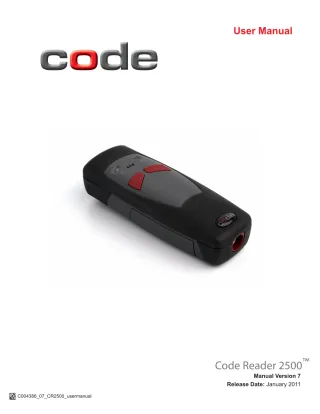
Code Reader 2500 User Manual
Manual62 pagesPDF 4.2 MB
User manual for the Code CR2500 hand-held imager: USB, RS-232, PS/2 and Bluetooth setup, triggers, symbologies and maintenance.
Covers · 1 model
The models it covers

Summary
What is in it
The user manual for the Code Reader 2500 (CR2500), a hand-held bar code imager that works in batch, cabled or Bluetooth wireless modes. It covers unpacking, battery and handle installation, USB, PS/2 and RS-232 cable setup, Bluetooth pairing with several Windows stacks, trigger optimization and continuous scan, symbology settings, LED, volume and power-off feedback settings, advanced decode options, prefixes and suffixes, and maintenance, warranty and troubleshooting.
Its parts
- Getting Started
- Optimization and Trigger Programming
- CR2500 Programming: Symbology Settings
- Reader Feedback and Special Settings
- Advanced Decode Performance
- Adding a Prefix or Suffix and Reader Text Commands
- CR2500: Maintenance and Troubleshooting
From the manual
Key facts from this manual
Each line names its page in the PDF.
The Code Reader 2500 (CR2500) user manual, version 7 of January 2011, for Code's mobile dual-field imaging bar code reader. It walks through the battery and handles, connecting by USB, PS/2 or RS-232 cable or by Bluetooth, the configuration codes for symbologies and feedback, and resetting and cleaning the reader.
- Device
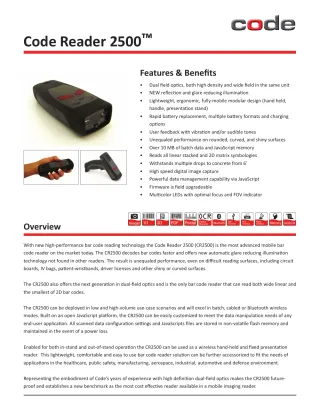
- Mobile imaging bar code reader with dual-field optics, for batch, cabled or Bluetooth use p. 8
- Cables
- USB 6 ft., USB 12 ft., RS-232 (Serial) or PS/2, all with an 8-pin DIN connector p. 8, 10
- Battery
- 1950 mAH Lithium Ion, installed at all times unless a battery blank is used p. 8, 9
- Bluetooth
- Optional Class 1 radio, 100 meters (300 feet) range; shorter range option available p. 8
- USB modes
- Keyboard, Downloader, Native Two Way, Virtual COM 1 Way, HID POS (Terminal ID 131) p. 12
- RS-232 defaults
- One Way Mode, 57600 baud, 8 data bits, 2 stop bits, no parity p. 15
- RS-232 options
- 1200 to 115200 baud; 7 or 8 data bits; even, odd or no parity p. 16
- Serial power supply
- Optional 5V/1.5A adapter that plugs into the RS-232 cable p. 15
- Charging
- Battery charges whenever a cable is attached and the host is powered up p. 9
- Accessories
- Ruggedized Cabled Handle, BH1 or BH2 Battery Handle, External Battery Charger, CodeXML Bluetooth Modems, Reader Stand, Lanyard Hook p. 8, 9
- Power supplies
- US/Europe/SA/UK/Asia p. 8
- Keyboard maps
- US English (default), French, German, Japanese, Universal, Custom; Alternative OS (Windows CE/MAC/Unix/Linux) p. 13
- Auto power off
- After 2 hours of non-use by default; 1 or 4 hours selectable p. 10, 50
- Memory
- Settings and JavaScript files kept in non-volatile flash through a power loss p. 8
What this manual walks you through
- Installing and charging the Lithium Ion battery p. 9
- Attaching the BH1 or BH2 battery handle p. 9
- Powering the reader on and off p. 10
- Connecting by USB and choosing a USB mode and keyboard map p. 11, 12, 13
- Installing the PS/2 keyboard wedge cable p. 14
- Installing the RS-232 cable and setting baud rate, data bits and parity p. 15, 16
- Reading the LED colors and beeps p. 47, 48
- Setting backlight, targeting and power-off time p. 50
- Resetting the reader to factory defaults p. 60
- Cleaning the reader window and housing p. 62
Good to know
- On RS-232, the power adapter must be plugged into a wall socket for the reader to charge. p. 9
- With a fully discharged battery the reader may take up to 10 minutes to become operational. p. 9
- Power the computer off before fitting the PS/2 cable; unplugging a keyboard while it is on locks it up. p. 14
- Charge the battery only with Code cables; never open, burn or short circuit it. p. 60
- Do not use bleach; disinfect with isopropyl alcohol or denatured ethyl alcohol. p. 62
Questions this manual answers
How do I turn on the Code CR2500?
Press and hold either red trigger button for 3 seconds. It powers down after 2 hours of non-use by default. p. 10
What are the CR2500 default RS-232 serial settings?
RS-232 One Way Mode at 57600 baud, 8 data bits, 2 stop bits and no parity. p. 15
Why does my CR2500 beep 3 times?
In batch mode, 3 beeps with a solid red memory LED mean the memory is full. p. 48
What does 6 beeps mean on the CR2500?
A configuration code was read but could not be processed. p. 48
How do I clean the CR2500 scan window?
Wipe it with a soft, non-abrasive cloth or plain tissue moistened with water; mild detergent may be used, then wipe with water. p. 62
The whole text · 7 parts
Read the manual here as text
Its text as extracted from the PDF, unedited, in parts; each page opens the PDF at that page.
The file