Manual · Code
Code Reader 1000 User Manual
Manual13 pagesPDF 1.1 MB
User manual for the Code Reader 1000 (CR1000) barcode reader: cabling, stand use, reading ranges, symbologies and pinouts.
Names · 1 model
The models it names
Filed with · 1 model
Also filed with these models on the old site
Summary
What is in it
Code Corporation's user manual for the Code Reader 1000 (CR1000), a barcode reader for codes such as Code 39, UPC, Data Matrix and QR Code, used by hand with a button or hands-free in a universal stand. It covers unpacking, attaching USB or RS232 Affinity cables and powering on, using the reader in and out of the stand, reading ranges by code type, LED and beep feedback, which symbologies are on or off by default, finding the hardware revision and firmware version, mounting holes, dimensions, cable and reader pinouts, and maintenance.
Its parts
- Unpacking
- Attaching/Detaching a Cable
- Powering the Reader On/Off
- Using a CR1000 Out of a Stand
- Using a CR1000 in a Stand
- Reading Range
- Reader Feedback
- Symbologies Defaulted On
- Symbologies Defaulted Off
- Locating the Hardware Revision Number
- Reader ID & Firmware Version
- Hole Mounting Pattern
- CR1000 Overall Dimensions
- USB Cable Example with Pinouts
- RS232 Cable Example with Pinouts
From the manual · read page by page
Key facts from this manual
Each line names its page in the PDF.
User manual (version 05, July 2013) for the Code Reader 1000 (CR1000) barcode reader. It covers cables and power-up, reading in and out of the stand, reading ranges, LED and beep feedback, default symbologies, the hardware revision and firmware version, mounting holes, connector pinouts and cleaning.
- Device
- Handheld barcode reader with a CMOS imager and two blue targeting bars p. 6, 12
- Connector
- RJ-50 (10P-10C): pin 1 +VIN (5v), 2 USB_DM, 3 USB_DP, 4 RS232 TX, 5 RTS, 6 RX, 7 CTS, 8 external trigger, 10 ground p. 12
- Cables
- USB Affinity cable, or RS232 Affinity cable with power supply, depending on the kit p. 5
- Power
- 5V, maximum tolerance +/- 10% p. 11
- Reading distance
- Optimal about 4.0" (10 cm) p. 6
- Reading range
- 13 mil UPC: 1.1" to 11.0" (28 to 280 mm); 20.8 mil Data Matrix: 1.1" to 13.5" (28 to 343 mm) p. 7
- Symbologies on by default
- Codabar, Code 39, Code 93, Code 128, Data Matrix, Data Matrix Rectangle, All GS1 DataBar, Interleaved 2 of 5, MSI Plessy, PDF417, QR Code, UPC/EAN/JAN p. 8
- Symbologies off by default
- Including Aztec, Code 11, Code 32, Han Xin, Micro PDF417, Micro QR, Intelligent Mail, POSTNET, PLANET, Telepen, UK Royal Mail p. 8
- Stand detection
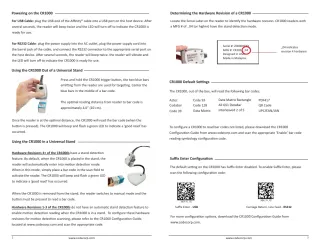
- Revision 3 hardware enters motion detection in the stand; revisions 1 and 2 do not p. 6
- Hardware revision
- The number after the underscore in the MFG # on the serial label under the reader p. 8
- Firmware ID
- Reader ID and Firmware code prints a string with firmware versions and serial number; hardware type 0007 is a CR1000 p. 9
- Mounting
- M3-.5 threaded inserts, 3.8MM long; locating holes 2MM diameter, 1.5 MM deep p. 10
- Beep codes
- 1 beep on power-up and good read; 2 beeps when a configuration code is processed; 4 beeps when it is not processed p. 7
- Cleaning agents
- Alcohol wipes, Clorox wipes, 10% bleach solution, Medical DiAirKem, Sani-Cloth wipes, Virex II p. 12
What this manual walks you through
- Unpacking and checking the reader p. 5
- Attaching and detaching the Affinity cable p. 5
- Powering on with a USB or RS232 cable p. 5
- Reading barcodes by hand and in the Universal Stand p. 6
- Understanding LED and beep feedback p. 7
- Finding the hardware revision on the serial label p. 8
- Reading the Reader ID and firmware version p. 9
- Mounting the reader by its hole pattern p. 10
- Wiring cables to the reader pinouts p. 11, 12
- Cleaning the reader window p. 12
Good to know
- A dirty window may stop the reader from reading; do not touch the window. p. 12
- Hardware revisions 1 and 2 have no stand detection; motion detection must be set with the Configuration Guide. p. 6
- The supply must stay within 5V +/- 10%. p. 11
- After using a mild detergent on the window, wipe it with a cloth or tissue moistened with water. p. 12
- The manual states the device must not be co-located or operated with any other antenna or transmitter. p. 2
Questions this manual answers
What is the pinout of the Code CR1000 connector?
It is an RJ-50 (10P-10C): pin 1 is +5V, pins 2 and 3 USB, pins 4 to 7 RS232, pin 8 external trigger and pin 10 ground. p. 12
How do I find the CR1000 firmware version?
Open a text editor such as Notepad and scan the Reader ID and Firmware code in the manual; the reader types a string with its firmware version and ID. p. 9
What do 4 beeps from the CR1000 mean?
A configuration code was decoded but was not processed. p. 7
How do I clean the CR1000 window?
Use a soft, non-abrasive cloth or facial tissue moistened with water; a mild detergent may be used if followed by a water-moistened wipe. p. 12
The whole text · 2 parts
Read the manual here as text
Its text as extracted from the PDF, unedited, in parts; each page opens the PDF at that page.
The file