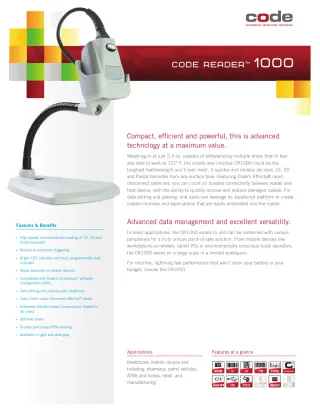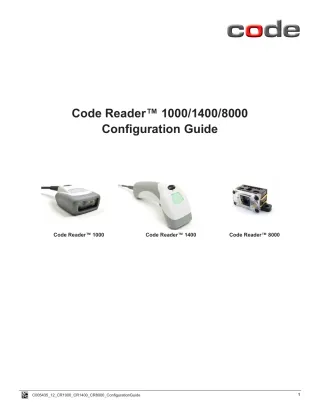
Manual · Code
Code Reader 1000/1400/8000 Configuration Guide
Manual14 pagesPDF 1.1 MB
Configuration bar code guide for the Code Reader CR1000, CR1400 and CR8000 scanners: USB and RS-232 modes, symbologies and settings.
Names · 1 model
The models it names
Filed with · 1 model
Also filed with these models on the old site
Summary
What is in it
A configuration guide of setup bar codes for the Code Reader 1000, 1400 and 8000. Scanning the codes sets USB modes (keyboard, virtual COM, native, HID POS), RS-232 data bits, baud rate and parity, continuous and motion detection scanning, which symbologies are on or off (1D, 2D, postal and others), keyboard mapping by country, alternative operating systems, mirroring, prefixes and suffixes, reader text commands, beep and vibrate feedback, duplicate scan delay, targeting and cell phone reading enhancement. A table of contents lists the default for each setting.
Its parts
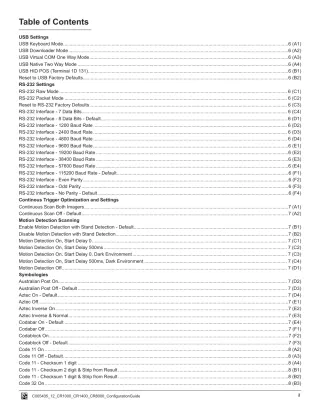
- USB Settings
- RS-232 Settings
- Continous Trigger Optimization and Settings
- Motion Detection Scanning
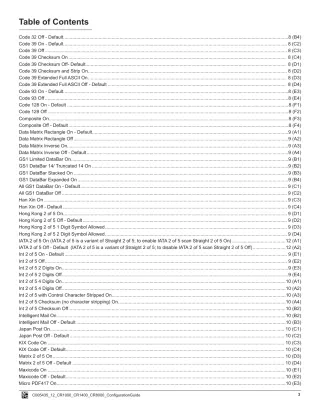
- Symbologies
- Keyboard Mapping
- Operating System Settings
- Mirroring Settings
- Prefix/Suffix Settings
- Miscellaneous Settings
- Reader Text Commands
- Clear Reader
- Feedback Settings
- Scan Delay
- Targeting
From the manual
Key facts from this manual
Each line names its page in the PDF.
Configuration guide of setting barcodes for the Code Reader 1000, 1400 and 8000 (CR1000, CR1400, CR8000). Scanning a code on its pages changes the reader's USB or RS-232 mode, symbologies, motion detection, keyboard layout, prefix and suffix, and beep settings. Pages 2 to 5 are the contents list.
- USB modes
- Keyboard, Downloader, Virtual COM one way, Native two way, HID POS (Terminal ID 131) p. 6
- RS-232 settings
- Raw or packet mode; 1200 to 115200 baud (115200 default); 7 or 8 data bits (8 default); even, odd or no parity (none default) p. 6
- Symbologies on by default
- Aztec, Codabar, Code 39, Code 93, Code 128, GS1 DataBar, Int 2 of 5, MSI Plessy, PDF417, QR Code, UPC p. 7, 8, 9, 10, 11, 12
- Other symbologies
- Australian Post, Codablock F, Code 11, Code 32, Han Xin, Intelligent Mail, Japan Post, KIX Code, Maxicode, Micro PDF417, PLANET, POSTNET, Telepen, UK Royal Mail and more, off by default p. 7, 8, 9, 10, 11, 12
- Keyboard layouts
- US English (default), Belgium, Swiss, French, German, Japanese, universal mapping p. 12, 13
- Other operating systems
- Alternative OS setting for Windows CE/MAC/Unix/Linux p. 13
- Stand detection
- CR1000 and CR1400 readers with stand detection switch to motion detection reading when placed in a stand p. 7
- Beep volume
- CR1000 and CR1400: 0%, 33%, 67% or 100% p. 14
- Vibrate
- CR1400 only: beep and vibrate on or off p. 14
- Prefix and suffix
- AIM IDs, comma, space, tab, carriage return, line feed, Enter p. 13
- Duplicate scan delay
- Off, 1, 2 or 3 sec p. 14
- Other settings
- Mirroring, targeting, cell phone reading enhancement, reader text commands p. 13, 14
What this manual walks you through
- Choosing the USB mode p. 6
- Setting RS-232 mode, baud rate, data bits and parity p. 6
- Turning continuous scan and motion detection on or off p. 7
- Enabling or disabling symbologies and their checksums p. 7, 8, 9, 10, 11, 12
- Choosing the keyboard language p. 12, 13
- Adding or erasing prefixes and suffixes p. 13, 14
- Setting beep, vibrate and duplicate scan delay p. 14
Good to know
- Each setting takes effect at once and is saved to memory. p. 6
- Turning off all motion detection takes two codes: B2 and D1 on the motion detection page. p. 7
- Some prefix and suffix codes work only in USB keyboard mode or only in RS-232 mode. p. 13
Questions this manual answers
How do I set the Code CR1000 to 9600 baud?
Scan the RS-232 Interface 9600 Baud Rate code in this guide; the default is 115200. p. 6
How do I turn off motion detection on the CR1000?
Scan Disable Motion Detection with Stand Detection (B2) and then Motion Detection Scanning Off (D1). p. 7
How do I make the CR1000 work as a USB keyboard?
Scan the USB Keyboard Mode code on the USB settings page. p. 6
Can I change the CR1000 beep volume?
Yes. Scan Beep Volume 0%, 33%, 67% or 100%; these codes are for the CR1000 and CR1400 only. p. 14
The whole text · 3 parts
Read the manual here as text
Its text as extracted from the PDF, unedited, in parts; each page opens the PDF at that page.
The file