Manual · CMI
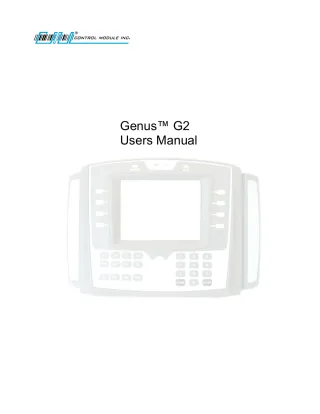
Genus G2 Users Manual
Manual57 pagesPDF 1.2 MB
User's manual for the Control Module Genus G2 time and attendance data collection terminal: hardware, connections, operation and WiFi.
Covers · 1 model
The models it covers
Summary
What is in it
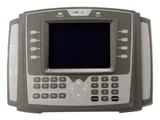
The users manual for the Control Module Genus G2, a Java-capable time and attendance and data collection terminal. It describes the keypad, display, memory and reader options, the rear connections (Ethernet, serial aux, wand, digital I/O, external reader, power) and the UPS, modem and WiFi modules, then covers installation, power up, online and offline modes, the user operational displays, WiFi module installation and setup, troubleshooting, reprogramming firmware, loading a Java application and a Code 39 programming table.
Its parts
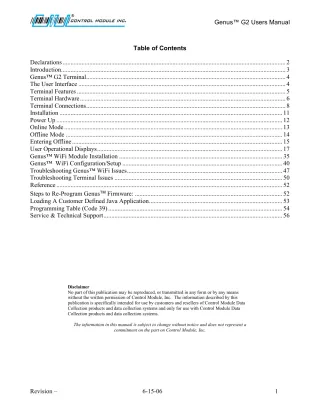
- Declarations
- Introduction
- Genus G2 Terminal
- Installation
- Power Up
- Online Mode
- Offline Mode
- Entering Offline
- User Operational Displays
- Genus WiFi Module Installation
- Genus WiFi Configuration/Setup
- Troubleshooting Genus WiFi Issues
- Troubleshooting Terminal Issues
- Reference
- Service & Technical Support
From the manual
Key facts from this manual
Some pages are scans or cannot be read; this says only what the readable text supports. Each line names its page in the PDF.
The Control Module (CMI) Genus G2 Users Manual, revision 6-15-06, for the Genus G2 time and attendance and data collection terminal. It describes the keypad, display, card readers, connectors and pinouts, the UPS, modem and WiFi module options, offline setup, WiFi module installation, troubleshooting and firmware updates.
- Device
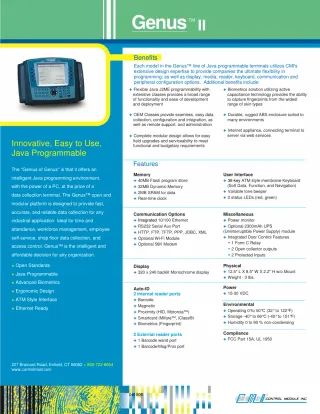
- Java-capable data collection terminal (J2ME Personal Profile 1.1 applications) for time and attendance, workforce management, shop floor data collection and access control p. 4, 6
- Host interface
- 10/100 Ethernet (RJ45, DHCP or static IP), RS232, modem via serial port (PPP), WiFi option p. 6, 7
- Card readers
- 2 internal reader ports, 1 external reader port, 1 barcode wand port; magnetic track 1 and 2, Code 39, Code 39 full ASCII, Interleaved 2of5, Code 128, proximity up to 99 bit (HID, Motorola), smartcard (Mifare, iClass), fingerprint p. 7
- Power
- 20 VDC 1 amp power pack; requires 20-30VDC, 3W; 5.5 mm (2.5 mm ID) barrel jack p. 6, 7, 10
- Memory
- 32 MB dynamic memory, 2 MB non-volatile memory for data retention, 40 MB Flash for program storage p. 6
- Display
- 320 x 240 backlit monochrome graphic LCD with LED backlighting p. 6
- Keypad
- 36-key ATM style membrane: 10 numeric keys, F1 to F8, Clear and Enter, navigation keys, 8 softkey keys, 4 parameter edit keys p. 6, 7
- Digital I/O
- Two digital inputs, tamper sense, Form C relay output rated 1 amp at 30V; optional internal source VUNREG, nominally 12 volts at 100mA p. 6, 8
- Connectors
- Ethernet and serial aux on 8 position RJ45; wand/scanner on 6 position RJ11; digital I/O on 12 position and external reader on 9 position terminal blocks; UPS on 7-pin KK100 p. 9, 10
- UPS module
- 2050-011, 2.3Ah sealed lead-acid battery, nominal 12V, full charge after 12 hours p. 11
- Modem module
- 2042-300, 56K auto answer/auto connect, v.92 (57600 BPS), RJ11 telco port p. 11
- WiFi module
- 3046-101, 802.11b Ethernet to wireless LAN bridge on the terminal's RJ-45 Ethernet port; WEP and WPA p. 11, 36
- Firmware
- Genus firmware and Classes.jar updated in the field by TFTP; user application loaded as App.jar; SDK sold separately p. 6, 53, 54
- Installation guide
- 3000-IG-0001 p. 12
What this manual walks you through
- Pinouts of the Ethernet, serial aux and wand/scanner ports p. 9
- Reading the power-up screens p. 13
- Entering offline mode for setup with the backplate switch p. 15, 16
- Mounting the WiFi module antenna and bracket p. 36, 37
- Troubleshooting the WiFi module and reading its LEDs p. 48, 49, 50
- Troubleshooting terminal startup errors p. 51, 52
- Re-programming the Genus firmware and Classes over TFTP p. 53
- Loading a customer defined Java application p. 54
- Entering special characters with a barcode wand from the Code 39 table p. 55
Good to know
- A transaction being built is lost if the terminal is switched between online and offline modes. p. 15
- Moving the mode switch while the terminal is powered resets it into offline mode. p. 15
- The Classes file is specific to the terminal type (G1 or G2). p. 53
- The terminal reboots after the Genus or Classes file is replaced; wait for the reboot before sending more files. p. 53
- The WiFi module reverts to its fallback Ethernet settings after 60 seconds out of range of the access point. p. 48
Questions this manual answers
What power supply does the CMI Genus G2 use?
A 20 VDC 1 amp power pack into a 5.5 mm (2.5 mm ID) barrel jack; the terminal needs 20-30VDC, 3W. p. 6, 7, 10
What badge readers does the Genus G2 support?
Magnetic track 1 and 2, barcode, proximity up to a 99 bit badge (HID, Motorola), smartcard (Mifare, iClass) and fingerprint. p. 7
What battery is in the Genus G2 UPS module?
The 2050-011 UPS uses a 2.3Ah sealed lead-acid 12V battery that reaches full charge after 12 hours. p. 11
How do I update the firmware on a Genus G2 terminal?
From a networked computer that can ping the terminal, send the Genus file and Classes.jar to its flashdisk by TFTP; it reboots after each file. p. 53
What does Error opening App.jar mean on a Genus G2?
The terminal has no application loaded; load one as described in the manual's section on loading a customer defined Java application. p. 51
The whole text · 6 parts
Read the manual here as text
Its text as extracted from the PDF, unedited, in parts; each page opens the PDF at that page.
The file