Manual · AML
M5000 Portable Data Terminal
Manual38 pagesPDF 789 KB
User's guide for the AML M5000 Portable Data Terminal: keypad, setup, programs, data collection, upload and troubleshooting.
Names · 1 model
The models it names
Filed with · 1 model
Also filed with these models on the old site
Summary
What is in it
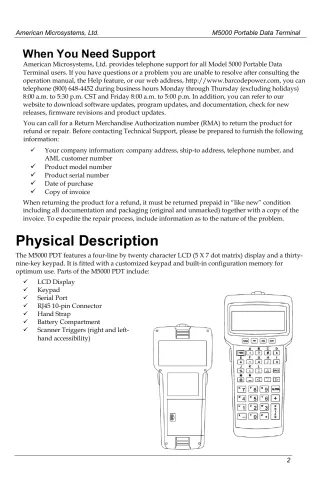
The user's guide for the American Microsystems (AML) M5000 Portable Data Terminal, a hand-held batch data collector with a four-line LCD and a 39-key keypad. It describes the unit, keypad and batteries, gives technical specifications, then shows how to install the M5000 Programmer software, create, send and run programs, collect and upload data, connect to a host by the M5100 Keyboard Wedge or RS-232, use Softcom software and the setup menus. It also covers the M5005 laser scanner, warning messages and a troubleshooting guide.
Its parts
- Introducing the M5000 PDT
- When You Need Support
- Setup
- Specifications
From the manual
Key facts from this manual
Each line names its page in the PDF.
The American Microsystems (AML) user's guide for the M5000 Portable Data Terminal, a handheld bar code data collector with keypad and four-line display, including the M5500 version with the M5005 integrated laser scanner. It covers the keys and menus, batteries and care, connecting through the M5100 keyboard wedge or RS-232, Softcom, mounting the laser scanner, system warnings and troubleshooting.
- Device
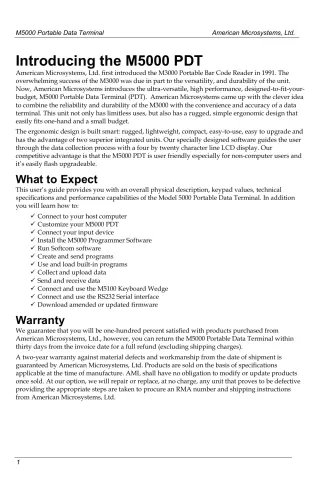
- Handheld portable data terminal that combines a bar code reader with a data terminal; flash upgradeable p. 1
- Display
- 4-line x 20 character LCD, 5 x 7 dot matrix p. 2, 6
- Keypad
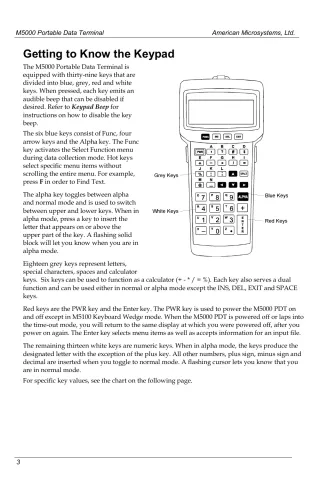
- 39 keys in blue, grey, red and white groups, with alphanumeric, function, arrow and calculator keys p. 3, 6
- Memory
- 256K bytes standard RAM, expandable with a memory module; 2 MB flash EPROM p. 6
- Interface
- RS-232 serial through an RJ45 10-pin connector on the bottom, optional M5100 keyboard wedge or modem p. 6, 15
- Serial settings
- 300-57600 baud; 7 or 8 data bits; 1 or 2 stop bits; none, odd or even parity; 0-99ms intercharacter delay p. 6
- Input devices
- Wand, laser, CCD and slot reader (undecoded); M5005 integrated laser scanner p. 6
- Symbologies
- Code 39, UPC-A, UPC-E, EAN-13, EAN-8, UPC/EAN addons, Interleaved 2 of 5, Codabar, Code 128, Code 93, MSI/Plessey, Code 11 p. 6
- Backup battery
- Internal lithium battery keeps collected data, setup and the clock while the main batteries are out p. 5
- Dimensions
- Height 7.75", width 3.75", depth 1.625"; weight 13 oz. p. 6
- Durability
- Shock resistant with drops up to 6'; relative humidity 5% to 95% non-condensing p. 6
- Accessories
- M5100 Keyboard Wedge, memory module, M5005 Integrated Laser Scanner, case, belt and shoulder strap p. 6
- M5005 laser scanner
- 630-680 nm laser diode, 1.0 mW maximum, 35 + 5 scans per second, CDRH Class II; typical range 3 to 22 inches p. 31, 32
- Software
- M5000 Programmer, M5100 Wedge Programmer and Softcom p. 12
What this manual walks you through
- Replacing the batteries p. 5
- Using the Main Menu functions p. 7
- Using the Select Function menu during data collection p. 8
- Connecting the M5100 Keyboard Wedge to a PC p. 12
- Connecting to a PC over RS-232 p. 15
- Installing Softcom on Windows p. 15
- Attaching the M5005 laser scanner p. 30
- Rotating the laser scanner for left or right hand use p. 31
- Reading the system warning messages p. 33, 34
- Troubleshooting power, scanning and communication problems p. 35
Good to know
- The unit powers off five minutes after the last activity; the timeout can be set from one to sixty minutes. p. 7
- Turn off the computer before connecting the keyboard wedge; the guide warns the system can be permanently damaged otherwise. p. 12
- Do not immerse the unit in water or leave it on a vehicle dashboard. p. 5
- Avoid staring into the M5005 laser beam. p. 32
- File and program names take only up to eight alphanumeric characters. p. 35
Questions this manual answers
How do I connect the AML M5000 to my computer?
Plug the 9-pin end of the interface cable into a PC RS-232 port and the RJ45 10-pin end into the bottom of the M5000, or connect through the M5100 Keyboard Wedge. p. 12, 15
What bar codes can the M5000 read?
Code 39, UPC-A, UPC-E, EAN-13, EAN-8, UPC/EAN addons, Interleaved 2 of 5, Codabar, Code 128, Code 93, MSI/Plessey and Code 11. p. 6
Why does my M5000 keep turning off?
It has a power-saving timeout, five minutes by default; power it on and it resumes in the same menu. p. 35
Can the M5500 laser version be used left-handed?
Yes. It has two triggers for right or left hand scanning, and the M5005 scanner can be turned 180 degrees. p. 30, 31
Does the M5000 keep my data when the batteries are changed?
Yes, an internal lithium backup battery protects collected data, setup and the clock while the main batteries are out. p. 5
Contents
Chapters and sections
Each line opens the PDF at its page.
- Introducing the M5000 PDT1
- When You Need Support2
- Setup22
- Setup Selection menu22
- (Note: The concatenate mode allows the M5000 PDT to accumulate multiple Code 39 bar codes in the buffer and send them to the computer as though a single bar code. When a Code 39 bar code containing a leading space is read, the M5000 PDT beeps twice and b22
- *Notes default23
- *Notes default24
- Specifications32
The whole text · 4 parts
Read the manual here as text
Its text as extracted from the PDF, unedited, in parts; each page opens the PDF at that page.
The file