Manual · Allen-Bradley
Allen-Bradley 2755-DH1 and 2755-DS Application Notes
Manual2 pagesPDF 63 KB
Both pages are below, each with its text.
Names · 1 model
The models it names
Filed with · 1 model
Also filed with these models on the old site

From the manual · read page by page
Key facts from this manual
Each line names its page in the PDF.
Allen-Bradley application note from September 1994 on running Series B 2755-DH1 bar code decoders in multidrop mode, where up to six decoders share one RS-232 network to a host. It lists the hardware needed, the settings for each decoder and how the decoders are cabled together.
- Multidrop
- Up to six 2755-DH1 Series B decoders on one RS-232 network p. 1
- Distance
- Up to 50 feet between decoders, helped by each decoder's RS-232 driver p. 1
- Hardware
- 2755-DH1 (Series B) decoder, a 2755 gun or wand scanner, and cables p. 1
- Multidrop settings
- Unique header or reader address per decoder; terminal port disabled; CTS/RTS enabled; XON/XOFF enabled p. 2
- Cabling
- Each decoder's terminal port cables to the next decoder's host port p. 1, 2
- Optional terminal
- VT100 terminal or a PC running Procomm or Windows Terminal, to view and change settings p. 1
- Related manual
- Publication 2755-ND003, Multi-Purpose Bar Code Workstation User's Manual (Series B) p. 1
What this manual walks you through
- Setting up a multidrop network of up to six decoders p. 1
- Configuring each decoder with the bar code menus p. 2
- Cabling one decoder to the next p. 2
Good to know
- Each decoder needs its own header or reader address so the host software can tell which one sent data. p. 2
- Setting changes do not show on the Configuration screen in the same session; exit configuration and return to see them. p. 2
Questions this manual answers
How many 2755-DH1 decoders can share one network?
Up to six Series B decoders can be multidropped on one RS-232 network. p. 1
How far apart can multidropped 2755-DH1 decoders be?
Up to 50 feet between decoders on the network. p. 1
What 2755-DH1 settings does multidrop mode need?
A different header or reader address on each decoder, the terminal port disabled, and CTS/RTS and XON/XOFF enabled. p. 2
How does the host know which 2755-DH1 sent a bar code?
Each decoder is given a header or a unique reader address that the host software reads. p. 2
The file
Size and text
Every page · 2
Read it here
Each page as it is printed, and its words beside it, so a phone can search and copy them.
Page1of 2
Open in the PDF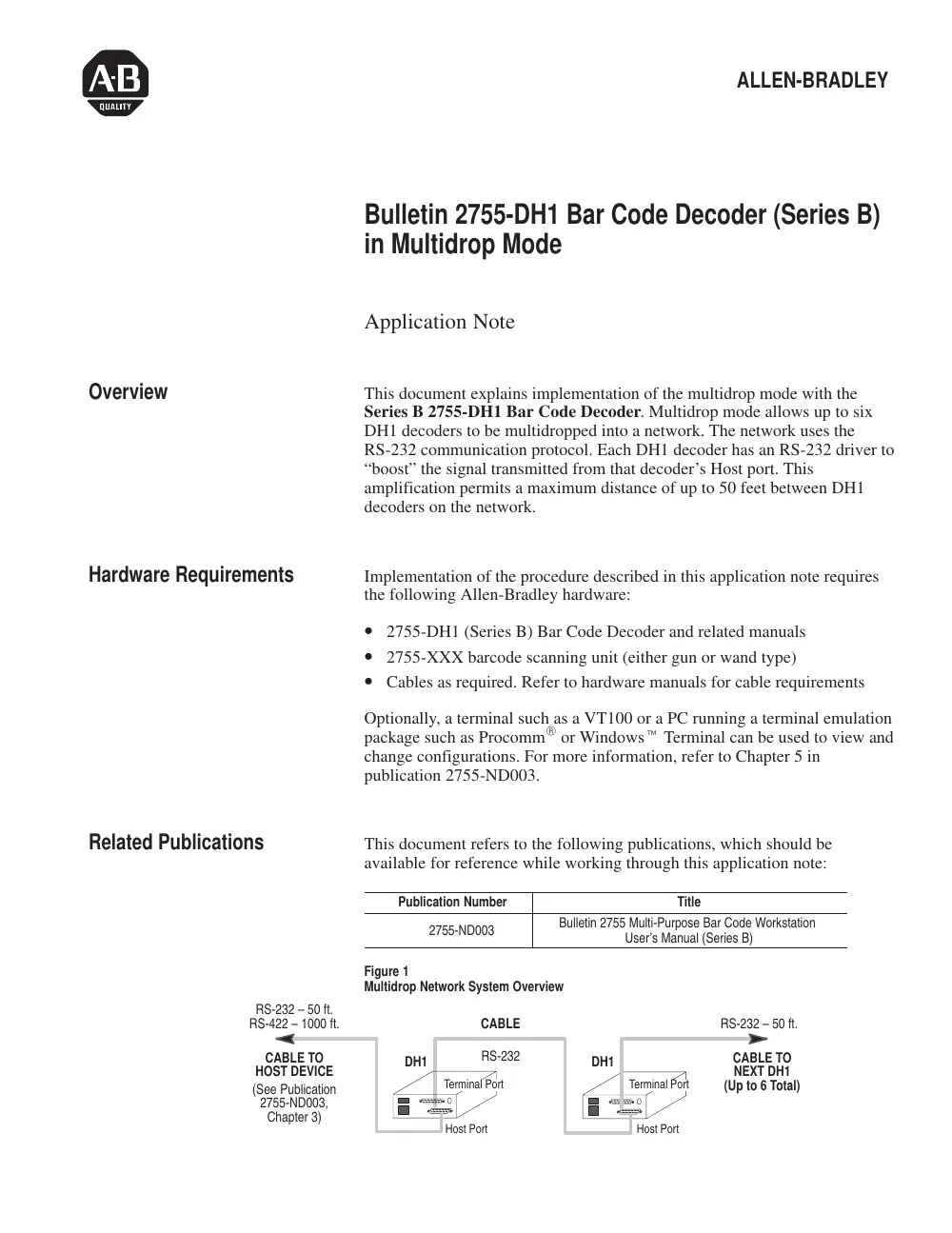
The text of page 1, from the PDF itself
Application Note Bulletin 2755 Bar Code Decoder to PLC-5/30/40/60
ALLEN-BRADLEY
A–B
Bulletin 2755-DH1 Bar Code Decoder (Series B) in Multidrop Mode Application Note Overview
This document explains implementation of the multidrop mode with the Series B 2755-DH1 Bar Code Decoder. Multidrop mode allows up to six DH1 decoders to be multidropped into a network. The network uses the RS-232 communication protocol. Each DH1 decoder has an RS-232 driver to “boost” the signal transmitted from that decoder’s Host port. This amplification permits a maximum distance of up to 50 feet between DH1 decoders on the network.
Hardware Requirements
Implementation of the procedure described in this application note requires the following Allen-Bradley hardware:
- 2755-DH1 (Series B) Bar Code Decoder and related manuals
- 2755-XXX barcode scanning unit (either gun or wand type)
- Cables as required. Refer to hardware manuals for cable requirements Optionally, a terminal such as a VT100 or a PC running a terminal emulation package such as or Terminal can be used to view and change configurations. For more information, refer to Chapter 5 in publication 2755-ND003.
Related Publications
This document refers to the following publications, which should be available for reference while working through this application note: Publication Number 2755-ND003
Title Bulletin 2755 Multi-Purpose Bar Code Workstation User’s Manual (Series B)
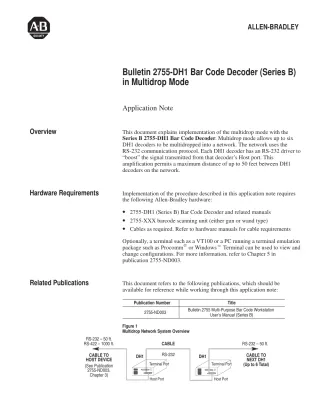
Figure 1 Multidrop Network System Overview RS-232 – 50 ft. RS-422 – 1000 ft. CABLE TO HOST DEVICE (See Publication 2755-ND003, Chapter 3)
RS-232 – 50 ft.CABLE DH1RS-232DH1Terminal PortTerminal PortHost PortHost Port
CABLE TO NEXT DH1 (Up to 6 Total)
Page2of 2
Open in the PDF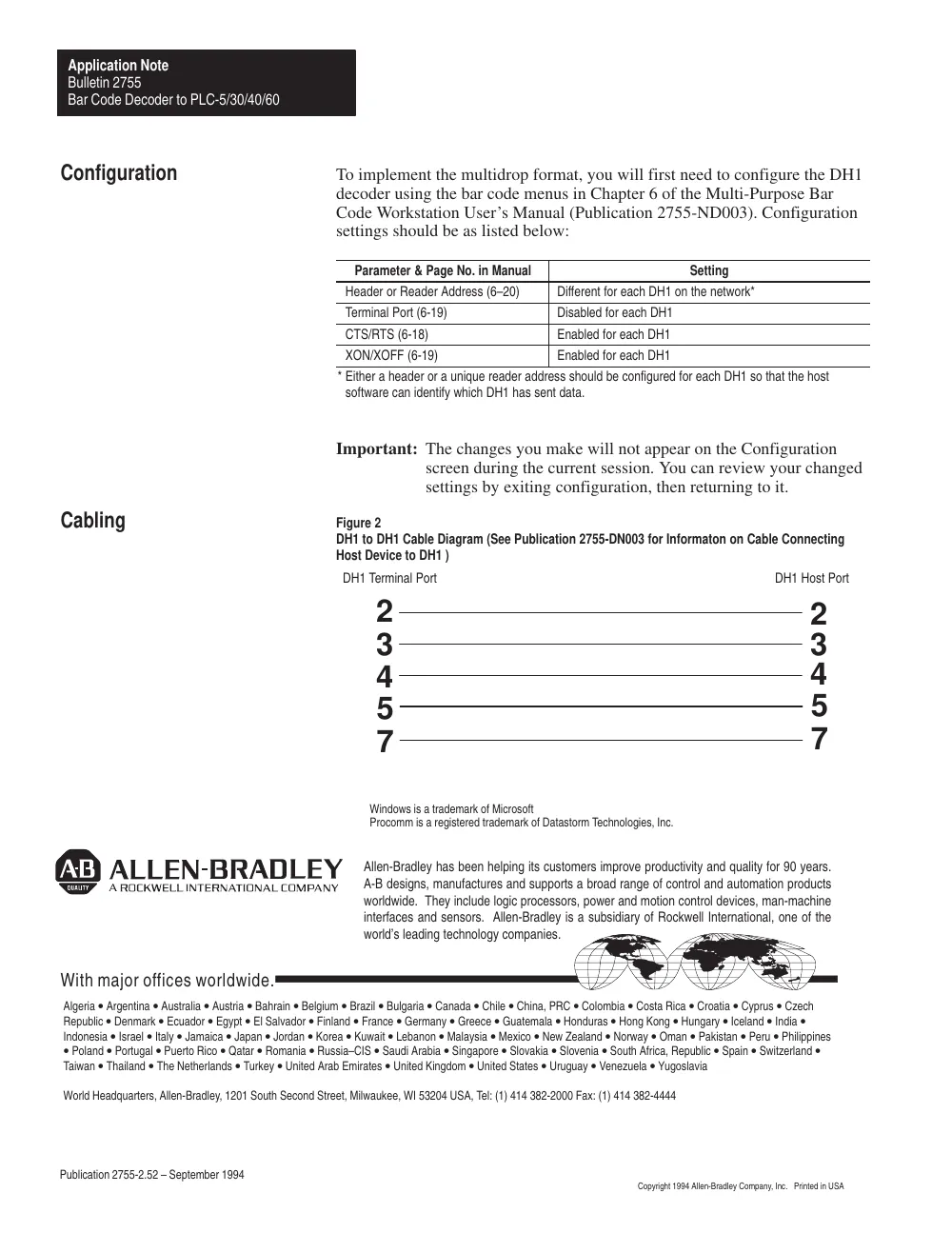
The text of page 2, from the PDF itself
Application Note Bulletin 2755 Bar Code Decoder to PLC-5/30/40/60
Configuration
To implement the multidrop format, you will first need to configure the DH1 decoder using the bar code menus in Chapter 6 of the Multi-Purpose Bar Code Workstation User’s Manual (Publication 2755-ND003). Configuration settings should be as listed below: Parameter & Page No. in Manual
Setting
Header or Reader Address (6–20)
Different for each DH1 on the network*
Terminal Port (6-19)Disabled for each DH1CTS/RTS (6-18)Enabled for each DH1XON/XOFF (6-19)Enabled for each DH1
- Either a header or a unique reader address should be configured for each DH1 so that the host software can identify which DH1 has sent data.
Important: The changes you make will not appear on the Configuration screen during the current session. You can review your changed settings by exiting configuration, then returning to it.
Cabling
Figure 2 DH1 to DH1 Cable Diagram (See Publication 2755-DN003 for Informaton on Cable Connecting Host Device to DH1 ) DH1 Terminal Port
DH1 Host Port2 3 4 5 72 3 4 5 7
Windows is a trademark of Microsoft Procomm is a registered trademark of Datastorm Technologies, Inc.
Allen-Bradley has been helping its customers improve productivity and quality for 90 years. A-B designs, manufactures and supports a broad range of control and automation products worldwide. They include logic processors, power and motion control devices, man-machine interfaces and sensors. Allen-Bradley is a subsidiary of Rockwell International, one of the world’s leading technology companies.
With major offices worldwide. Algeria • Argentina • Australia • Austria • Bahrain • Belgium • Brazil • Bulgaria • Canada • Chile • China, PRC • Colombia • Costa Rica • Croatia • Cyprus • Czech Republic • Denmark • Ecuador • Egypt • El Salvador • Finland • France • Germany • Greece • Guatemala • Honduras • Hong Kong • Hungary • Iceland • India • Indonesia • Israel • Italy • Jamaica • Japan • Jordan • Korea • Kuwait • Lebanon • Malaysia • Mexico • New Zealand • Norway • Oman • Pakistan • Peru • Philippines
- Poland • Portugal • Puerto Rico • Qatar • Romania • Russia–CIS • Saudi Arabia • Singapore • Slovakia • Slovenia • South Africa, Republic • Spain • Switzerland • Taiwan • Thailand • The Netherlands • Turkey • United Arab Emirates • United Kingdom • United States • Uruguay • Venezuela • Yugoslavia World Headquarters, Allen-Bradley, 1201 South Second Street, Milwaukee, WI 53204 USA, Tel: (1) 414 382-2000 Fax: (1) 414 382-4444
Publication 2755-2.52 – September 1994 Copyright 1994 Allen-Bradley Company, Inc. Printed in USA