Manual · Adtran
Express 3000 User Manual
Manual146 pagesPDF 4.3 MB
User manual for the ADTRAN Express 3000 ISDN modem: setup on Windows and Macintosh, configuration software, calling features and troubleshooting.
Covers · 1 model
The models it covers
Summary
What is in it
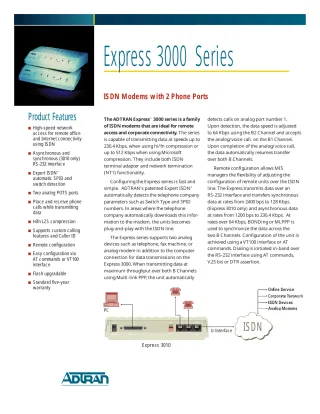
The user manual for the ADTRAN Express 3000 (part number 1203153L2), a stand-alone ISDN modem with two phone ports for remote access and Internet connectivity. It covers hardware setup on Windows and Macintosh, the front and rear panels and DIP switches, the Express Configuration program with its ISDN and user profiles and diagnostics, VT-100 terminal menus, optional calling features, software upgrades, adding an analog modem and troubleshooting, with AT commands, status messages and connector pinouts in the appendices.
Its parts
- Overview
- Setting Up the Express 3000
- Using the Express Configuration Program
- Using VT-100 Terminal Emulation
- Optional Calling Features
- Upgrading Software
- Installing an Analog Modem
- Troubleshooting
From the manual
Key facts from this manual
Each line names its page in the PDF.
ADTRAN Express 3000 User Manual, document 61203153L2-20A of May 1999, for the Express 3000 stand-alone ISDN modem with two phone ports (part number 1203153L2). It walks through setup, the Express Configuration software, the VT-100 menus, calling features, software upgrades, analog modem use and troubleshooting, with AT command and connector pinout appendices.
- What it is
- Stand-alone ISDN modem with built-in ISDN terminal adapter and network termination, so no external NT-1 is needed p. 23
- Part numbers
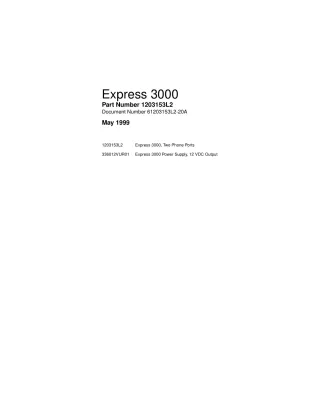
- Express 3000, Two Phone Ports 1203153L2; Express 3000 Power Supply, 12 VDC Output 336012VUR01 p. 1
- Rear panel
- 12VDC power connector, EIA-232 port, MODEM port for an analog modem, RJ-45 ISDN jack, two RJ-11 POTS jacks, two DIP switches p. 23, 36, 38, 131
- Data speed
- Up to 230.4 kbps with hi/fn compression and up to 512 kbps with Microsoft compression; LZS up to 4 to 1 compression p. 23, 24
- DIP switch 1 (DTE rate)
- ON (down): autobaud up to 115.2 kbps; OFF (up): 230.4 kbps p. 37
- DIP switch 2 (reset)
- OFF (up): factory default, clears settings; ON (down): normal, saves settings p. 37
- Front panel LEDs
- Five: TD, RD, 1, 2 and PWR/LINE p. 35, 36
- Phone ports
- Two RJ-11 POTS jacks; ISDN number 1 goes to port 1, ISDN number 2 is shared by port 2 and the EIA-232 port p. 38, 39
- Computer needed
- PC: 386 or higher, Windows 95/98 or Windows NT 4.0 or greater, 1.5 MB free; Macintosh: Power Mac or 68020 processor, 7.0 or greater, 2 MB free; CD drive p. 25
- Serial cable
- Customer-provided EIA-232 cable, DB-25 at one end, the other end to match the computer COM port p. 25, 26
- In the box
- RJ-45 to RJ-11 ISDN cable, AC power supply, Quick Start Guide, CD-ROM with the manual and Express Configuration software for Windows 95/98, Windows NT and Macintosh p. 26
- ISDN line
- Basic Rate ISDN with two phone numbers; order EZ-ISDN 1 (Capability Package U), or Generic Data S; AO/DI needs X.25 packet service with TEI 0x21 p. 25, 26
- Line pinouts
- POTS RJ-11: pin 3 Ring, pin 4 Tip; ISDN RJ-45: pin 4 Ring, pin 5 Tip p. 131
- Software upgrade
- Flash memory; upgrade with the Express Configuration program or an XMODEM or XMODEM 1K terminal program such as HyperTerminal p. 79
What this manual walks you through
- Ordering a Basic Rate ISDN line p. 26
- Setting the DIP switches for DTE rate and reset p. 37
- Connecting phones, a FAX machine or an analog modem to the POTS jacks p. 38, 39
- Restoring factory default settings p. 45
- Using the VT-100 terminal menus and their hot keys p. 72, 73
- Upgrading the software with the configuration program or HyperTerminal p. 79, 80, 81
- Reading LED states to find power, line or configuration problems p. 91, 92, 93
- Fixing a link that stays down or a unit that is not detected p. 95, 96
- Getting 230.4 kbps operation to work p. 97
- Connector pinouts for the EIA-232, modem, POTS and ISDN ports p. 129, 130, 131
Good to know
- POTS port 2 and the EIA-232 port share ISDN number 2, so they cannot be used at the same time. p. 39
- ISDN data calls and external modem calls must be placed to ISDN phone number 2. p. 39
- Single-ISDN phone number and point-to-point lines are not recommended. p. 25
- If the PWR/LINE, 1 and 2 LEDs flash green in sequence after an upgrade, the download failed and must be restarted. p. 93
- Leave both DIP switches down (ON) during the first installation. p. 37
Questions this manual answers
How do I reset the ADTRAN Express 3000 to factory defaults?
Set DIP switch 2 up (OFF), unplug and reconnect power, then set DIP switch 2 back down (ON) when the PWR LED flashes. p. 45
What power supply does the Express 3000 use?
The Express 3000 Power Supply with 12 VDC output, part number 336012VUR01, plugged into the 12VDC connector. p. 1, 36
Why can't I use my fax on port 2 while the Express 3000 is online?
POTS port 2 and the EIA-232 data port share ISDN phone number 2, so only one can be used at a time. p. 39
Contents
Chapters and sections
Each line opens the PDF at its page.
- List of Figures19
- List of Tables21
- Chapter 1 Overview23
- Chapter 2 Setting Up the Express 300029
- Chapter 3 Using the Express Configuration Program41
- Chapter 4 Using VT-100 Terminal Emulation71
- Chapter 5 Optional Calling Features75
21 more lines, from page 76 on
- Call Return76
- Chapter 6 Upgrading Software79
- Chapter 7 Installing an Analog Modem83
- Chapter 8 Troubleshooting91
- Appendix A AT Commands and S-Registers99
- Appendix B Status Buffer Messages115
- Appendix C Loop Status Messages127
- Appendix D Connector Pinouts129
- Appendix E Acronyms and Abbreviations133
- Appendix F Glossary135
- Index139
The whole text · 19 parts
Read the manual here as text
Its text as extracted from the PDF, unedited, in parts; each page opens the PDF at that page.
- Pages 1 to 91-9
- Pages 10 to 1810-18
- Pages 19 to 2219-22
- Chapter 1 Overview23-28
- Chapter 2 Setting Up the Express 300029-40
- Chapter 3 Using the Express Configuration Program, pages 41 to 5041-50
- Chapter 3 Using the Express Configuration Program, pages 51 to 6051-60
- Chapter 3 Using the Express Configuration Program, pages 61 to 7061-70
- Chapter 4 Using VT-100 Terminal Emulation71-74
- Chapter 5 Optional Calling Features75-78
- Chapter 6 Upgrading Software79-82
- Chapter 7 Installing an Analog Modem83-90
- Chapter 8 Troubleshooting91-98
- Appendix A AT Commands and S-Registers, pages 99 to 10699-106
- Appendix A AT Commands and S-Registers, pages 107 to 114107-114
- Appendix B Status Buffer Messages115-126
- Pages 127 to 132127-132
- Pages 133 to 138133-138
- Index139-146
The file