Manual · Aceeca
HotSync Configuration Guide, Meazura MEZ1000
Manual18 pagesPDF 482 KB
Guide to installing the USB HotSync driver for the Meazura MEZ1000 handheld on Windows 98, Me, 2000 and XP.
Names · 1 model
The models it names
Filed with · 1 model
Also filed with these models on the old site
Summary
What is in it
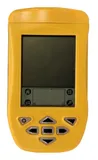
A short configuration guide for connecting the Meazura MEZ1000 handheld to a PC for HotSync Manager. It explains plugging in the USB cable or cradle, turning on the Meazura so Windows finds new hardware, and then walks step by step through installing the PalmUSBD.inf USB driver from the Meazura Software CD on Windows 98, Windows Me, Windows 2000 and Windows XP, and checking in Device Manager that the Meazura Handheld appears under Palm OS Handheld Devices.
Its parts
- Navigate to the HotSync Program
- Driver Installation
From the manual · read page by page
Key facts from this manual
Some pages are scans or cannot be read; this says only what the readable text supports. Each line names its page in the PDF.
Aceeca's HotSync Configuration Guide (rev. 082503-0900) for the Meazura MEZ1000 handheld. It walks through installing the USB driver for HotSync Manager on Windows 98, Me, 2000 and XP, and checking that the handheld shows up in Device Manager.
- Purpose
- Installs and configures the USB driver for HotSync Manager p. 4
- Connection
- USB cable or cradle supplied with the Meazura, into a spare USB port p. 4
- Windows versions
- Windows 98, Me, 2000 and XP p. 4
- Driver file
- PalmUSBD.inf, in the USB_Driver folder of the Meazura Software CD p. 5
- Device Manager entry
- Meazura Handheld, under Palm OS Handheld Devices during HotSync p. 7
What this manual walks you through
- Installing the HotSync USB driver on Windows 98 p. 4, 5, 6, 7
- Installing the HotSync USB driver on Windows Me p. 8, 9, 10
- Installing the HotSync USB driver on Windows 2000 p. 11, 12, 13, 14
- Installing the HotSync USB driver on Windows XP p. 15, 16, 17, 18
- Checking in Device Manager that the driver installed p. 14
Good to know
- On Windows Me the driver is found only while the Meazura Software CD-ROM is in the drive. p. 8
- The computer's USB port must be enabled and working before the Meazura is plugged in. p. 4
Questions this manual answers
Where is the USB driver for the Meazura MEZ1000?
On the Meazura Software CD, in Palm Installation Setup\USB_Driver, file PalmUSBD.inf. p. 5
Which Windows versions does the MEZ1000 HotSync guide cover?
Windows 98, Windows Me, Windows 2000 and Windows XP. p. 4
How do I know the Meazura USB driver installed correctly?
In Device Manager, Meazura Handheld appears under Palm OS Handheld Devices during a HotSync. p. 7
The whole text · 2 parts
Read the manual here as text
Its text as extracted from the PDF, unedited, in parts; each page opens the PDF at that page.
The file