Manual · Wasp
CCD Programming Guide for Wasp Bar Code CCD Scanner
Manual31 pagesPDF 260 KB
Programming guide for the Wasp CCD keyboard wedge bar code scanner, with setup bar codes for symbologies, audio and prefixes.
Filed with · 1 model
Also filed with these models on the old site
Summary
What is in it
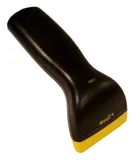
Wasp's programming guide for its hand-held CCD bar code scanner, a keyboard wedge reader that needs no software or drivers. It explains how CCD scanning works, how to install the scanner between the PC and keyboard, and which symbologies it reads. Most of the guide is setup bar codes: restore defaults, preamble and postamble characters, beeper volume, case sensitivity, scanning control and enabling or tuning Code 39, Interleaved 2 of 5, Codabar, UPC and EAN/JAN. Appendices hold test symbols and the character tables.
Its parts
- Introduction
- Installation
- Quick Start
- Bar Code Symbologies
- CCD Setup & Configuration
- Bar Code Test Symbols
- Preamble/Postamble Addition Table
- Preamble/Postamble Special Characters
- Additional Scanner Functions
- Product Support
- Warranty
From the manual · read page by page
Key facts from this manual
Each line names its page in the PDF.
This is the programming guide (Version 2.0) for the Wasp Bar Code CCD Scanner, a handheld contact CCD reader on a keyboard wedge cable; it prints no model number. It explains installation and how to change the scanner's settings by scanning the programming bar codes in the guide. Test symbols and a character table for adding prefixes and suffixes are at the back.
- Device
- Handheld contact CCD bar code scanner with no moving parts p. 4
- Interface
- Keyboard wedge for PC AT/XT and PS/2 keyboard ports p. 4
- Cable
- Keyboard wedge Y-cable with male and female DIN 5 ends; DIN 5 to DIN 6 converter cables enclosed p. 5
- Software
- No software or drivers; data enters as keyboard data p. 1
- Depth of reading
- Up to 1.4 inches p. 4
- Bar code width
- Bar codes up to 2.75 inches long p. 4
- Scan rate
- 50 scans per second p. 4
- Resolution
- X-dimensions as low as 5 mils (0.005 in./0.127 mm) p. 7
- Symbologies
- Code 39, Code 128, Interleaved 2 of 5, UPC-A, UPC-E, EAN/JAN-8, EAN/JAN-13, Codabar, MSI Plessey, Code 93 p. 7
- Off by default
- MSI/Plessey and the 2 and 5 digit supplements of UPC and EAN/JAN p. 23, 24, 25
- Scanning modes
- On/off trigger with 7 second delay (default) or continuous scan p. 13
- Settings memory
- Non-volatile; kept when the PC is turned off p. 8
What this manual walks you through
- Installing the scanner between the PC and its keyboard p. 5
- Restoring the factory default settings p. 9
- Adding prefix and suffix characters to scanned data p. 10, 26
- Setting beeper volume and turning the beep on or off p. 11
- Choosing case sensitive or lower case output p. 12
- Choosing trigger or continuous scanning p. 13
- Enabling and disabling bar code symbologies p. 14, 15
- Code 39, Interleaved 2 of 5 and Codabar check digit and start/stop options p. 16, 17, 18
- UPC and EAN/JAN options, including conversion to EAN/13, UPC-A, ISBN or ISSN p. 19, 20, 21, 22
- Practicing with bar code test symbols p. 23, 24, 25
Good to know
- The scanner will not work properly if plugged into the mouse port. p. 5
- Continuous scan mode reads identical bar codes back to back. p. 13
- Only one scanning control option can be enabled at a time. p. 13
- A symbology must be enabled before its test symbol will scan. p. 23
Questions this manual answers
Does the Wasp CCD scanner need drivers?
No. It needs no software or drivers and enters data as keyboard data. p. 1
How do I reset the Wasp CCD scanner to factory defaults?
Scan the Begin, Default and End bar codes on the Set Default page. p. 9
How far from the bar code can the Wasp CCD scanner read?
It reads at a depth of up to 1.4 inches, and bar codes up to 2.75 inches long. p. 4
Which bar codes can the Wasp CCD scanner read?
Code 39, Code 128, Interleaved 2 of 5, UPC-A, UPC-E, EAN/JAN-8, EAN/JAN-13, Codabar, MSI Plessey and Code 93. p. 7
How do I add a suffix to scanned data on the Wasp CCD scanner?
Scan Begin, then Postamble, then the two-character code of each character from the table, then Set and End. p. 10
The whole text · 4 parts
Read the manual here as text
Its text as extracted from the PDF, unedited, in parts; each page opens the PDF at that page.
The file