Manual · Visioneer
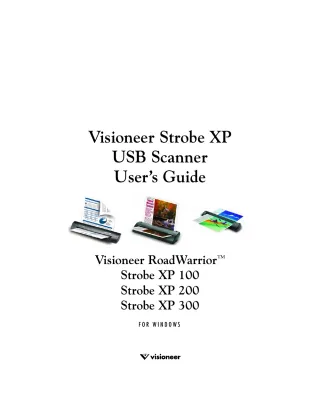
Visioneer Strobe XP USB Scanner User's Guide
Manual166 pagesPDF 10 MB
User's guide for the Visioneer RoadWarrior, Strobe XP 100, Strobe XP 200 and Strobe XP 300 USB sheet-fed scanners on Windows.
Covers · 1 model
The models it covers
Summary
What is in it
User's guide for Visioneer's Strobe XP family of USB scanners for Windows: the RoadWarrior, Strobe XP 100, Strobe XP 200 and Strobe XP 300. It shows what comes in each box and the parts of each scanner, then walks through installing the software, connecting and calibrating the scanner, and scanning with AutoLaunch, the OneTouch panel, TWAIN and WIA, including OCR, PDF and storage options. It ends with cleaning, troubleshooting, uninstalling, specifications for each model and a parts list.
Its parts
- Welcome
- Installing
- Scanning
- Maintenance
From the manual
Key facts from this manual
Each line names its page in the PDF.
The Visioneer Strobe XP USB Scanner User's Guide for Windows, covering four sheet-fed scanners: the Visioneer RoadWarrior, Strobe XP 100, Strobe XP 200 and Strobe XP 300. It explains installing OneTouch 4.0 and PaperPort, connecting and calibrating each scanner, scanning, cleaning, troubleshooting and uninstalling, and gives specifications and a replacement parts list for each model.
- Device
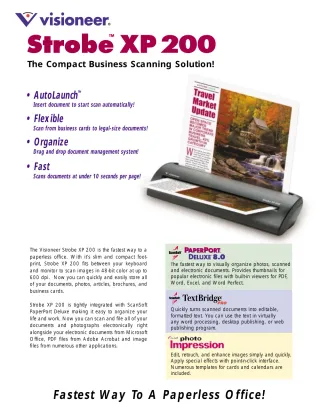
- Strobe XP 200: sheet-fed USB scanner with no on/off switch; scanning starts when a document is inserted p. 15, 157
- Interface
- Strobe XP 200: USB 1.1 Full Speed p. 157
- Power
- Strobe XP 200: AC adapter plugged into the USB Y-cable, which joins scanner, computer and outlet p. 29
- Optical resolution
- Strobe XP 200: 600 dpi p. 157
- Bit depth
- Strobe XP 200: 48-bit color and 16-bit gray internal; output 24-bit color, 8-bit grayscale, 1-bit black and white p. 157
- Weight
- Strobe XP 200: 1.3 pounds (0.59 kg) p. 157
- Operating temperature
- 50°–104° F (5°–35° C), without condensation; humidity 20%–80% p. 157
- Y-cable part number
- Strobe XP 200 USB Y-Cable: 35-0064-000 p. 160
- Power supply part number
- Strobe XP 200 Power Supply: 37-0055-000 p. 160
- Calibration sheet part number
- Strobe XP 200 Calibration Sheet and Cleaning Sheet: 05-0621-000 p. 159
- PC needed
- Windows XP (SP1 or SP2) or 2000 (SP4), USB 1.1 or 2.0 port, 128 MB RAM (256 MB recommended for XP), 200 MB disk, CD-ROM drive p. 17
- In the box
- Strobe XP 200: scanner, AC adapter, USB Y-cable, photo sleeve, software CD, calibration page, cleaning page p. 11
- Software
- OneTouch 4.0 scanner software and PaperPort p. 154
- Paper return
- Strobe XP 200: Up feeds straight through; Down returns the document toward you p. 15
What this manual walks you through
- Connecting the Strobe XP 200 with the USB Y-cable and AC adapter p. 29
- Calibrating the scanner during installation p. 31, 32, 33
- Recalibrating or cleaning the scanner p. 147, 148, 149, 150, 151
- Troubleshooting install errors, a missing icon or a scanner that will not scan p. 152, 153
- Uninstalling OneTouch 4.0 and PaperPort p. 154
- Installing a different scanner driver p. 155
- Ordering replacement parts by part number p. 159, 160, 161
Good to know
- Do not plug in the USB cable until the software is installed. p. 19
- Strobe XP 200: line up the arrows on the cable and scanner so the pins do not bend. p. 29
- Remove another scanner's driver programs before installing; they can interfere with OneTouch. p. 19, 153
- Blank white paper can stand in for the calibration page, but calibration is less precise. p. 151
- A USB hub used for the scanner needs its own power supply. p. 29
Questions this manual answers
What is the part number of the Strobe XP 200 power supply?
The Strobe XP 200 Power Supply is part number 37-0055-000. p. 160
What cable does the Strobe XP 200 use?
A USB Y-cable (part number 35-0064-000) that connects to the scanner, the computer and the AC adapter. p. 29, 160
Can I calibrate the Strobe XP 200 without the calibration sheet?
Yes, blank white paper can be used instead, but calibration will not be as precise. The replacement sheet set is 05-0621-000. p. 151, 159
Which Windows versions does this Strobe XP guide support?
Windows XP with Service Pack 1 or 2, or Windows 2000 with Service Pack 4. p. 17
Contents
Chapters and sections
Each line opens the PDF at its page.
- Welcome8
- Installing19
- Scanning48
- Maintenance147
- Recalibrating or Cleaning Your Scanner147
- Troubleshooting152
- How to Uninstall Your Scanner154
- To Install Another Driver155
- Visioneer RoadWarrior and Strobe XP 100 Scanner Specifications156
- Visioneer Strobe XP 200 Scanner Specifications157
- Visioneer Strobe XP 300 Scanner Specifications158
- Visioneer Scanner Parts List159
- Index162
The whole text · 17 parts
Read the manual here as text
Its text as extracted from the PDF, unedited, in parts; each page opens the PDF at that page.
- Pages 1 to 71-7
- Welcome8-18
- Installing, pages 19 to 2819-28
- Installing, pages 29 to 3829-38
- Installing, pages 39 to 4739-47
- Scanning, pages 48 to 5748-57
- Scanning, pages 58 to 6758-67
- Scanning, pages 68 to 7768-77
- Scanning, pages 78 to 8778-87
- Scanning, pages 88 to 9788-97
- Scanning, pages 98 to 10798-107
- Scanning, pages 108 to 117108-117
- Scanning, pages 118 to 127118-127
- Scanning, pages 128 to 137128-137
- Scanning, pages 138 to 146138-146
- Maintenance147-161
- Index162-166
The file