Spec sheet · Visioneer
Visioneer Strobe XP 200 Spec Sheet
Spec sheet2 pagesPDF 231 KB
Both pages are below, each with its text.
Covers · 1 model
The models it covers
From the sheet · read page by page
Key facts from this sheet
Each line names its page in the PDF.
A two-page Visioneer product sheet for the Strobe XP 200, a compact sheet-fed USB scanner that fits between keyboard and monitor. It describes the AutoLaunch scanning and the bundled ScanSoft PaperPort Deluxe 8 software, and lists specifications, minimum system requirements and box contents.
- Device
- Compact sheet-fed scanner that starts scanning when a document is inserted p. 1, 2
- Optical resolution
- 600 dpi p. 2
- Bit depth
- 48-bit color and 16-bit grayscale internal; output 24-bit color, 8-bit grayscale, 1-bit black & white p. 2
- Interface
- USB p. 2
- Speed
- Under 10 seconds per page p. 1
- Document sizes
- Business cards to legal-size documents p. 1
- Dimensions
- 2 in high, 2.5 in deep, 11 in wide (5.08 x 6.4 x 28.45 cm) p. 2
- System needs
- Pentium II 300 or equivalent, Windows 98/2000/ME/XP, 64MB RAM (128MB for XP), 200MB disk, CD-ROM drive, USB port p. 2
- Software
- TWAIN scanner driver, ScanSoft PaperPort Deluxe 8.0, ScanSoft TextBridge Pro 9 OCR, ArcSoft PhotoImpression p. 2
- In the box
- Scanner, USB cable, power supply, calibration sheets, Quick Install Card, user's manual, CD-ROM p. 2
- Paper path
- Straight through path option for scanning pictures p. 2
What this sheet walks you through
- Organizing scanned documents and photos in PaperPort Deluxe p. 1
- Turning scanned documents into editable text with TextBridge Pro p. 2
- Scanning forms and filling them in with FormTyper p. 2
Good to know
- Faxing completed forms needs software that is not included. p. 2
Questions this sheet answers
What resolution does the Visioneer Strobe XP 200 scan at?
What size is the Strobe XP 200?
2 inches high, 2.5 inches deep and 11 inches wide, small enough to fit between a keyboard and monitor. p. 2
What software comes with the Strobe XP 200?
A CD-ROM with the TWAIN scanner driver, ScanSoft PaperPort Deluxe 8.0, TextBridge Pro 9 OCR and ArcSoft PhotoImpression. p. 2
Can the Strobe XP 200 scan business cards?
Yes. It scans everything from business cards to legal-size documents. p. 1
The file
Size and text
Every page · 2
Read it here
Each page as it is printed, and its words beside it, so a phone can search and copy them.
Page1of 2
Open in the PDF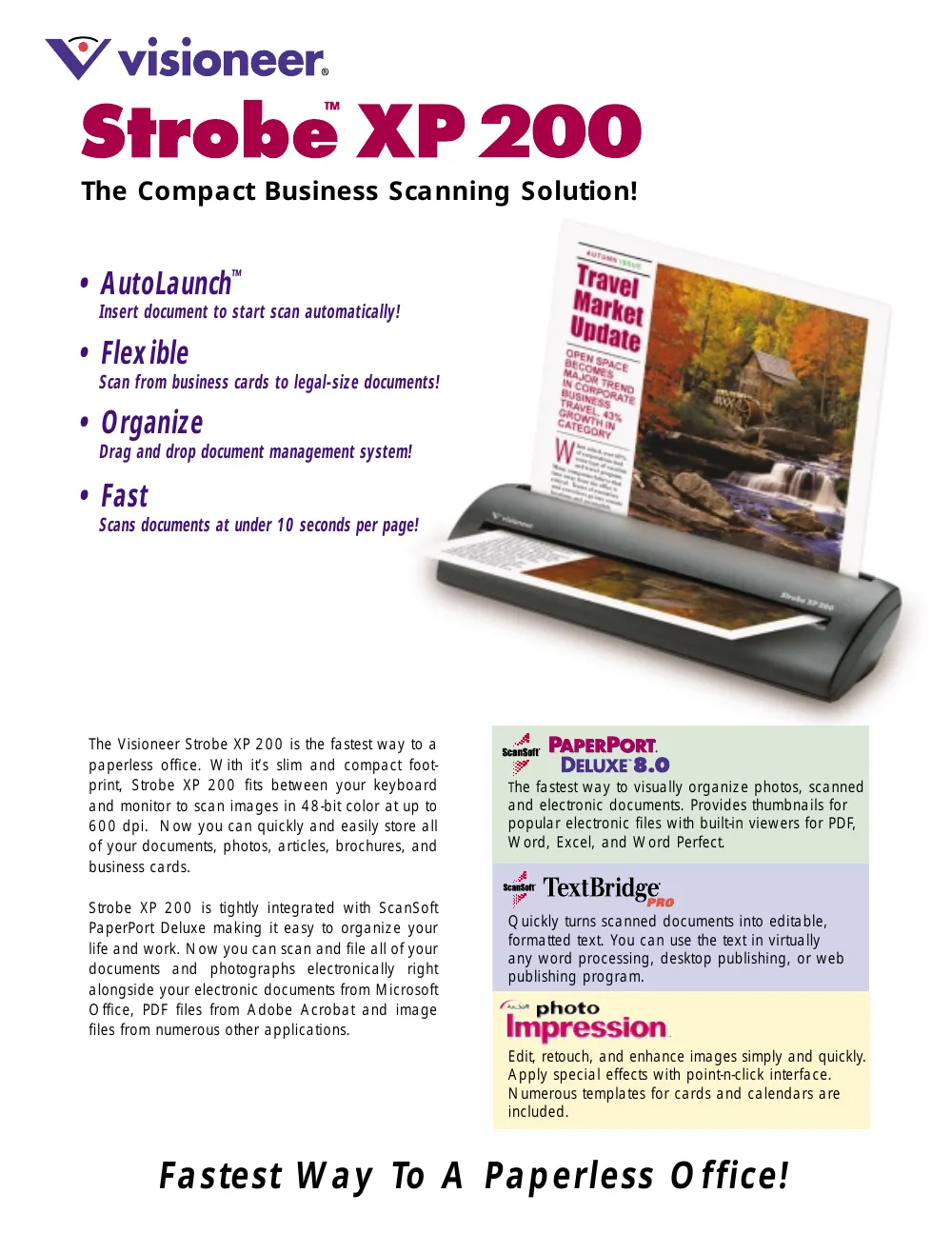
The text of page 1, from the PDF itself
The Compact Business Scanning Solution!
- AutoLaunch™ Insert document to start scan automatically!
- Flexible Scan from business cards to legal-size documents!
- Organize Drag and drop document management system!
- Fast Scans documents at under 10 seconds per page!
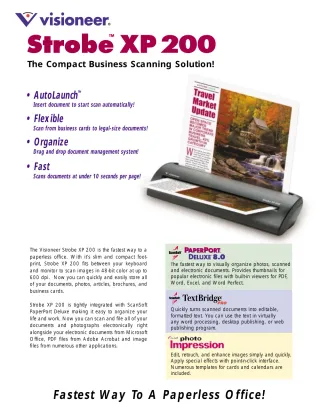
The Visioneer Strobe XP 200 is the fastest way to a paperless office. With it’s slim and compact footprint, Strobe XP 200 fits between your keyboard and monitor to scan images in 48-bit color at up to 600 dpi. Now you can quickly and easily store all of your documents, photos, articles, brochures, and business cards. Strobe XP 200 is tightly integrated with ScanSoft PaperPort Deluxe making it easy to organize your life and work. Now you can scan and file all of your documents and photographs electronically right alongside your electronic documents from Microsoft Office, PDF files from Adobe Acrobat and image files from numerous other applications.
The fastest way to visually organize photos, scanned and electronic documents. Provides thumbnails for popular electronic files with built-in viewers for PDF, Word, Excel, and Word Perfect.
Quickly turns scanned documents into editable, formatted text. You can use the text in virtually any word processing, desktop publishing, or web publishing program.
Edit, retouch, and enhance images simply and quickly. Apply special effects with point-n-click interface. Numerous templates for cards and calendars are included.
Fastest Way To A Paperless Office!
Page2of 2
Open in the PDF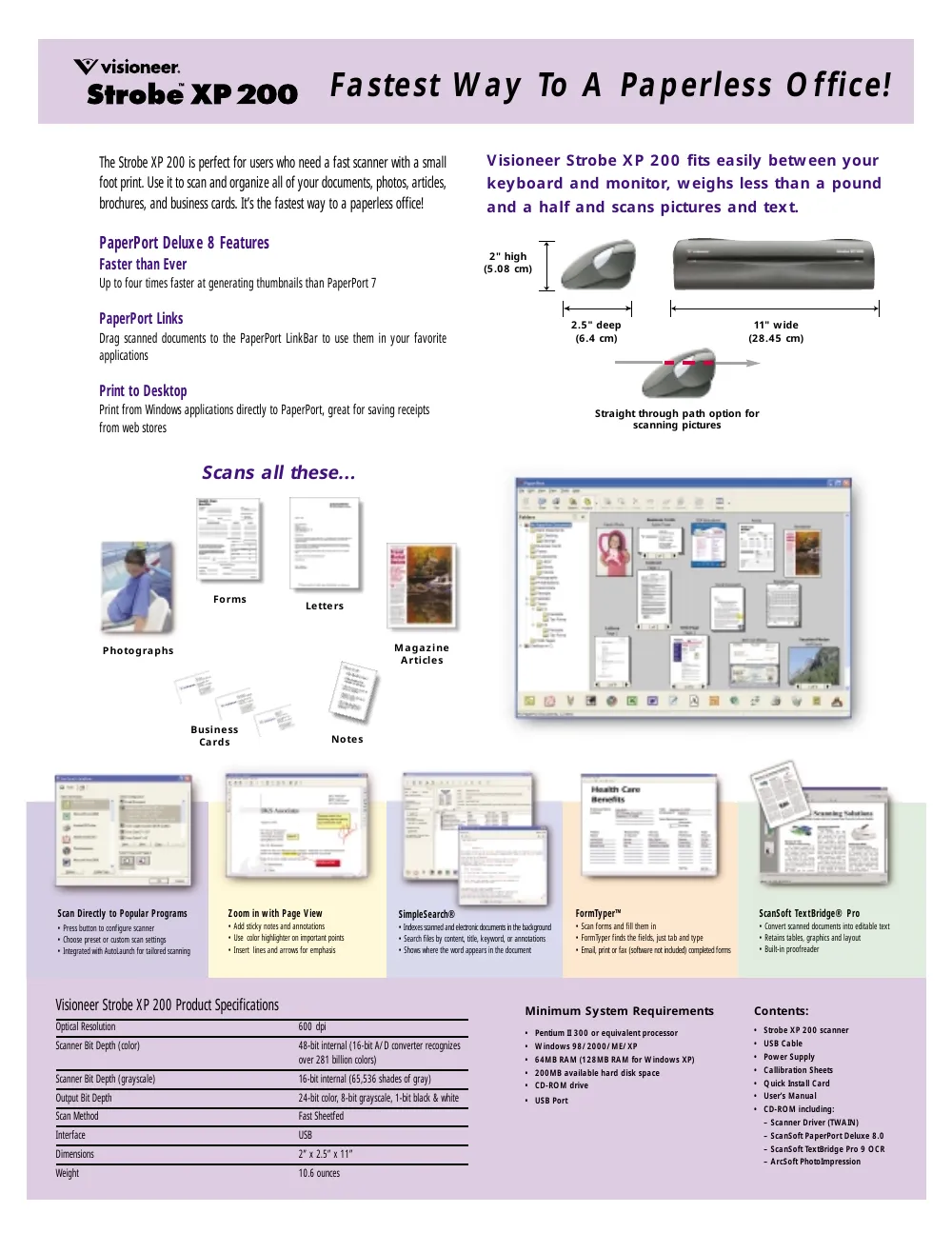
The text of page 2, from the PDF itself
Fastest Way To A Paperless Office! The Strobe XP 200 is perfect for users who need a fast scanner with a small foot print. Use it to scan and organize all of your documents, photos, articles, brochures, and business cards. It’s the fastest way to a paperless office!
PaperPort Deluxe 8 Features
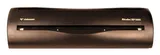
Visioneer Strobe XP 200 fits easily between your keyboard and monitor, weighs less than a pound and a half and scans pictures and text. 2" high (5.08 cm)
Faster than Ever Up to four times faster at generating thumbnails than PaperPort 7
PaperPort Links
2.5" deep (6.4 cm)
Drag scanned documents to the PaperPort LinkBar to use them in your favorite applications
11" wide (28.45 cm)
Print to Desktop Print from Windows applications directly to PaperPort, great for saving receipts from web stores
Straight through path option for scanning pictures
Scans all these...FormsLettersMagazine ArticlesPhotographsBusiness CardsNotes
Scan Directly to Popular Programs
Zoom in with Page ViewSimpleSearch®FormTyper™
ScanSoft TextBridge® Pro
- Press button to configure scanner
- Choose preset or custom scan settings
- Integrated with AutoLaunch for tailored scanning
- Add sticky notes and annotations
- Use color highlighter on important points
- Insert lines and arrows for emphasis
- Indexes scanned and electronic documents in the background
- Search files by content, title, keyword, or annotations
- Shows where the word appears in the document
- Scan forms and fill them in
- FormTyper finds the fields, just tab and type
- Email, print or fax (software not included) completed forms
- Convert scanned documents into editable text
- Retains tables, graphics and layout
- Built-in proofreader
Visioneer Strobe XP 200 Product Specifications Optical Resolution
600 dpi
Scanner Bit Depth (color)
48-bit internal (16-bit A/D converter recognizes over 281 billion colors)
Minimum System Requirements
- Contents
- • Pentium II 300 or equivalent processor
- Strobe XP 200 scanner
- Windows 98/2000/ME/XP
- USB Cable
- 64MB RAM (128MB RAM for Windows XP)
- Power Supply
- 200MB available hard disk space
- Callibration Sheets
- CD-ROM drive
- Quick Install Card
- USB Port
- User’s Manual
Scanner Bit Depth (grayscale)
16-bit internal (65,536 shades of gray)
Output Bit Depth
24-bit color, 8-bit grayscale, 1-bit black & white
Scan MethodFast SheetfedInterfaceUSB
– ScanSoft PaperPort Deluxe 8.0
Dimensions
2” x 2.5” x 11”
– ScanSoft TextBridge Pro 9 OCR
Weight
10.6 ounces
- CD-ROM including: – Scanner Driver (TWAIN)
– ArcSoft PhotoImpression