Manual · Visioneer
Visioneer Strobe XP 200 USB Scanner Installation Guide for Windows
Manual48 pagesPDF 2.0 MB
Installation guide for the Visioneer Strobe XP 200 USB document scanner on Windows: software setup, scanning and maintenance.
Covers · 1 model
The models it covers
Summary
What is in it
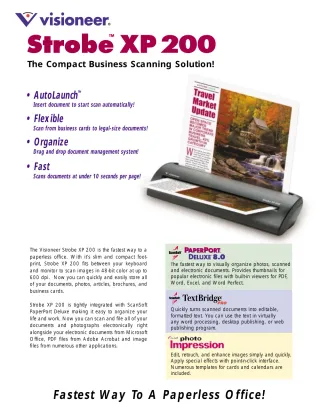
Visioneer's installation guide for the Strobe XP 200, a USB sheet-fed scanner for color and black and white documents. It lists what is in the box and the PC requirements, then walks through installing the PaperPort software and scanner driver, connecting and calibrating the scanner, and the taskbar Scanner icon. Later chapters cover paper return options, scanner settings, the AutoScan feature, scanning from PaperPort on Windows 98, Me, 2000 and XP, recalibrating, troubleshooting, uninstalling and the scanner's specifications.
Its parts
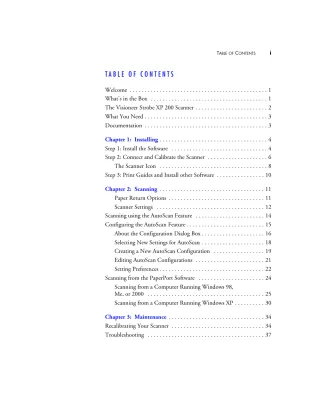
- Welcome
- Chapter 1: Installing
- Chapter 2: Scanning
- Chapter 3: Maintenance
From the manual
Key facts from this manual
Each line names its page in the PDF.
The Visioneer installation guide for Windows (2003, part number 05-0537-100) for the Strobe XP 200 USB sheet-fed scanner. It walks through installing the software, connecting and calibrating the scanner, scanning with AutoScan or PaperPort, recalibrating, troubleshooting and uninstalling, and ends with the scanner specifications.
- Device
- Sheet-fed USB scanner for color and black and white documents p. 5, 45
- Interface
- USB, through a combined USB/power cable with an AC adapter p. 10, 45
- Optical resolution
- 600 dpi p. 45
- Bit depth
- 48-bit color and 16-bit gray internal; output 24-bit color, 8-bit grayscale, 1-bit black and white p. 45
- Weight
- 1.3 pounds (0.59 kg) p. 45
- Operating temperature
- 50°–104° F (5°–35° C), without condensation p. 45
- Humidity
- 20%–80% relative (at 35° C, without condensation) p. 45
- PC needed
- Pentium PC, CD-ROM drive, free USB port, Windows 98, 2000, Me or XP, 64 MB RAM (XP: 128 MB), 200 MB disk p. 7
- Software
- ScanSoft PaperPort 8.0 and Visioneer OneTouch scanner software p. 9, 43
- In the box
- Scanner, USB/power cable, AC adapter, software CD, calibration paper, guides and Quick Install Card p. 5
- Document length
- Maximum document length setting 4 to 14 inches, default 14 inches p. 17
- Insert delay
- 200 to 900 milliseconds, default 500 milliseconds p. 17
- Paper return
- Up feeds straight through; Down returns the document to the front p. 16
What this manual walks you through
- Installing the PaperPort and scanner driver software p. 8, 9, 10
- Connecting and calibrating the scanner p. 10, 11, 12
- Setting paper insert delay, maximum document length and page skew detection p. 16, 17
- Choosing between AutoScan and scanning from PaperPort p. 15
- Recalibrating the scanner when images are no longer sharp p. 38, 39, 40
- Troubleshooting a scanner that will not scan or a missing scanner icon p. 41, 42
- Uninstalling the OneTouch and PaperPort software p. 43, 44
Good to know
- Install the software before connecting the scanner, or the correct driver may not be installed. p. 8
- A USB hub used for the scanner must have its own power supply. p. 11
- Remove staples and paper clips first; they can jam the feed and scratch internal parts. p. 15
- Heavier paper that does not bend easily should go straight through with the paper return Up. p. 16
- PaperPort files (.max) are a proprietary format other applications cannot open. p. 44
Questions this manual answers
What resolution is the Visioneer Strobe XP 200?
600 dpi optical, with 24-bit color, 8-bit grayscale and 1-bit black and white output. p. 45
Which Windows versions does the Strobe XP 200 work with?
This guide covers Windows 98, 2000, Me and XP, with 64 MB RAM (128 MB for XP). p. 7
How do I recalibrate the Strobe XP 200?
Open the scanner's Properties (or right-click its icon in Windows XP), choose Calibrate, and feed the calibration paper face up. p. 39, 40
Why won't my Strobe XP 200 scan?
Check that the cables are secure, restart after installing the software, use a powered USB hub or a computer port, and make sure Strobe XP 200 is the selected scanner in PaperPort. p. 41, 42
How long a document can the Strobe XP 200 scan?
The maximum document length can be set from 4 to 14 inches; the default is 14 inches. p. 17
Contents
Chapters and sections
Each line opens the PDF at its page.
The whole text · 7 parts
Read the manual here as text
Its text as extracted from the PDF, unedited, in parts; each page opens the PDF at that page.
The file