Manual · Videx
PulseStar Communications Handbook
Manual31 pagesPDF 827 KB
Handbook for the Videx PulseStar iButton reader, its PulseStar Base Station and the PulseStar Communications PC software.
Covers · 2 models
The models it covers


Summary
What is in it
Handbook for the Videx PulseStar system: the PulseStar, a rugged water-resistant iButton reader and data collector, the PulseStar Base Station that links it to a PC over IR, and the PulseStar Communications software. It covers system contents and PC requirements, memory and clock, connecting one or several base stations to a serial port, iButtons, software installation, transfer and configure windows and menus, battery replacement, LED signals, error codes, troubleshooting and specifications.
Its parts
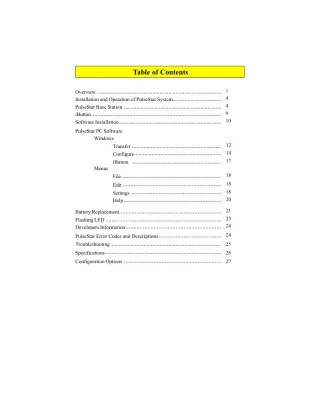
- Overview
- Installation and Operation of PulseStar System
- PulseStar PC Software
- Battery Replacement
- Flashing LED
- Developers Information
- Troubleshooting
- Specifications
- Configuration Options
From the manual · read page by page
Key facts from this manual
Some pages are scans or cannot be read; this says only what the readable text supports. Each line names its page in the PDF.
The PulseStar Communications Handbook from Videx, covering the PulseStar iButton reader, its Base Station and the PulseStar Communications software for Windows. It explains connecting Base Stations to a PC, transferring and configuring readers, replacing the battery, reading the LED and error codes, and troubleshooting.
- Reader
- PulseStar reader: water-resistant iButton reader and data collector that confirms a read with a silent pulse p. 4
- Base Station
- Base Station: infrared (IrDA) link for 2 readers, connects to a PC serial port (RS-232) p. 7, 29
- Base Station power
- Base Station: transformer output 12 VDC 300 mA; adaptors for 120 volt, 60 Hz or 220 volt, 50 Hz p. 9, 29
- Cables
- Serial cable TWC-001 (DB25) or TWC-008 (DB9); interconnect cable TWC-006 between Base Stations p. 9, 10
- Chaining
- Base Station: up to 10 in series on one serial port, holding 20 PulseStars p. 10
- Reader memory
- PulseStar reader: 48KB nonvolatile, up to 5400 iButton IDs with date and time p. 4
- Reader battery
- PulseStar reader: 3V lithium, 2/3 A size (Eveready Energizer EL123AP or equivalent) p. 29
- Battery life
- PulseStar reader: up to 1 year or up to 40,000 reads at default settings p. 29
- Reader link
- PulseStar reader: IrDA Layer 1 (HP/SIR); full memory transfers in about 26 seconds (57,000 bps) p. 29
- Reader size
- PulseStar reader: 5 1/8 in long, 15/16 in diameter (130.2 x 23.8 mm); 3.7 oz (105 g) p. 29
- Base Station size
- Base Station: 4.0 x 4.1 x 1.8 in (102 x 105 x 46 mm); 8.2 ounces (232.5 g) p. 29
- Reader temperature
- PulseStar reader: operating 32 to 122 F (0 to 50 C); storage -40 to 149 F (-40 to 60 C) p. 29
- Software
- PulseStar Communications for Windows 95 or later or Windows NT 4.0; saves Access (*.mdb) or text (*.txt) files p. 5, 21
- Optional accessory
- Blue Dot reader and cable (BDR-000) p. 5
What this manual walks you through
- Connecting the Base Station to a computer p. 9
- Connecting several Base Stations in series p. 10
- Installing and starting PulseStar Communications p. 13, 14
- Setting pulse duration, pulse intensity and read options p. 18, 19
- Replacing the PulseStar battery p. 24
- Reading the PulseStar LED patterns p. 26
- Error codes 1000 to 1014 p. 27
- Troubleshooting data downloads p. 28
Good to know
- Place the Base Station at least three inches from the computer and monitor to avoid interference. p. 9
- Do not remove a PulseStar from its Base Station or abort the program during a transfer. p. 11
- When the reader memory is full it stops confirming reads and flashes its LED rapidly. p. 6
- A longer or stronger good-read pulse can significantly reduce battery life. p. 18
- Download the PulseStar before changing its battery. p. 24
Questions this manual answers
What battery does the Videx PulseStar take?
A 3V lithium 2/3 A size battery, Eveready Energizer EL123AP or equivalent, installed with the positive terminal toward the read head. p. 24, 29
How many PulseStar Base Stations can share one serial port?
Up to 10 Base Stations, holding 20 PulseStars, can be connected in series with TWC-006 interconnect cables. p. 10
Why is my PulseStar LED not flashing?
An LED that is off means the battery is below the low threshold or the unit is not working; the troubleshooting section says to replace the battery. p. 26, 28
What does the Base Station do if it stops communicating?
Reset it by unplugging it from the electric outlet and plugging it back in. p. 7
What power supply does the PulseStar Base Station use?
A power transformer with an output of 12 VDC 300 mA, plugged into the Power socket on the side of the Base Station. p. 9
The whole text · 4 parts
Read the manual here as text
Its text as extracted from the PDF, unedited, in parts; each page opens the PDF at that page.
The file