


Manual · Videonics
AB-1 Edit Suite User Guide
Manual151 pagesPDF 1.2 MB
User guide for the Videonics AB-1 Edit Suite A/B roll edit controller: hookup, editing, the Edit Decision List and VCR protocols.
Covers · 1 model
The models it covers
Summary
What is in it
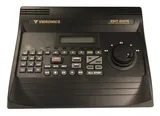
The user guide for the AB-1 Edit Suite, an A/B roll edit controller that controls play VCRs and camcorders, a record VCR, a mixer and a titler. It introduces the keyboard and the Edit Decision List, walks through a first A/A and A/B roll, then covers assemble and auto-assemble editing, every event type, fine tuning, importing and exporting, the setup menus and troubleshooting. Appendixes give VCR protocol tables, cable pinouts, equipment hookup and a key reference.
Its parts
- Introduction
- Overview of the Keyboard
- Getting Started
- Making a Production
- The NEW Menu and Edit Suite Events
- Managing The Edit Decision List
- Fine Tuning
- Importing and Exporting
- Setup and Configuration Menus
- Error Messages and Troubleshooting
From the manual
Key facts from this manual
Some pages are scans or cannot be read; this says only what the readable text supports. Each line names its page in the PDF.
User guide for the Videonics AB-1 Edit Suite, an A/B roll edit controller that runs play VCRs, a record VCR, a mixer and a titler. It explains cables and hookup, setting up each VCR port, building and recording an edit decision list, and the error messages and troubleshooting steps.
- What it is
- Video editor that controls up to four play VCRs or camcorders, a record VCR, a mixer and a titler p. 4
- VCR control protocols
- Sony Control-L (LANC), Panasonic 5-pin (Control-M), RS-232 and RS-422; infrared for the record VCR p. 4
- Time code
- Reads LTC, VITC and RCTC; uses the VCR's Real Time Counter when there is no time code p. 4
- Edit decision list
- Up to 250 events p. 7
- Display
- 40-character backlit LCD p. 3
- Rear panel
- Time code inputs and control ports for record and play VCRs, RS-232C computer port, GPI-M and GPI-T ports, infrared wand jack, power p. 3
- Cables included
- Three Control-L submini cables, three Panasonic 5-pin cables, one IR wand and a stereo GPI cable p. 15
- LANC and Control-M cables
- Control-L submini CBLA-0020-01; Control-L 5-pin CBLA-0019-01; Panasonic Control-M 5-pin CBLA-0014-02 p. 124
- RS-232/422 cable
- CBLA-0042-01 p. 125
- Infrared wand
- ASYS-0004-03 p. 125
- GPI and time code cables
- GPI cable CBLA-0041-01 (stereo mini to mini); time code in cable CBLA-0001-02 (RCA) p. 126
- Computer link
- Standard RS-232 serial cable to a PC (DB-9 or DB-25 end) or a Macintosh (8-pin DIN to DB-9) p. 125
- Shuttle speed
- From 1/30th x Play to more than 20 x Play, forward and reverse, depending on the VCR p. 13
What this manual walks you through
- Choosing the edit control and GPI cables for each VCR p. 15, 16
- Setting up each VCR port in the Configuration Menu p. 17
- Hooking up power, VCRs and monitors p. 129, 130, 131
- Reading and clearing error messages p. 104, 105, 106, 107, 108, 109, 110
- Showing error numbers alone or with their text p. 110, 111
- Troubleshooting missing time code p. 111
- Wiring an RS-232/422 cable from the pinout chart p. 126, 127
Good to know
- Use only the power supply that came with the Edit Suite; other similar supplies may damage it. p. 131
- The Control-L 5-pin and Panasonic 5-pin cables are not interchangeable. p. 15
- No audio or video passes through the Edit Suite; it only controls the other equipment. p. 6
- Scenes should start no earlier than about one minute from the start of a fully rewound tape. p. 105
- RS-232 VCRs also need a 9-pin to 25-pin converter, and a null modem unless they are Panasonic. p. 125
Questions this manual answers
How many VCRs can the Videonics AB-1 control?
Up to five: four play VCRs or camcorders and one record VCR. p. 129
What does AB-1 error 05 No response from VCR mean?
The Edit Suite got no usable reply from a VCR. Check the control cable, that a tape is loaded and the VCR is on, set it to Slave or Remote, and check the protocol setting. p. 105
How many events does the AB-1 edit list hold?
250. For more, export the list to a computer, then delete it from the unit. p. 106
How do I fully reset the AB-1 Edit Suite?
Unplug it, then hold SHIFT and ALL STOP while reconnecting power. This deletes all edit list and configuration data. p. 107
The whole text · 16 parts
Read the manual here as text
Its text as extracted from the PDF, unedited, in parts; each page opens the PDF at that page.
- Pages 1 to 101-10
- Pages 11 to 2011-20
- Pages 21 to 3021-30
- Pages 31 to 4031-40
- Pages 41 to 5041-50
- Pages 51 to 6051-60
- Pages 61 to 7061-70
- Pages 71 to 8071-80
- Pages 81 to 9081-90
- Pages 91 to 10091-100
- Pages 101 to 110101-110
- Pages 111 to 120111-120
- Pages 121 to 130121-130
- Pages 131 to 140131-140
- Pages 141 to 150141-150
- Page 151151
The file