Manual · VeriFone
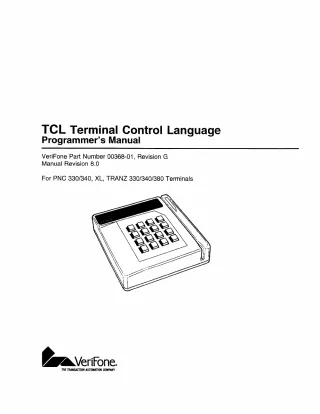
TCL Terminal Control Language Programmer's Manual
Manual362 pagesPDF 13 MB
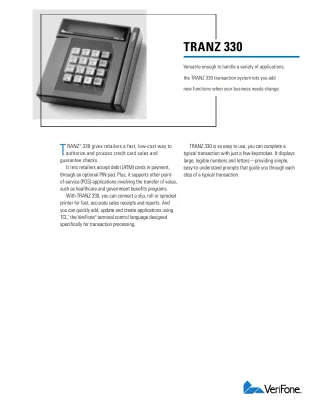
Programmer's manual for VeriFone TCL (Terminal Control Language) on the PNC 330/340, XL and TRANZ 330/340/380 terminals.
Covers · 1 model
The models it covers
Summary
What is in it
VeriFone's programmer's manual for TCL, the Terminal Control Language used to write applications for the PNC 330/340, XL and TRANZ 330/340/380 credit card terminals. It explains terminal basics (power up, idle state, transaction and communicate routines, memory), how to design, load and debug an application, the TCLOAD and ZONTALK 2000 tools, and gives an alphabetical reference of every TCL command, with appendices on memory locations, communications, sample code and the ASCII table.
Its parts
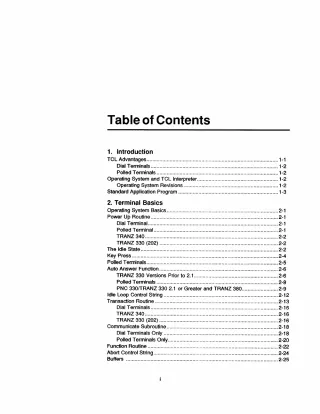
- Introduction
- Terminal Basics
- Programming Basics
- Programming Tools
- TCL Commands
From the manual
Key facts from this manual
Some pages are scans or cannot be read; this says only what the readable text supports. Each line names its page in the PDF.
This is the VeriFone TCL Terminal Control Language Programmer's Manual (part number 00368-01, Revision G, 1992) for the PNC 330/340, XL and TRANZ 330/340/380 terminals. It explains how the terminal operating system runs and how to write TCL control strings to customize transactions. It also lists memory locations and the EPROM naming conventions.
- What TCL is
- VeriFone language for programming the PNC 330, PNC 340, ZON Jr XL, XL 300, TRANZ 330, TRANZ 340 and TRANZ 380 p. 15
- Processor
- Zilog Z-80A CPU; TRANZ 380: Z-180 CPU p. 15
- Card reader
- ABA track 2 or track 1 magnetic stripe; TRANZ 380: Track 1 and Track 2, Track 3 optional p. 15
- Modem
- TRANZ 330/380: 300 or 1200 baud, optional 300 or 1200 baud CCITT; TRANZ 330 (202): Bell 202 for leased line p. 16
- RS-232 port
- 8-pin DIN for RS-232 or a printer; TRANZ two-way data at up to 19,200 baud p. 45
- Wand and PIN pad port
- TRANZ 330, 340 and 380: 6-pin DIN for a bar code wand or external PIN pad p. 45
- TRANZ 330 firmware
- Manual covers firmware IDs 3F1EV360 and 3F2EV360 p. 16
- Auto answer
- TRANZ 330/380 dial terminals let a host computer dial the terminal p. 16
- Operations
- 16 customizable operations: nine host transactions and seven local functions p. 16
- Standard application
- 16 POS transaction types; TRANZ 330 versions 3.0 or greater and TRANZ 380: four p. 17
- Variables
- Up to ten per transaction (#0 to #9); TRANZ 380: up to 100 (00 to 99) p. 44
- Memory use
- ROM holds operating system, standard application and fixed prompts; RAM holds parameters, control strings and data capture records p. 45
- EPROM names
- 8-character name, no special characters, per VeriFone document 10243 p. 319
- Manual part number
- 00368-01, Revision G, published August 1992 p. 1, 2
What this manual walks you through
- Using buffers and variables in control strings p. 44
- Driving a printer or RS-232 device on the 8-pin DIN port p. 45
- Using a bar code wand or PIN pad on the 6-pin DIN port p. 45
- Setting dial-up speed, auto answer and peripheral port memory locations p. 261, 262
- Reading VeriFone EPROM names p. 319, 320, 321
- Overriding the standard application with control strings p. 17
Good to know
- The manual reflects USA firmware; international firmware differences may not be covered. p. 16
- TRANZ 330 version 3.60 does not support the bar code wand. p. 15
- The standard application is in firmware and cannot be changed, only overridden by control strings. p. 17
- If memory location 970 is set to PIN Pad and none is attached, pressing [CLEAR] is delayed while the terminal tries to connect three times. p. 261, 262
- The more memory used for control strings and parameter data, the less is left for data capture records. p. 45
Questions this manual answers
What processor do TCL terminals like the TRANZ 330 use?
A Zilog Z-80A CPU; the TRANZ 380 uses a Z-180 CPU instead. p. 15
What modem speeds does the TRANZ 330 support?
300 or 1200 baud, with an optional 300 or 1200 baud CCITT modem for international use. p. 16
Can a bar code wand be connected to a TRANZ 330?
Yes, on the 6-pin DIN port, except on TRANZ 330 versions 3.6 and higher. p. 45
What is a TRANZ 330 (202)?
A polled TCL terminal that does not use the public telephone system; it has a Bell 202 modem for leased line operation. p. 16
Which TRANZ 330 firmware does the TCL manual cover?
Firmware version IDs 3F1EV360 and 3F2EV360. p. 16
The whole text · 37 parts
Read the manual here as text
Its text as extracted from the PDF, unedited, in parts; each page opens the PDF at that page.
- Pages 1 to 101-10
- Pages 11 to 2011-20
- Pages 21 to 3021-30
- Pages 31 to 4031-40
- Pages 41 to 5041-50
- Pages 51 to 6051-60
- Pages 61 to 7061-70
- Pages 71 to 8071-80
- Pages 81 to 9081-90
- Pages 91 to 10091-100
- Pages 101 to 110101-110
- Pages 111 to 120111-120
- Pages 121 to 130121-130
- Pages 131 to 140131-140
- Pages 141 to 150141-150
- Pages 151 to 160151-160
- Pages 161 to 170161-170
- Pages 171 to 180171-180
- Pages 181 to 190181-190
- Pages 191 to 200191-200
- Pages 201 to 210201-210
- Pages 211 to 220211-220
- Pages 221 to 230221-230
- Pages 231 to 240231-240
- Pages 241 to 250241-250
- Pages 251 to 260251-260
- Pages 261 to 270261-270
- Pages 271 to 280271-280
- Pages 281 to 290281-290
- Pages 291 to 300291-300
- Pages 301 to 310301-310
- Pages 311 to 320311-320
- Pages 321 to 330321-330
- Pages 331 to 340331-340
- Pages 341 to 350341-350
- Pages 351 to 360351-360
- Pages 361 to 362361-362
The file