Manual · VeriFone
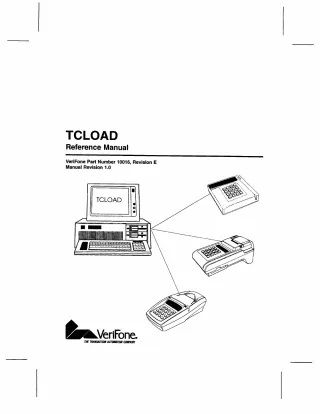
TCLOAD Reference Manual
Manual96 pagesPDF 2.2 MB
Reference manual for VeriFone TCLOAD, the TCL assembler that builds and downloads applications to XL and TRANZ 330 terminals.
Covers · 1 model
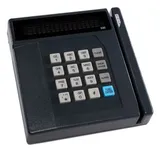
The models it covers
Summary
What is in it
The reference manual for TCLOAD, VeriFone's Terminal Control Language (TCL) assembler for application developers. It explains how to install TCLOAD on a PC, write TCL files with file directives, run TCLOAD and its options, handle errors, and the TRANZ UDL terminal packet formats. Appendixes give memory maps for the XL, TRANZ 330, 380, 420, 460 and 470, link file examples, a sample TCL file and error messages.
Its parts
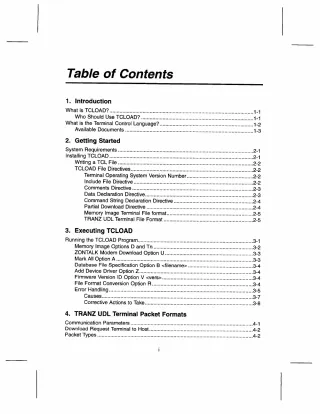
- Introduction
- Getting Started
- Executing TCLOAD
- TRANZ UDL Terminal Packet Formats
From the manual
Key facts from this manual
Some pages are scans or cannot be read; this says only what the readable text supports. Each line names its page in the PDF.
This is the VeriFone TCLOAD Reference Manual (part number 10016, Revision E, 1995) for the PC tool that assembles Terminal Control Language (TCL) programs and downloads them to terminals. It covers the XL, TRANZ 330, TRANZ 420 and the TRANZ UDL terminals (TRANZ 380, 460 and 470). It explains installing TCLOAD, writing TCL files, downloading terminals, error codes and terminal memory errors.
- What TCLOAD is
- PC tool that assembles TCL programs and downloads them to XL, TRANZ 330, TRANZ 420 and TRANZ UDL terminals (TRANZ 380, 460, 470) p. 5
- Download cables
- 00446-04 TRANZ/XL to IBM PC/AT (DB-9); 00446-05 TRANZ/XL to IBM PC or XT (DB-25) p. 9
- Download speeds
- Direct by cable at 2400/19,200 baud; by modem at 300/1200 baud (ZONTALK) p. 6
- TRANZ 330 software
- Memory map given for software versions 3E2EU340 and 3E2DU352 p. 41
- Memory locations
- 3- or 4-digit address, up to 120 characters each (60 in earlier EPROM releases) p. 6, 7
- PROGRAMMING ERR codes
- 0 power-up; 1 or 2 store from TCL; 3 or 4 dial-up download; 5 or 6 store from keypad; 7 or 8 unit-to-unit download p. 20
- File types
- .DTZ memory image for the TRANZ 330/420 (.DXL for the XL); .UDL for ZONTALK modem downloads p. 16, 17
- PC requirements
- IBM PC, XT, AT or compatible with at least 256K RAM and a serial port (COM PORT 1 default, COM PORT 2 selectable) p. 9
- Program files
- TCLOAD.EXE and the firmware database TCLOAD.DBS p. 9
- Version directive
- % plus the EPROM version, first non-comment line in column 1; example %3E2CU300 for TRANZ 330 OPSYS 3.00 p. 10
- Error severities
- 3-digit codes at INFORMATIONAL, WARNING, SEVERE or FATAL level p. 19
- Related manuals
- TRANZ 330 Reference Manual 00483; TCL Programmer's Manual 00368; ZONTALK 2000 Reference Manual 10361 p. 7
- Manual part number
- 10016, Revision E, published May 1995 p. 2
What this manual walks you through
- Installing TCLOAD and placing its database file p. 9, 10
- Writing a TCL file with version, include, comment and data directives p. 10, 11
- Running TCLOAD and choosing command options p. 15, 16
- Downloading a terminal directly over a PC COM port p. 16, 17
- Making a UDL file for ZONTALK modem downloads p. 17
- Reading TCLOAD error reports p. 19
- Understanding and recovering from PROGRAMMING ERR and DC MEMORY ERROR p. 20, 21, 22
- TRANZ 330 memory map p. 41
- TCLOAD error code list p. 87, 88, 89
Good to know
- TRANZ UDL terminals do not accept the memory image download format. p. 6
- A communication error or power loss during a ZONTALK download can be expected to cause a PROGRAMMING ERR. p. 21
- A unit-to-unit download from a terminal holding data capture information causes a DC MEMORY ERROR on the receiving unit. p. 21
- The most common environmental cause of memory corruption is electrostatic discharge, which rises in cold, dry weather. p. 22
- If a terminal continues after a PROGRAMMING ERR, the manual suggests only closing out any batch and re-downloading it. p. 22
Questions this manual answers
What cable connects a TRANZ 330 to a PC for downloading?
Direct download cable 00446-04 for an IBM PC/AT (DB-9) or 00446-05 for an IBM PC or XT (DB-25). p. 9
What does PROGRAMMING ERR mean on a TRANZ terminal?
The checksum of the program memory area did not match at a warm boot, so the program memory has been corrupted. p. 20
What does DC MEMORY ERROR mean?
The data capture (batch) area of RAM failed its checksum, meaning it has been corrupted. p. 20
What baud rates does ZONTALK use to download a TRANZ terminal?
2400/19,200 baud for a direct download by cable and 300/1200 baud by modem. p. 6
What PC does TCLOAD need?
An IBM PC, XT, AT or compatible with at least 256K of RAM, a serial port and the direct download cable. p. 9
The whole text · 10 parts
Read the manual here as text
Its text as extracted from the PDF, unedited, in parts; each page opens the PDF at that page.
The file