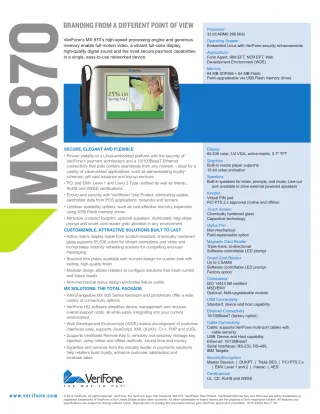
Manual · VeriFone
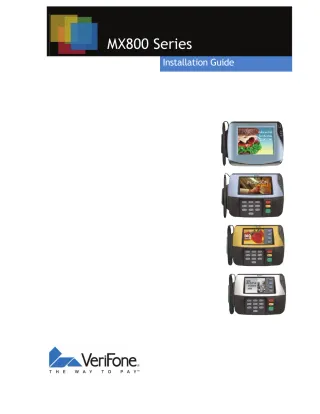
MX800 Series Installation Guide
Manual40 pagesPDF 2.9 MB
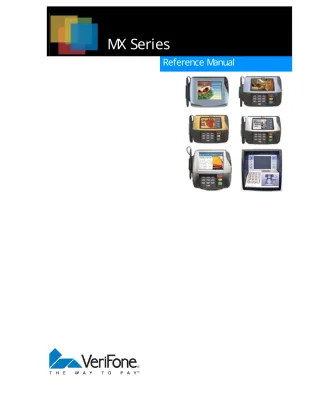
Installation guide for the VeriFone MX800 Series payment terminals (MX870, MX860, MX850, MX830): features, setup, connections and care.
Names · 3 models
The models it names
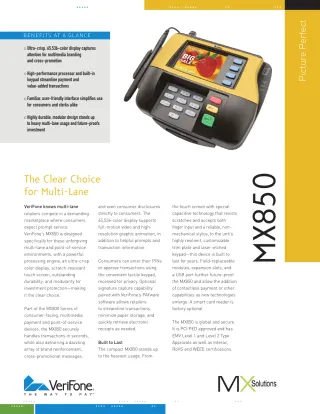
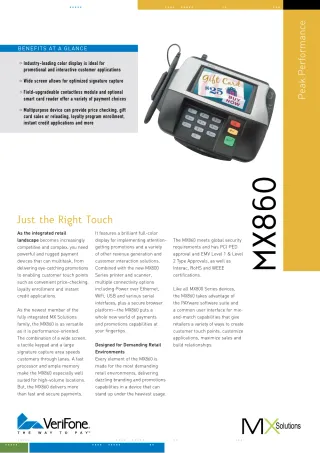
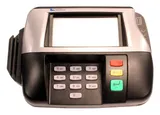 VeriFone MX850POS terminal from$495.003 in stock VeriFone MX860POS terminal from$495.001 in stock
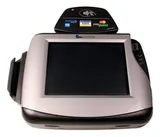 VeriFone MX870POS terminal from$495.00124 in stock
Filed with · 1 model
Also filed with these models on the old site
Summary
What is in it
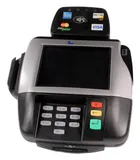
The installation guide for the VeriFone MX800 Series payment terminals: the MX870, MX860, MX850 and MX830. It describes the terminals' modular design, displays, features and factory options, then explains unpacking, choosing a location, PIN protection, installing the countertop wedge, I/O modules, MSAM cards and trimplate, connecting through the multiport cable to an ECR, host PC, Ethernet LAN or USB, powering up and calibrating the touch screen. It closes with cleaning, troubleshooting, service and specifications.
Its parts
- Preface
- Features
- Installation
- Maintenance
- Troubleshooting
- VeriFone Service and Support
- Specifications
From the manual
Key facts from this manual
Each line names its page in the PDF.
The VeriFone MX800 Series Installation Guide (part number 23752, revision C, 2008) for the MX870, MX860, MX850 and MX830 payment terminals; it does not name the MX880. It describes the features and factory options, then walks through unpacking, mounting, optional modules, cabling, power-up, touch screen calibration, cleaning and troubleshooting, and ends with the specifications.
- Device
- Modular payment terminal series (MX870, MX860, MX850, MX830) sharing a Linux architecture and similar circuit boards p. 9
- Card readers
- Triple-track magnetic card reader and smart card reader/writer p. 10
- Interfaces
- Ethernet, USB (with USB Host for devices such as memory drives), RS-232 for peripherals, RS-485 for ECRs in tailgate mode p. 10, 11
- Power
- 12 V DC at 1.0 A power pack into the +12V receptacle on the multiport cable; 120 V AC at 60 Hz (U.S.); can also take power from an ECR p. 25, 35
- Environment
- Operating 0° to 40° C (32° to 104° F); storage -18° to +66° C (0° to 150° F); 15% to 95% humidity, no condensation p. 35
- Multiport cable
- One multiport cable carries the ECR, Ethernet LAN, USB and power connections; USB cable P/N 23741-02-R p. 22, 24, 25
- Display
- MX870: 5.6-inch color 1/4 VGA, touch screen only; MX860: 4.3-inch color, touch screen and numeric keypad; MX850: 3.5-inch color 1/4 VGA, touch screen and ATM-style screen-addressable keys p. 9
- Dimensions
- Height 153 mm (6.0 in.), width 192 mm (7.5 in.); depth MX870: 57 mm (2.24 in.), MX860 and MX850: 71 mm (2.8 in.) p. 35
- Weight
- MX870: 1.68 lbs. (.77kg); MX860 and MX850: 1.62 lbs. (.74 kg) p. 35
- Security
- 3DES encryption, Master Key/Session Key and DUKPT key management, VeriShield file authentication p. 11
- Contactless module
- Optional RFID module to ISO 14443; reads cards at 1 in. to 3.9 in. (2.5 to 10 cm) p. 11
- Audio
- MX870: internal speakers and external speaker jacks; MX860 and MX850: audio optional p. 11
- In the box
- Terminal, cable tie-down strap and screw, power pack, multiport cable; stylus with tether and mounting holster optional p. 14
- Cleaning kit
- VeriFone Cleaning Kit P/N 02746-01 p. 27
What this manual walks you through
- Unpacking the terminal and choosing a location p. 14, 15
- Mounting the terminal on a stand mount p. 15, 16
- Positioning the terminal to screen PIN entry p. 16, 17
- Fitting the countertop wedge p. 17, 18
- Swapping optional I/O modules p. 18, 19
- Installing MSAM cards p. 19, 20, 21
- Connecting an ECR, a host PC, an Ethernet LAN or a USB hub p. 23, 24
- Powering up through the multiport cable p. 25
- Calibrating the touch screen p. 26
- Troubleshooting a blank display, serial port, failed transactions, stylus and touch screen p. 29, 30, 31
Good to know
- Indoor use only; keep it away from water, heat, dust, direct sun and electrically noisy equipment. p. 15
- Make all other connections before plugging in the power pack. p. 21, 25
- Do not force the terminal connector or pull it out by the cable; improper handling can permanently damage the terminal. p. 22
- Never clean with thinner, trichloroethylene or ketone-based solvents, and do not spray cleaners onto the display. p. 27
- The terminal has no user-maintainable parts and carries tamper-evident labels; the manual says never to disassemble it. p. 27, 29
Questions this manual answers
What power supply does the VeriFone MX850 use?
A 12 V DC, 1.0 A power pack plugged into the +12V receptacle on the multiport cable; connected to an ECR, it can take power from the ECR instead. p. 25, 35
How do I calibrate the MX850 touch screen?
Let the terminal warm up (usually under 30 minutes), hold the recessed button near the top of the card reader with a paper clip, enter the password, then tap CONFIGURE > right blue arrow > CALIBRATE > CALIBRATE in System Mode. p. 26
Which cable connects an MX800 Series terminal to a PC by USB?
The VeriFone USB multiport cable, P/N 23741-02-R. p. 24
How big is the MX860 screen?
The MX860 has a 4.3-inch color display with a touch screen and a numeric keypad. p. 9
Contents
Chapters and sections
Each line opens the PDF at its page.
The whole text · 6 parts
Read the manual here as text
Its text as extracted from the PDF, unedited, in parts; each page opens the PDF at that page.
The file