Manual · Unitech
PT600 Portable Data Collection Terminal User's Guide
Manual31 pagesPDF 375 KB
User's guide for the Unitech PT600 portable data collection terminal with laser or pen scanner: specifications, power, operation and FormCaching.
Covers · 1 model
The models it covers
Summary
What is in it
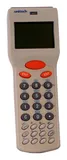
Unitech's user's guide for the PT600, a rugged handheld DOS-based data collection terminal with an integrated laser scanner or clip-on pen scanner. It gives full technical specifications, the RS232 and infrared ports, keyboard modes, scanner triggering, the development environment and optional charging cradle, then covers the NiMH power system and battery care, operation in Ready and User modes, SET and ESC commands, and the built-in FormCaching application generator.
Its parts
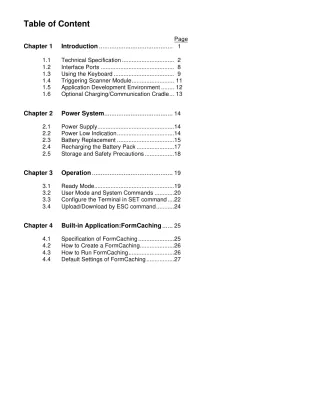
- Introduction
- Power System
- Operation
- Built-in Application: FormCaching
From the manual · read page by page
Key facts from this manual
Some pages are scans or cannot be read; this says only what the readable text supports. Each line names its page in the PDF.
Unitech's User's Guide (document number 350600-0010) for the PT600, a DOS-based hand-held data collection terminal with an integrated laser scanner or clip-on pen scanner. It gives the technical specifications, the serial port pins, keyboard modes, battery care and charging, the system commands for file transfer, and how to set up the built-in FormCaching data entry application.
- Device
- Rugged hand-held data collection terminal with a DOS-based system and integrated laser scanner or pen scanner p. 4
- Processor and memory
- 16-bit 8088 compatible CPU; 512KB up to 4.5MB SRAM; 256K Flash ROM p. 5
- Display
- 100x65 pixel backlit graphic LCD; 12 columns by 4 lines or 16 columns by 8 lines p. 5
- Keyboard
- 26 alphanumeric rubber keys and one laser trigger switch p. 5
- Communication
- One RS232C port up to 57.6Kbps (default 19.2 Kbps); one IR port, 19.2 to 57.6 Kbps; built-in Kermit server p. 6
- Main battery
- Detachable pack of 2 AA NiMH, 1.2V 1500mAh; two AA alkaline batteries can also be used p. 6, 17
- Backup battery
- Lithium CR2032, 3V 190mAh, backs up RAM and clock p. 17
- Power input
- AC/DC adapter, 9VDC/500mA p. 6
- Cradle
- PT016 charging/communication cradle: charges unit and spare pack in about 2.5 hours; 12VDC/1A adapter p. 6, 16
- Laser scanner
- 36 scans/sec; skew tolerance ±65°; pitch angle ±55°; 60mA typical at 5V p. 7
- Pen scanner
- Clip-on; 0.12mm (5mil) resolution; 5-200 cm/sec scan rate; reading angle 45° to 135° p. 7
- Bar codes
- UPC-A/E, EAN-8/13, Codabar, Code128, Code39 (and full ASCII), ITF, China postal code, Interleave 2 of 5, EAN128 p. 5
- Size, weight, temperature
- 176mm long; about 240g with battery pack; operating 0°C to 50°C (32°F to 122°F) p. 5
- Programming
- JobGen Plus (Windows), JobGen Pro (DOS), FormCaching; Assembly and C (MSC, Turbo C, Visual C) p. 5
What this manual walks you through
- Serial port pin assignments and connecting to a computer or modem p. 11
- Using the keyboard in normal, command and alpha modes p. 12, 13, 14
- Replacing the main battery pack and the lithium backup battery p. 18, 19
- Regular charging with a 9V adapter and quick charging in the PT016 cradle p. 20
- Using the eight system commands in User mode p. 23, 24, 25
- Uploading and downloading files by Kermit or remote ESC commands p. 24, 27
- Creating and running a FormCaching data entry application p. 28, 29, 30
Good to know
- After storage the NiMH pack may be too discharged to power on; recharge it 14 to 16 hours by adapter or about 2.5 hours in the cradle. p. 2
- Charge batteries only between 32°F and 113°F (0°C to 45°C); outside that range they can be damaged. p. 21
- Leaving the adapter plugged into the DC jack for weeks can overcharge the batteries and reduce capacity; the PT016 switches to trickle charge. p. 21
- Back up the data in the terminal before replacing the lithium backup battery. p. 19
- The manual states this is a Class A product that may cause radio interference in a domestic environment. p. 31
Questions this manual answers
What batteries does the Unitech PT600 take?
A detachable pack of two AA NiMH cells (1.2V, 1500mAh) or two AA alkaline batteries, plus a CR2032 lithium backup battery. p. 17
How long does the PT600 take to charge?
About 14 to 16 hours with the 9V adapter, or about 2.5 hours in the PT016 cradle. p. 20
How do I transfer files to and from the PT600?
Select 3.COM in User mode to put the terminal in Kermit server mode, then use send, get, remote dir and remote del from the PC. p. 24
How do I enter User mode on the PT600?
Press and hold the [CMD] key for two seconds in Ready mode. p. 23
How do I change the FormCaching setup on the PT600?
Delete the FORM.DAT file first; the system will not let you redefine FormCaching while that file exists. p. 29
The whole text · 4 parts
Read the manual here as text
Its text as extracted from the PDF, unedited, in parts; each page opens the PDF at that page.
The file