Manual · Unitech
HT Series/PA Series/RH Series Programming Manual
Manual98 pagesPDF 1.2 MB
Programming manual for Unitech HT, PA and RH Series WinCE and Windows Mobile terminals: scanner, system and RFID APIs.
Names · 2 models
The models it names
 Unitech HT660Portable data collection terminal Call for availability
 Unitech HT680Portable data collection terminal Call for availability
Filed with · 1 model
Also filed with these models on the old site
Summary
What is in it
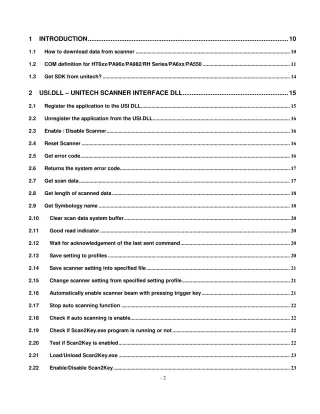
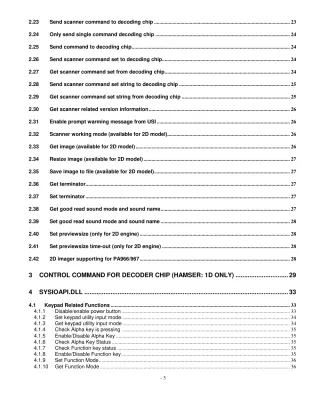
Unitech's programming manual for its HT, PA and RH Series handheld terminals running WinCE or Windows Mobile. It explains how the barcode decoder chip talks to the device over a serial port, lists the COM port assignments, and documents the USI.DLL scanner interface library, decoder chip control commands and the SYSIOAPI.DLL system functions (keypad, LEDs, backlight, slots, wireless and Bluetooth). Later chapters cover HF and UHF RFID reader libraries, device ID and version calls, camera, fingerprint and GPS functions, .NET and ActiveX components.
Its parts
- Introduction
- USI.DLL - Unitech Scanner Interface DLL
- Control Command for Decoder Chip (Hamser: 1D Only)
- SYSIOAPI.DLL
- Dynamic Load DLL
- RFID HF Reader
- UHF Reader for WJ
- UHF Reader for SkyeTek
- UHF Reader for Kitty
- Useful Function Call - Without Include SYSIOAPI.DLL
- Get Device ID
- Get OEM Info
- Get Firmware and Bootloader Version Info
- Camera SDK
- Fingerprint Related Functions
From the manual
Key facts from this manual
Each line names its page in the PDF.
Programming manual (V 1.22 2011-10-14) for Unitech HT Series, PA Series and RH Series terminals running WinCE and Windows Mobile; the models it names include HT660, HT680, PA962/963, PA966/967, PA968, PA982, RH767, PA600, PA550 and PA500II, and it does not name the HT580. It documents the USI.DLL scanner interface, Scan2Key.exe, the COM port map of each device and the SYSIOAPI.DLL calls for keypad, LEDs, backlight, slots and radios.
- What it is
- Programming manual for the bar code and hardware functions of Unitech HT, PA and RH Series terminals p. 1, 10
- Operating systems
- WinCE and Windows Mobile only p. 10
- Scanner link
- Decoder chip on a serial port fixed at 38400,N,8.1; registry default COM2: p. 10, 15
- Scan engine
- Decoding chip controls an SE900 laser engine p. 10
- Software tools
- USI.DLL scanner library; Scan2Key.exe puts bar code data into the keyboard buffer p. 10
- HT680 COM ports
- COM 1 Bluetooth, COM 2 Scanner (Hamster), COM 4 USB Client, COM 6 GPRS, COM 7 Bluetooth Printer p. 11
- General COM ports
- COM 1 RS232 (ActiveSync), COM 2 scanner or RFID reader, COM 3 IrComm, COM 4 USB client, COM 5 IrDA or Bluetooth p. 11
- HT660 card slot
- HT660: CF slot only p. 45
- Scan data buffer
- 4K bytes by default p. 15
- Bar code types
- Code 39, CodaBar, Code 128, Interleaved 2 of 5, Code 93, UPC A, UPC E, EAN 8, EAN 13 (with 2 or 5 supps), MSI Plessey p. 17
- SDK files
- HT660SDK.zip and HT680SDK.zip; USI sample program and SDK in USISDK.zip p. 14, 15
- Hardware calls
- Trigger keys, scan engine power, good read, green and red LEDs, screen and keypad backlight, vibration, cradle status p. 38, 40, 41, 43
- Radio calls
- Enable or disable the wireless module and Bluetooth module power p. 44
- SD slot modes
- 0x01 SDMMC, 0x02 SDIO, 0x11 SDMMC without remove while resuming p. 42
What this manual walks you through
- Registering an application with USI.DLL and handling its messages p. 15
- Reading scan data and its bar code type p. 17
- COM port assignments for each device family p. 11, 12, 13
- Downloading the WinCE SDK for each model p. 14
- Enabling trigger keys and powering the scan engine p. 38
- Controlling the LEDs, backlights and vibration p. 40, 41, 43
- Managing SD, CF and PCMCIA slots p. 42, 45
- Switching the wireless and Bluetooth modules p. 44
Good to know
- Unitech supplies no header or library files for Windows Mobile; its DLLs must be loaded dynamically. p. 15
- New scan data is lost if the data buffer has not been emptied first. p. 17
- The decoder IC is disabled when the scanner is not in use, to save power. p. 38
Questions this manual answers
Which Unitech models have an SDK listed in this programming manual?
HT660, HT680, HT660II/660e, HT660IICore, PA962/963, PA966/967, PA968, PA982, RH767 and PA600. p. 14
Which COM port is the scanner on a Unitech HT680?
COM 2, listed as Scanner (Hamster). p. 11
What serial settings does the scanner decoder chip use?
It is fixed at 38400,N,8.1. p. 10
How can a program get bar code data without COM port programming?
Scan2Key.exe reads the scanner and types the data into the keyboard buffer, so the program reads it as keyboard input. p. 10
The whole text · 11 parts
Read the manual here as text
Its text as extracted from the PDF, unedited, in parts; each page opens the PDF at that page.
The file