Manual · Unitech
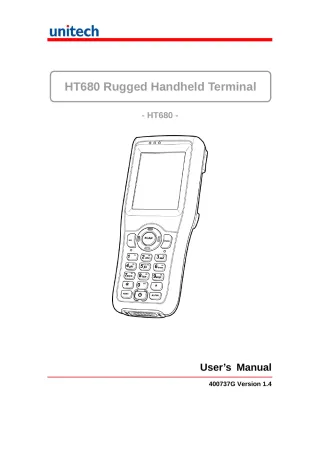
HT680 Rugged Handheld Terminal User's Manual
Manual75 pagesPDF 2.5 MB
User's manual for the Unitech HT680 rugged Windows CE handheld terminal: setup, keypad, scanner, power, ActiveSync and wireless.
Covers · 1 model
The models it covers
Summary
What is in it
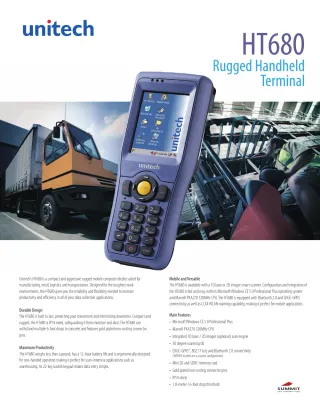
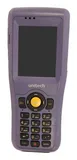
The user's manual for the Unitech HT680, a rugged handheld terminal running Windows CE .NET with a built-in 1D laser or 2D imager, color touch screen and keypad. It covers specifications and accessories, first-time battery setup and charging, the keypad and scanner, power and boot options, connecting by cable, cradle, ActiveSync, Bluetooth, GPRS and WiFi, the scanner and utility programs, and the Device Setting control panel.
Its parts
- Getting Started
- Using the Keypad and Scanner
- Power system
- Data Communication
- Useful Utilities
- Device Setting
From the manual
Key facts from this manual
Each line names its page in the PDF.
User's manual (version 1.4) for the Unitech HT680 rugged handheld terminal, which runs Windows CE 5.0 and has a 1D laser or 2D imager scanner. It covers charging and battery care, the keypad and hotkeys, warm and cold boots, ActiveSync over USB, the scanner symbology settings and the Device Setting tool.
- What it is
- Rugged handheld terminal on WinCE.NET with built-in 1D laser/2D imager, color touch screen LCD, keypad, Bluetooth and wireless p. 15
- CPU and OS
- PXA270 - 520MHz; WinCE 5.0 Pro. p. 17
- Memory
- SDRAM 128MB; Flash ROM 512MB p. 17
- Display
- 2.7" color TFT LCD with touch panel, 240x320 pixels p. 17
- Scanner
- Integrated 1D laser or 2D imager, depending on model number p. 29
- Ports and slot
- USB Client / USB Host; miniSD slot p. 17
- Wireless
- Built-in Bluetooth plus wireless connection to a host p. 37, 42
- Power adapter
- 5V AC-DC adapter into the USB charging cable or docking station; universal adaptor for 120~240 Volts p. 6, 18
- Charge time
- About 4 hours after the battery is drained; at least 16 hours the first time p. 24
- Temperatures
- Operating -10°C to 50°C; storage -20°C to 70°C (W/O Battery) p. 17
- Size and weight
- 169 x 55 x 30 mm (LxWxH); 280g ± 10g (W/O Battery) p. 17
- Ruggedness
- The manual lists a 1.5M drop and IP 54 p. 17
- Docking station
- Listed as USB/Ethernet, Four-Bay Multi. Charger p. 17
- Accessories
- USB cradle, modem cradle, USB cable or optional serial cable, universal adaptor, holster, Li-ion battery pack p. 18
What this manual walks you through
- Installing the battery and switching on the backup battery p. 22, 23
- Connecting the USB charging cable the right way up p. 24
- First start, touch screen alignment, time zone and date p. 25, 26
- Using the keypad, Alpha mode and Function hotkeys p. 27, 28
- Battery care, storage and turning off wireless to save power p. 32, 33
- Warm boot and cold boot by software, pinhole or battery removal p. 34, 35, 36
- Connecting by USB cable or cradle and syncing with ActiveSync p. 37, 38, 39, 40, 41, 42
- Changing 1D and 2D symbology settings in Scanner Setting p. 63, 64, 65
- Scan2Key, Registry Backup and UniPing utilities p. 66
- Device Setting: hotkeys, I/O, server users, virtual keys, screen, CPU speed and charge mode p. 67, 68, 69, 70, 71, 72, 73
Good to know
- Plugging in the USB cable the wrong way can damage the unit; connect it with the keypad face up and tighten the screws. p. 24
- Do not charge the batteries below 0°C. p. 7
- The manual advises replacing the rechargeable battery every year or after 500 charge cycles. p. 7
- Switch the backup battery on before the first charge, or data in RAM can be lost. p. 24
- A software cold boot erases all data, including files in RAM. p. 36
Questions this manual answers
How long should I charge a new HT680?
At least 16 hours the first time, with the backup battery switch ON. After that, a drained battery takes about 4 hours. p. 24
How do I warm boot the HT680?
Tap Start, Programs, Utilities, BootMode and choose Warm Boot, or press the warm-boot pinhole above the keypad with a blunt pin. p. 35
Which 2D barcodes can the HT680 read?
The Scanner Setting 2D list includes Aztec, Codablock F, Code 49, Data Matrix, MaxiCode, MicroPDF417, PDF-417 and QR Code; 2D needs the imager model. p. 29, 65
How do I turn off the HT680 wireless to save battery?
Open Device Setting (Func and 9), go to the IO tab and select Disable. p. 33
Can I change the HT680 CPU speed?
Yes, the Device Setting CPU tab offers Most Efficient, Most Power Saving and Dynamic arrange; tap Apply after choosing. p. 73
Contents
Chapters and sections
Each line opens the PDF at its page.
- Preface3
- About This Manual3
- Chapter 115
- Getting Started15
- Chapter 227
- Using the Keypad and Scanner27
- Chapter 331
- Power system31
- Chapter 437
- Data Communication37
- Chapter 563
- Useful Utilities63
- Chapter 667
- Device Setting67
- Appendix75
- Worldwide Support75
1 more line, from page 75 on
The whole text · 10 parts
Read the manual here as text
Its text as extracted from the PDF, unedited, in parts; each page opens the PDF at that page.
The file