Manual · Unitech
Unitech HT660 Product Reference Guide
Manual37 pagesPDF 1.5 MB
Product reference guide for the Unitech HT660 rugged Windows CE handheld terminal: specifications, setup, keypad, power and communication.
Covers · 1 model
The models it covers
Summary
What is in it
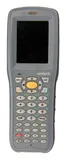
The Unitech product reference guide for the HT660, a rugged handheld terminal running Windows CE with an integrated laser or CCD barcode scanner, color touch screen, keypad and Bluetooth or wireless options. It gives the model specifications and accessories, first steps (battery pack, backup battery, charging, time zone and date), the keypad, hotkeys and scanner, the power system and warm or cold boot, data communication by cable, docking station, ActiveSync, wireless and Bluetooth, and utilities such as Scanner Setting, Scan2Key, registry backup and UniPing.
Its parts
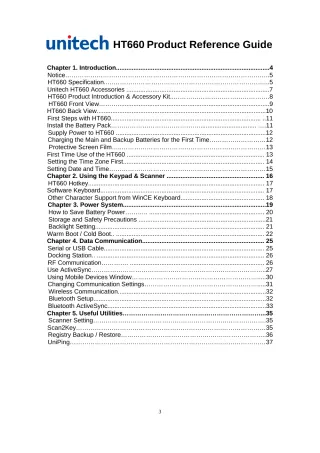
- Introduction
- Using the Keypad & Scanner
- Power System
- Data Communication
- Useful Utilities
From the manual · read page by page
Key facts from this manual
Each line names its page in the PDF.
Product reference guide (version 2.0) for the Unitech HT660 rugged handheld terminal, which runs Windows CE and has a built-in laser or CCD scanner. It covers first setup and charging, the keypad, power and reset options, ActiveSync over cable or Bluetooth, and the bundled utilities.
- What it is
- Rugged handheld terminal on WinCE.NET with built-in laser/CCD scanner, color touch screen LCD, keypad, Bluetooth and wireless p. 4
- Scanner
- Integrated laser or CCD bar code scanner, depending on model number p. 18
- Keypad
- 36 keys: 0~9, alpha, function, escape, backspace, enter, scanner trigger, cursor, on/off p. 16
- Main battery
- 3.7v, 1950mAh Li-ion rechargeable battery pack p. 7
- Charge time
- About 4 hours after the battery is drained; at least 12 hours the first time p. 12
- Power adapter
- 5V/3A AC-DC adapter; AC power supply for 100 to 240 VAC outlets p. 5, 7
- Backup battery
- Keeps data up to 72 hours without the main battery; its switch, inside the battery compartment, ships OFF p. 19
- Host links
- RS-232 / USB, Bluetooth or wireless connection to a host computer p. 25
- Cradles
- RS232/USB Cradle for data and charging; Modem Cradle for data over a phone line and charging p. 7
- Cables
- Included USB cable or optional serial cable, each with a power jack for the AC adaptor p. 7, 25
- Memory card
- SD memory slot on the back p. 10
- Charging temperature
- -5°C to 50°C p. 19
- Sync software
- ActiveSync 3.7 or higher on the desktop; the terminal ships with ActiveSync installed p. 27
- Auto shutdown
- Turns off after 3 minutes idle without external power, by default p. 20
What this manual walks you through
- Installing the battery pack and switching on the backup battery p. 11, 12
- Charging the main and backup batteries for the first time p. 12, 19
- First start, touch screen alignment, time zone and date p. 13, 14, 15
- Using the keypad, Alpha mode and Function hotkeys p. 16, 17
- Warm boot and cold boot by software or hardware p. 22, 23, 24
- Connecting by serial or USB cable, RS232/USB cradle or modem cradle p. 25, 26
- Installing ActiveSync and setting up a partnership p. 27, 28, 29, 30
- Changing communication settings when ActiveSync does not detect the unit p. 31
- Turning on Bluetooth and syncing over Bluetooth p. 32, 33, 34
- Scanner Setting, Scan2Key and Registry Backup utilities p. 35, 36
Good to know
- Switch the backup battery on before the first charge, or data in RAM can be lost. p. 12
- Charging outside -5°C to 50°C can damage the batteries. p. 19
- A cold boot returns the unit to factory settings; the screen must be recalibrated and the date and time reset. p. 23
- A warm boot loses any unsaved data. p. 22
- Give each terminal its own device name when several share one PC; the default name is WinCE. p. 29
Questions this manual answers
How long should I charge a new HT660?
At least 12 hours for the first charge, with the backup battery switch ON. After that, a drained battery takes about 4 hours. p. 12
Why will my HT660 not power on?
The batteries may have run down in storage. Charge it on the charging cable or cradle for over 12 hours. p. 5
How do I do a hardware cold boot on the HT660?
Remove the main battery, switch the backup battery off and back on, and reinsert the main battery. Then recalibrate the screen and reset the date and time. p. 24
What battery does the HT660 use?
A 3.7v, 1950mAh Li-ion rechargeable battery pack, plus an internal backup battery. p. 7
What do I need to sync the HT660 with a PC?
ActiveSync 3.7 or higher on the desktop computer. The terminal ships with ActiveSync already installed. p. 27
The whole text · 4 parts
Read the manual here as text
Its text as extracted from the PDF, unedited, in parts; each page opens the PDF at that page.
The file