Manual · TPG
TPG A760 Set Up Guide
Manual4 pagesPDF 1.5 MB
All 4 pages are below, each with its text.
Covers · 1 model
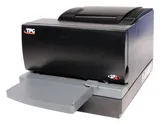
The models it covers
From the manual · read page by page
Key facts from this manual
Each line names its page in the PDF.
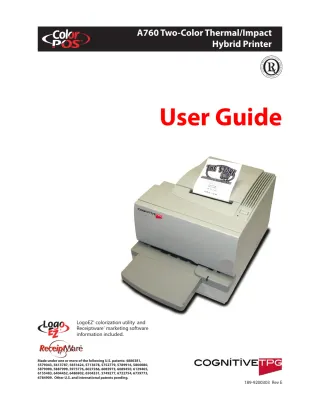
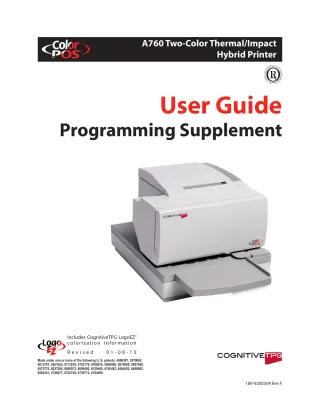
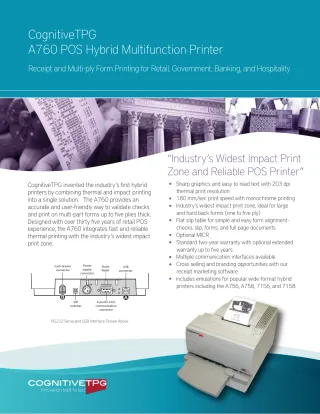
A four-page quick setup guide (189-9200392, revision F, 09/2015) for the CognitiveTPG A760 two-color thermal/impact hybrid printer. It walks through unpacking, loading paper, installing the ribbon, connecting cables, running a diagnostic test and configuring the printer, then lists the power supply, cable and power cord requirements.
- Device
- Two-color thermal/impact hybrid printer p. 1
- Interfaces
- 9-pin or 25-pin serial or USB; cash drawer connector p. 2
- Connector layout
- USB connector (A) at the back right; cash drawer connector (B) at the left back p. 2
- Power supply
- UL Listed Class 2, input 100-240 Vac, 2.0 A, 50/60 Hz; output 24 Vdc, 2.5 A for the 60 watt unit p. 4
- Consumables
- Paper roll and ribbon cassette p. 1, 2
- Paper types
- Type 0 monochrome grades; Type 4 and Type 5 two-color grades; set in the configuration menu p. 3
- USB driver types
- Printer Class or Comm Class p. 3
- Model numbers
- A760-XXXX and A760-XXXX-XXXX (X = any alphanumeric character) p. 4
- Logo software
- LogoEZ compatible for logos and two-color designs p. 3
What this manual walks you through
- Unpacking the printer p. 1
- Loading the paper roll p. 1
- Installing the ribbon cassette p. 2
- Connecting the cash drawer, serial or USB, and power cables p. 2
- Routing the cables p. 3
- Running a diagnostic test and reading the diagnostics form p. 3
- Configuring the printer and changing the paper type p. 3
Good to know
- Plug the USB cable into the USB connector, not the cash drawer connector next to it. p. 2
- Keep the packing materials for later shipping or storage. p. 1
- A shielded (360 degree) interface cable must be used, with the shield grounded at each end. p. 4
- A UL listed detachable power cord must be used, with Type SJT marking if the power supply may sit on the floor. p. 4
Questions this manual answers
Where does the USB cable plug into the A760?
Into the USB connector (A) at the back right of the printer, not the cash drawer connector (B) at the left back. p. 2
What power supply does the A760 need?
A UL Listed Class 2 supply rated 100-240 Vac input and 24 Vdc, 2.5 A output for the 60 watt unit. p. 4
How do I test the A760 after setting it up?
Run the diagnostic test; the printer prints a diagnostics form with its firmware, hardware parameters and interface settings. p. 3
How do I change the paper type on the A760?
In the configuration menu. Type 0 is a monochrome grade, and Types 4 and 5 are two-color grades. p. 3
Which cables does the A760 use?
A 9-pin or 25-pin serial or a USB cable, a power cable, and a cash drawer cable if the installation has a drawer. p. 2
The file
Size and text
Every page · 4
Read it here
Each page as it is printed, and its words beside it, so a phone can search and copy them.
Page1of 4
Open in the PDF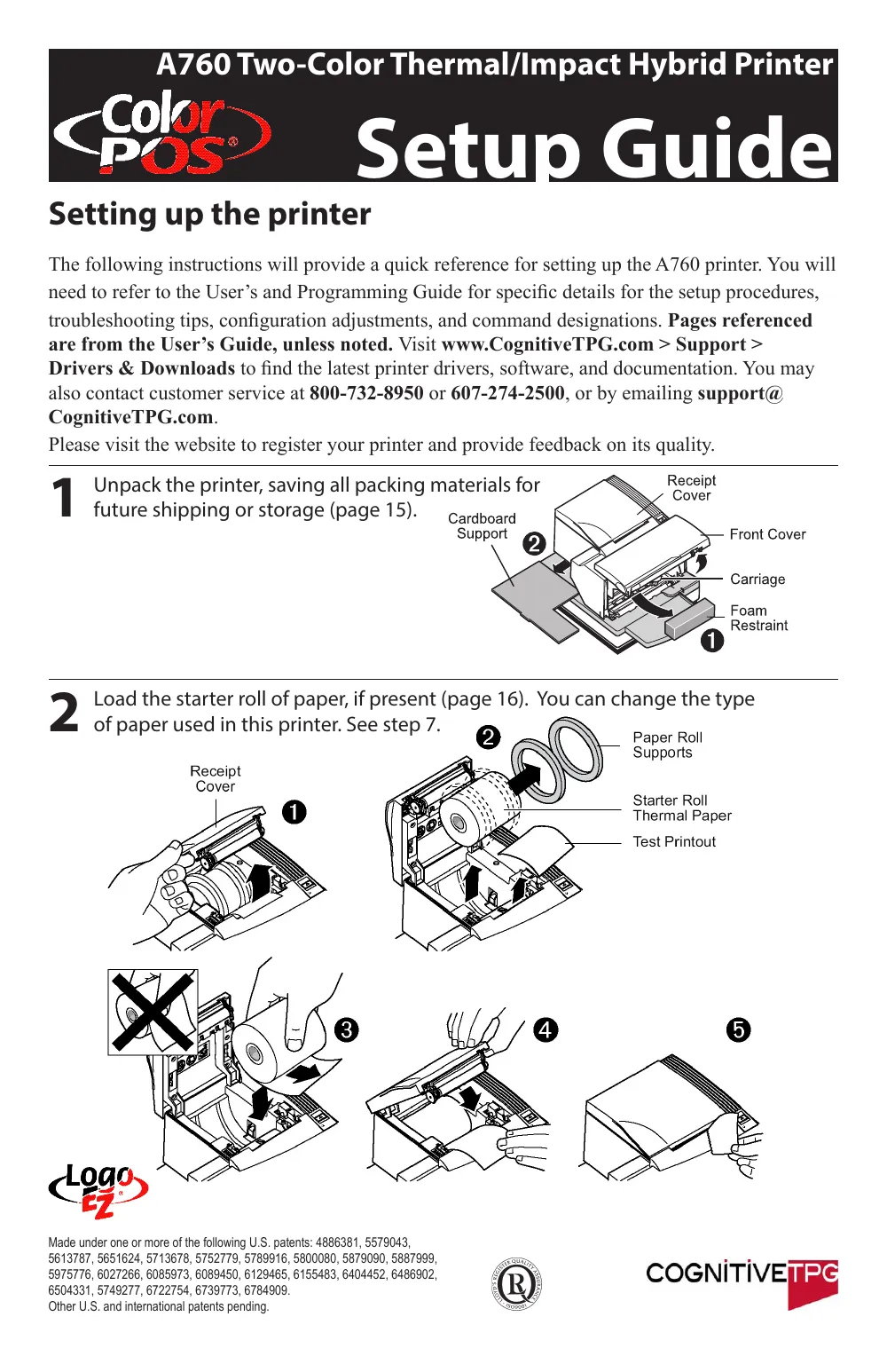
The text of page 1, from the PDF itself
A760 Two-Color Thermal/Impact Hybrid Printer
Setup Guide
Setting up the printer
The following instructions will provide a quick reference for setting up the A760 printer. You will need to refer to the User’s and Programming Guide for specific details for the setup procedures, troubleshooting tips, configuration adjustments, and command designations. Pages referenced are from the User’s Guide, unless noted. Visit www.CognitiveTPG.com > Support > Drivers & Downloads to find the latest printer drivers, software, and documentation. You may also contact customer service at 800-732-8950 or 607-274-2500, or by emailing support@ CognitiveTPG.com. Please visit the website to register your printer and provide feedback on its quality.
1
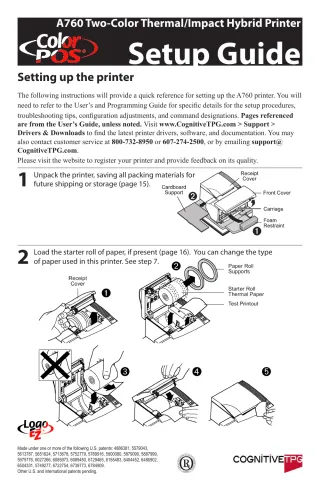
Unpack the printer, saving all packing materials for future shipping or storage (page 15).
2
Load the starter roll of paper, if present (page 16). You can change the type of paper used in this printer. See step 7.
Made under one or more of the following U.S. patents: 4886381, 5579043, 5613787, 5651624, 5713678, 5752779, 5789916, 5800080, 5879090, 5887999, 5975776, 6027266, 6085973, 6089450, 6129465, 6155483, 6404452, 6486902, 6504331, 5749277, 6722754, 6739773, 6784909. Other U.S. and international patents pending.
Page2of 4
Open in the PDF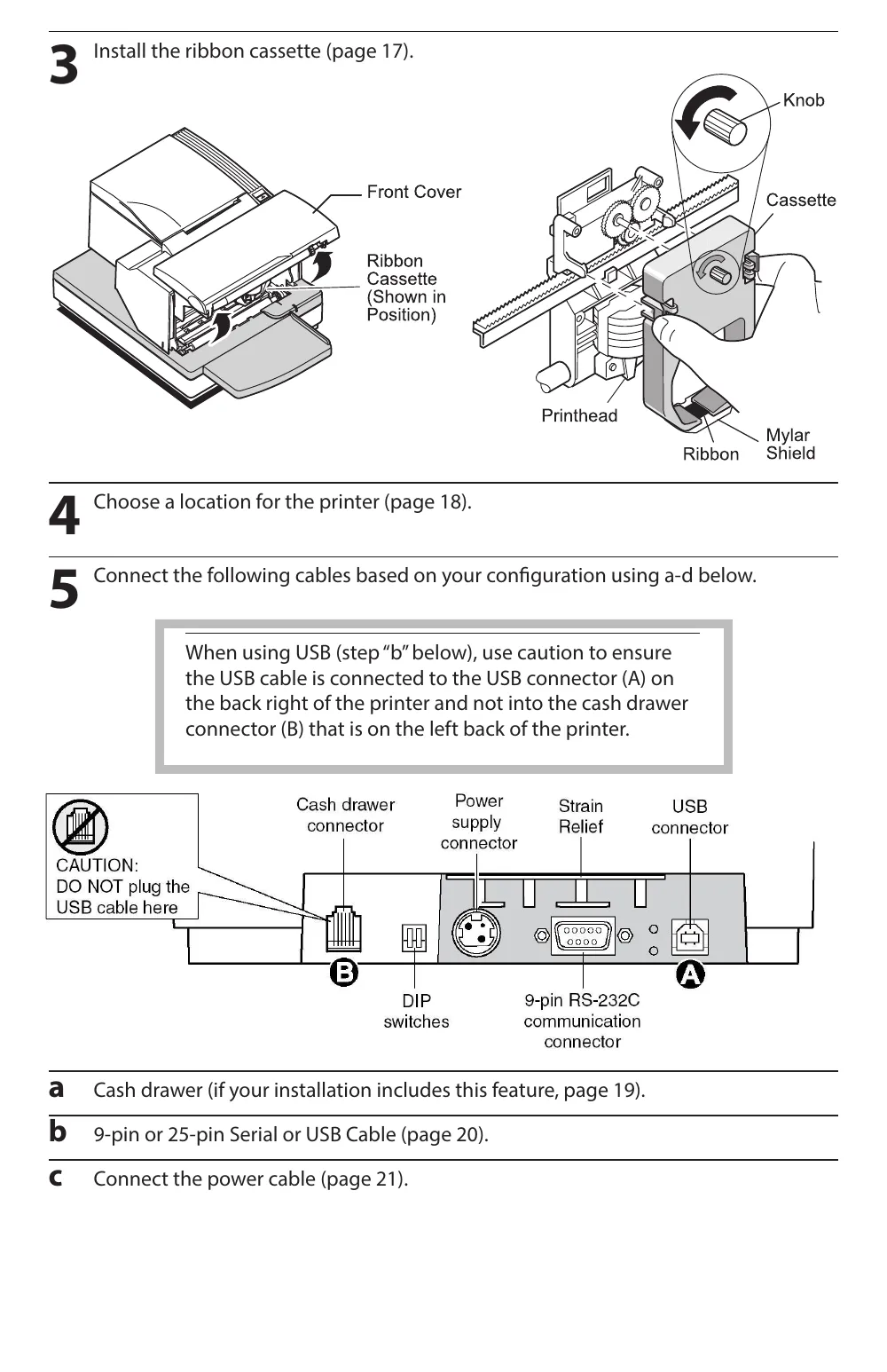
The text of page 2, from the PDF itself
3
4 5
Install the ribbon cassette (page 17).
Choose a location for the printer (page 18). Connect the following cables based on your configuration using a-d below. When using USB (step “b” below), use caution to ensure the USB cable is connected to the USB connector (A) on the back right of the printer and not into the cash drawer connector (B) that is on the left back of the printer.
a b c
Cash drawer (if your installation includes this feature, page 19). 9-pin or 25-pin Serial or USB Cable (page 20). Connect the power cable (page 21).
Page3of 4
Open in the PDF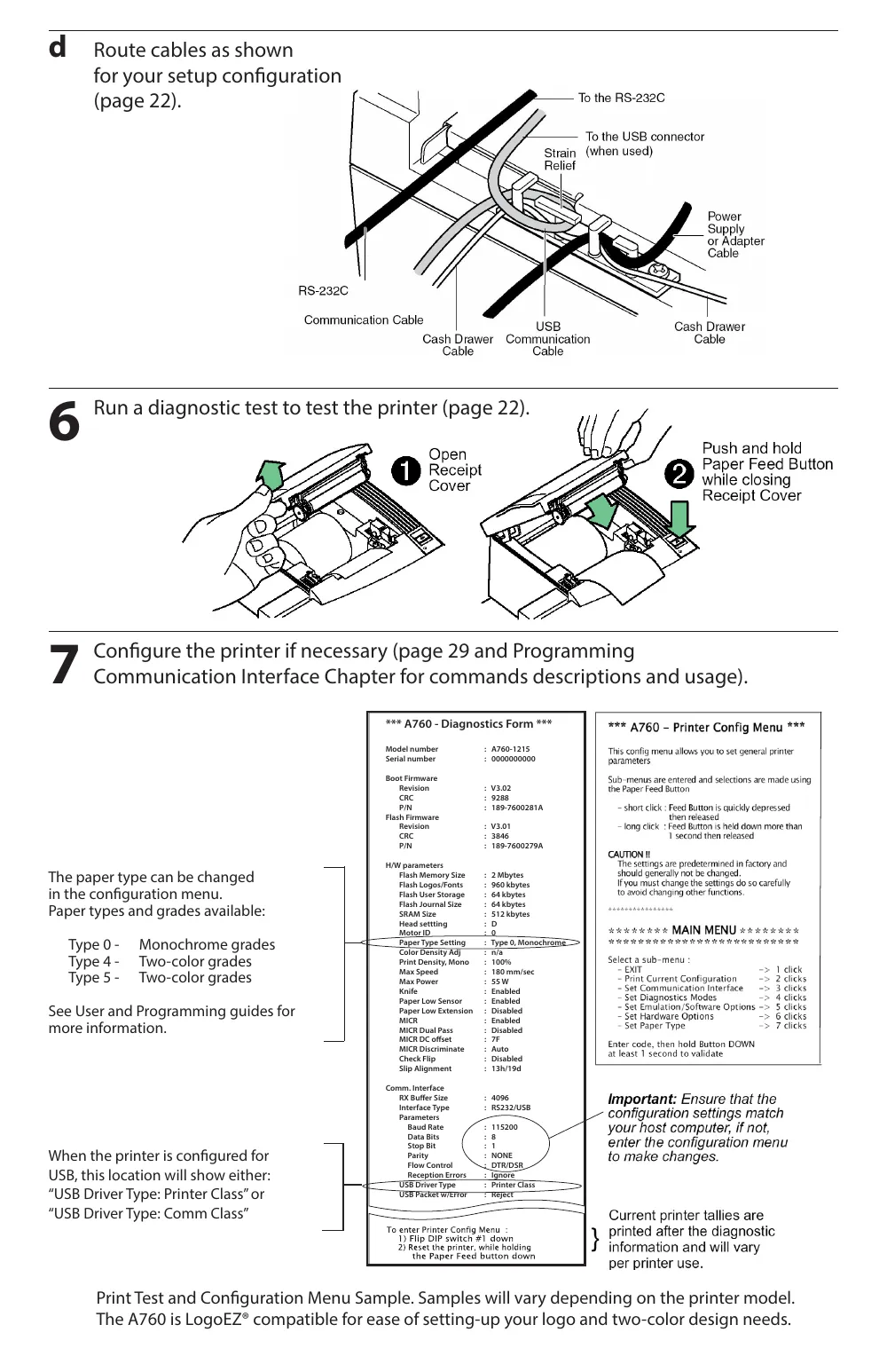
The text of page 3, from the PDF itself
d67
Route cables as shown for your setup configuration (page 22).
Run a diagnostic test to test the printer (page 22).
Configure the printer if necessary (page 29 and Programming Communication Interface Chapter for commands descriptions and usage). *** A760 - Diagnostics Form *** Model number Serial number Boot Firmware Revision CRC P/N Flash Firmware Revision CRC P/N
The paper type can be changed in the configuration menu. Paper types and grades available: Type 0 - Monochrome grades Type 4 - Two-color grades Type 5 - Two-color grades
See User and Programming guides for more information.
When the printer is configured for USB, this location will show either: “USB Driver Type: Printer Class” or “USB Driver Type: Comm Class”
H/W parameters Flash Memory Size Flash Logos/Fonts Flash User Storage Flash Journal Size SRAM Size Head settting Motor ID Paper Type Setting Color Density Adj Print Density, Mono Max Speed Max Power Knife Paper Low Sensor Paper Low Extension MICR MICR Dual Pass MICR DC offset MICR Discriminate Check Flip Slip Alignment Comm. Interface RX Buffer Size Interface Type Parameters Baud Rate Data Bits Stop Bit Parity Flow Control Reception Errors USB Driver Type USB Packet w/Error
: A760-1215 : 0000000000 : V3.02 : 9288 : 189-7600281A : V3.01 : 3846 : 189-7600279A : 2 Mbytes : 960 kbytes : 64 kbytes : 64 kbytes : 512 kbytes : D : 0 : Type 0, Monochrome : n/a : 100% : 180 mm/sec : 55 W : Enabled : Enabled : Disabled : Enabled : Disabled : 7F : Auto : Disabled : 13h/19d : 4096 : RS232/USB : 115200 : 8 : 1 : NONE : DTR/DSR : Ignore : Printer Class : Reject
Print Test and Configuration Menu Sample. Samples will vary depending on the printer model. The A760 is LogoEZ® compatible for ease of setting-up your logo and two-color design needs.
Page4of 4
Open in the PDF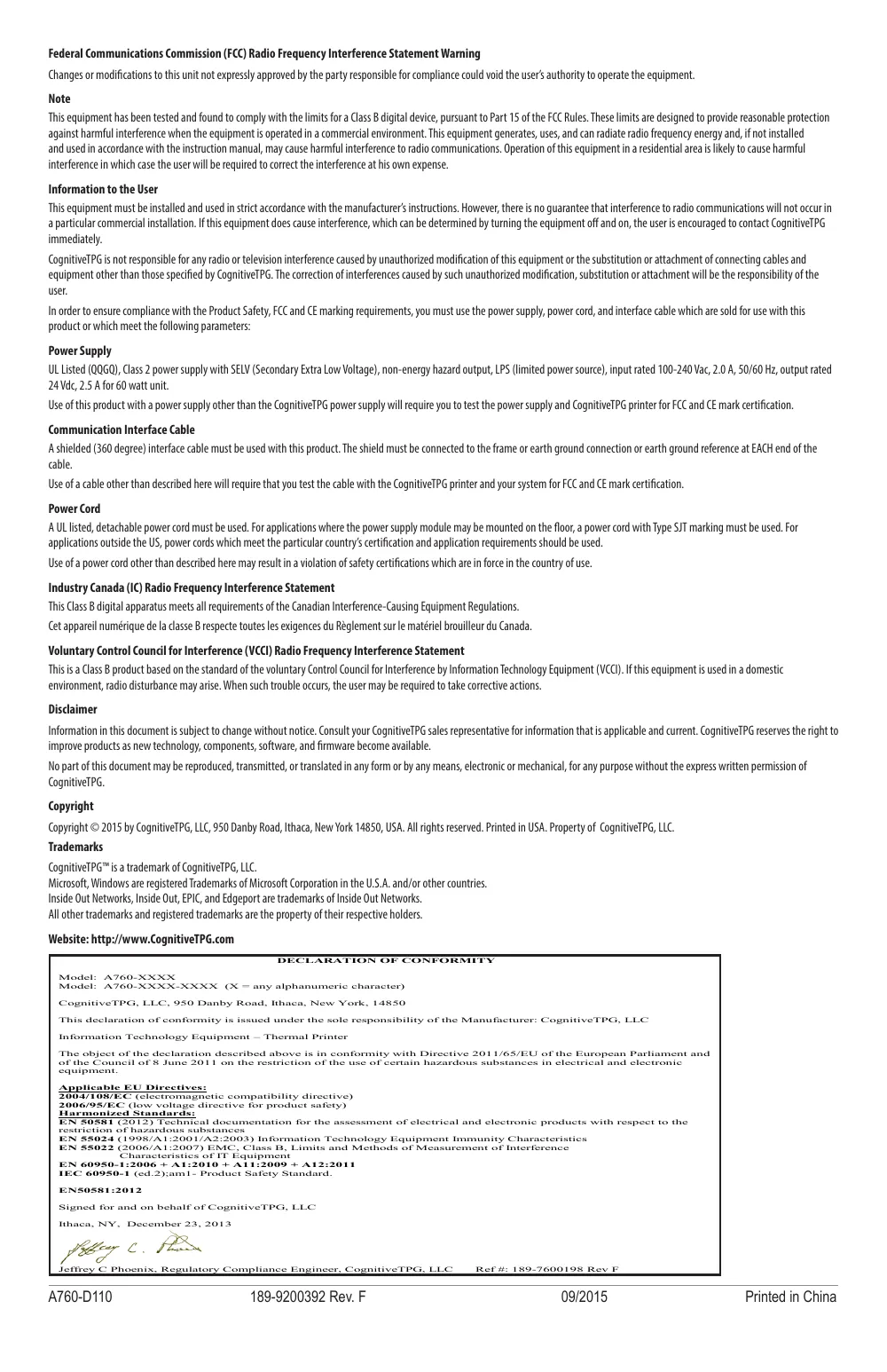
The text of page 4, from the PDF itself
Federal Communications Commission (FCC) Radio Frequency Interference Statement Warning Changes or modifications to this unit not expressly approved by the party responsible for compliance could void the user’s authority to operate the equipment. Note This equipment has been tested and found to comply with the limits for a Class B digital device, pursuant to Part 15 of the FCC Rules. These limits are designed to provide reasonable protection against harmful interference when the equipment is operated in a commercial environment. This equipment generates, uses, and can radiate radio frequency energy and, if not installed and used in accordance with the instruction manual, may cause harmful interference to radio communications. Operation of this equipment in a residential area is likely to cause harmful interference in which case the user will be required to correct the interference at his own expense. Information to the User This equipment must be installed and used in strict accordance with the manufacturer’s instructions. However, there is no guarantee that interference to radio communications will not occur in a particular commercial installation. If this equipment does cause interference, which can be determined by turning the equipment off and on, the user is encouraged to contact CognitiveTPG immediately. CognitiveTPG is not responsible for any radio or television interference caused by unauthorized modification of this equipment or the substitution or attachment of connecting cables and equipment other than those specified by CognitiveTPG. The correction of interferences caused by such unauthorized modification, substitution or attachment will be the responsibility of the user. In order to ensure compliance with the Product Safety, FCC and CE marking requirements, you must use the power supply, power cord, and interface cable which are sold for use with this product or which meet the following parameters: Power Supply UL Listed (QQGQ), Class 2 power supply with SELV (Secondary Extra Low Voltage), non-energy hazard output, LPS (limited power source), input rated 100-240 Vac, 2.0 A, 50/60 Hz, output rated 24 Vdc, 2.5 A for 60 watt unit. Use of this product with a power supply other than the CognitiveTPG power supply will require you to test the power supply and CognitiveTPG printer for FCC and CE mark certification. Communication Interface Cable A shielded (360 degree) interface cable must be used with this product. The shield must be connected to the frame or earth ground connection or earth ground reference at EACH end of the cable. Use of a cable other than described here will require that you test the cable with the CognitiveTPG printer and your system for FCC and CE mark certification. Power Cord A UL listed, detachable power cord must be used. For applications where the power supply module may be mounted on the floor, a power cord with Type SJT marking must be used. For applications outside the US, power cords which meet the particular country’s certification and application requirements should be used. Use of a power cord other than described here may result in a violation of safety certifications which are in force in the country of use. Industry Canada (IC) Radio Frequency Interference Statement This Class B digital apparatus meets all requirements of the Canadian Interference-Causing Equipment Regulations. Cet appareil numérique de la classe B respecte toutes les exigences du Règlement sur le matériel brouilleur du Canada. Voluntary Control Council for Interference (VCCI) Radio Frequency Interference Statement This is a Class B product based on the standard of the voluntary Control Council for Interference by Information Technology Equipment (VCCI). If this equipment is used in a domestic environment, radio disturbance may arise. When such trouble occurs, the user may be required to take corrective actions. Disclaimer Information in this document is subject to change without notice. Consult your CognitiveTPG sales representative for information that is applicable and current. CognitiveTPG reserves the right to improve products as new technology, components, software, and firmware become available. No part of this document may be reproduced, transmitted, or translated in any form or by any means, electronic or mechanical, for any purpose without the express written permission of CognitiveTPG. Copyright Copyright © 2015 by CognitiveTPG, LLC, 950 Danby Road, Ithaca, New York 14850, USA. All rights reserved. Printed in USA. Property of CognitiveTPG, LLC. Trademarks CognitiveTPG™ is a trademark of CognitiveTPG, LLC. Microsoft, Windows are registered Trademarks of Microsoft Corporation in the U.S.A. and/or other countries. Inside Out Networks, Inside Out, EPIC, and Edgeport are trademarks of Inside Out Networks. All other trademarks and registered trademarks are the property of their respective holders. Website: http://www.CognitiveTPG.com DECLARATION OF CONFORMITY Model: A760-XXXX Model: A760-XXXX-XXXX (X = any alphanumeric character) CognitiveTPG, LLC, 950 Danby Road, Ithaca, New York, 14850 This declaration of conformity is issued under the sole responsibility of the Manufacturer: CognitiveTPG, LLC Information Technology Equipment – Thermal Printer The object of the declaration described above is in conformity with Directive 2011/65/EU of the European Parliament and of the Council of 8 June 2011 on the restriction of the use of certain hazardous substances in electrical and electronic equipment. Applicable EU Directives: 2004/108/EC (electromagnetic compatibility directive) 2006/95/EC (low voltage directive for product safety) Harmonized Standards: EN 50581 (2012) Technical documentation for the assessment of electrical and electronic products with respect to the restriction of hazardous substances EN 55024 (1998/A1:2001/A2:2003) Information Technology Equipment Immunity Characteristics EN 55022 (2006/A1:2007) EMC, Class B, Limits and Methods of Measurement of Interference Characteristics of IT Equipment EN 60950-1:2006 + A1:2010 + A11:2009 + A12:2011 IEC 60950-1 (ed.2);am1- Product Safety Standard. EN50581:2012 Signed for and on behalf of CognitiveTPG, LLC Ithaca, NY, December 23, 2013
Jeffrey C Phoenix, Regulatory Compliance Engineer, CognitiveTPG, LLC
A760-D110
189-9200392 Rev. F
Ref #: 189-7600198 Rev F
09/2015
Printed in China