Manual · TPG
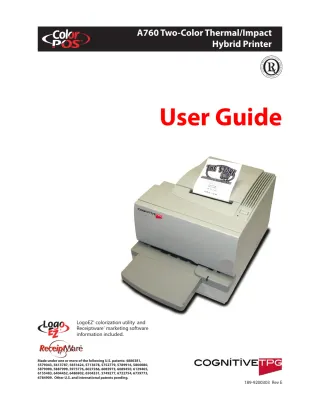
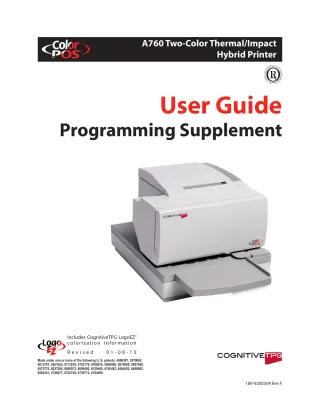
A760 Two-Color Thermal/Impact Hybrid Printer User Guide: Programming Supplement
Manual154 pagesPDF 2.3 MB
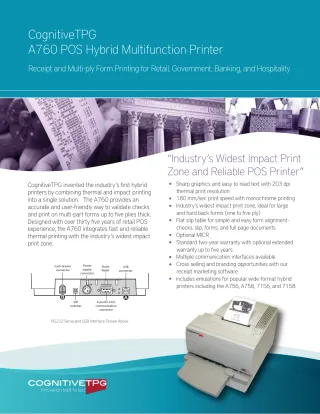
Programming supplement for the CognitiveTPG A760 two-color thermal receipt and impact slip hybrid POS printer, with its full command set.
Covers · 1 model
The models it covers
Summary
What is in it
Programming supplement for the CognitiveTPG A760 two-color thermal/impact hybrid printer, written for users who want to customize printer functions. It covers printer status, diagnostics, Ethernet setup and indicators, print zones for receipt and slip stations, A756 and A758 emulation, and describes every command: printer actions, paper feed, positioning, text, graphics and LogoEZ colorization, status, bar codes, page mode, macros, MICR check reading, user data storage, flash download and Ethernet setup.
Its parts
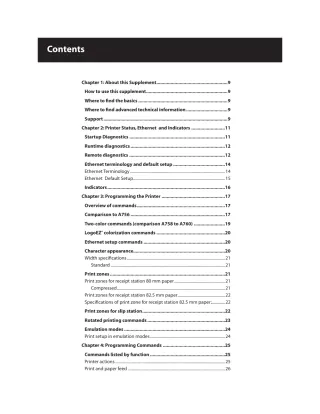
- About this Supplement
- Printer Status, Ethernet and Indicators
- Programming the Printer
- Programming Commands
From the manual
Key facts from this manual
Some pages are scans or cannot be read; this says only what the readable text supports. Each line names its page in the PDF.
A programming supplement (189-9200304 Rev F, January 2010) for the CognitiveTPG A760 two-color thermal receipt and impact hybrid printer, meant to be used with its User Guide. It covers startup and runtime diagnostics, LED and beep indicators, Ethernet setup, emulation of the A756 and A758, and the printer's command set, including ColorPOS two-color and LogoEZ colorization commands.
- Device
- Two-color thermal receipt and impact hybrid POS printer printing on receipt or slip p. 9, 17
- Interfaces
- RS-232C, USB (native driver or RS-232C emulation) and Ethernet p. 13, 14
- Power supply
- Class 2 supply, 100-240 Vac input; output 24 Vdc, 2.3 A for the 55 watt unit or 24 Vdc, 3.125 A for the 75 watt unit p. 2
- Paper types
- Type 0 monochrome Kanzaki P-310; two-color Type 1 Kanzaki P-310 RB, Type 4 Kanzaki P-310 BB, Type 5 Kanzaki P-320 RB p. 13
- Printhead
- 8 dots/mm, paper steps of 1/203 inch p. 17
- Emulations
- A760 native, A758 emulation, A756 emulation; two-color paper and ColorPOS only in A760 native mode p. 17, 24
- Ethernet defaults
- DHCP enabled, BootP disabled, IP 192.0.0.192, net mask 0.0.0.0, Telnet enabled (port 23), LP Daemon disabled (port 515), raw TCP/IP port 9001 p. 14, 15
- Startup error beeps
- 1 beep and flash: boot CRC; 2: SRAM; 3: EEPROM; 4: dynamic memory initialization; high-low two-tone with flashing LED: main program CRC failure or DIP switch in flash download mode p. 16
- Fault LED
- Fast flashing: paper out, cover off, knife unable to home; slow flashing: paper low, printhead too hot, voltages out of range p. 16
- Indicators
- Round green LED next to the paper feed button, rectangular green slip-in LED on the slip table, beeps p. 16
- Remote tallies
- Hours on, lines printed, knife cuts, cutter jams, cover openings, flash cycles, maximum temperature, printed in the print test p. 12
- MAC address
- CognitiveTPG MAC addresses start with 00:E0:70 p. 14
- Print modes
- Standard, bold, compressed, reverse, double-high, italic, double-wide, strike-through, upside-down, scaled, rotated, shading, underlined p. 20
What this manual walks you through
- Reading startup, runtime and remote diagnostics p. 11, 12
- Printing the diagnostics form and entering the printer configuration menu p. 13, 15
- Setting up Ethernet: IP address, net mask, gateway and daemons p. 14, 20
- Restoring the Ethernet default settings p. 15
- Setting the IP address by pinging the printer p. 15
- Reading the LED and beep indicators p. 16
- Porting A756 software: commands that behave differently p. 17, 18
- Two-color ColorPOS and LogoEZ colorization commands p. 19, 20
- Choosing an emulation mode with its fonts and line spacing p. 24
Good to know
- Ethernet settings can be set only from the host computer with the printer in flash download (boot) mode, not from the configuration menu. p. 14, 20
- The configuration menu settings are set at the factory and should generally not be changed. p. 13
- A shielded (360 degree) interface cable, with its shield grounded at each end, must be used for FCC and CE compliance. p. 2
- User-defined characters made for earlier printers print smaller on the A760 because its dots are smaller. p. 17
- If DHCP finds no address, the printer waits two more minutes and then sets the default IP address. p. 14
Questions this manual answers
What is the default IP address of the TPG A760?
192.0.0.192. DHCP is enabled by default, and the printer falls back to this address when no address is found after two minutes. p. 14, 15
What do the startup beeps on the A760 mean?
A low-high two-tone beep means startup passed; one beep and LED flash is a boot CRC failure, two an SRAM failure, three an EEPROM failure and four a dynamic memory initialization failure. p. 16
Why is the A760 LED flashing quickly?
Fast continuous flashing means paper out, cover off or knife unable to home. p. 16
How do I enter the A760 configuration menu?
Flip DIP switch 1 up, then reset the printer while holding the paper feed button down; sub-menus are chosen with short and long clicks of that button. p. 13
The whole text · 16 parts
Read the manual here as text
Its text as extracted from the PDF, unedited, in parts; each page opens the PDF at that page.
- Pages 1 to 81-8
- Pages 9 to 189-18
- Pages 19 to 2819-28
- Pages 29 to 3829-38
- Pages 39 to 4839-48
- Pages 49 to 5849-58
- Pages 59 to 6859-68
- Pages 69 to 7869-78
- Pages 79 to 8879-88
- Pages 89 to 9889-98
- Pages 99 to 10899-108
- Pages 109 to 118109-118
- Pages 119 to 128119-128
- Pages 129 to 138129-138
- Pages 139 to 148139-148
- Pages 149 to 154149-154
The file