Manual · Symbol
WS5000 Series Switch System Reference Guide
Manual728 pagesPDF 12 MB
System reference guide for the Symbol WS5000 Series wireless switch: installation, upgrades, policies, security and the CLI.
Covers · 1 model
The models it covers
Summary
What is in it
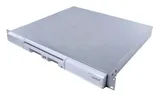
Symbol's system reference guide for the WS5000 Series Switch, a central switch that manages the access ports and wireless devices of a WLAN. It covers the hardware and LED codes, installing and upgrading the system image to 2.1, automatic configuration by DHCP auto-install, the GUI, RADIUS, Kerberos and LDAP authentication, network and switch policies, rogue AP detection, a full CLI command reference, antennas and power, AP-4131 and AP-300 conversion, syslog, traps and DDNS.
Its parts
- WS5000 Series Switch Overview
- Installing the System Image
- Configuring the WS5000 Series Switch Automatically
- Using the WS5000 Series Switch GUI
- Configuring User and Management Authentication
- Configuring Policies
- Configuring Rogue AP Detection
- CLI Command Reference
- Service Mode CLI
- Antennas and Power
- Converting AP-4131 Access Points to RF Ports
- Configuring the WS5100 WTLS VPN
- Neighboring APs
- Enhanced RF Statistics
- AP-300 Sensor Conversion
From the manual
Key facts from this manual
Some pages are scans or cannot be read; this says only what the readable text supports. Each line names its page in the PDF.
This is the Symbol system reference guide for the WS5000 Series Switch, a rack-mounted wireless switch that centrally manages access ports on a wireless LAN. It explains the hardware and LED codes, upgrading the switch software to version 2.1, policies, the command line, and antenna power settings for access ports. Some sections also apply to the WS5100 switch.
- What it is
- Rack-mountable wireless switch that manages access ports and all wireless LAN traffic p. 33
- Ethernet ports
- Two 10/100/1000 RJ-45 ports on the front panel; by convention port 1 (left) to the wireless LAN, port 2 (right) to the wired LAN p. 34, 35, 36
- Console
- Serial console port on the front; console cable shipped with the switch for initial CLI setup p. 34, 36
- Power
- 100 VAC, 50/60 Hz, 3A or 240 VAC, 50/60 Hz, 1.5A maximum; power cord not supplied p. 33
- Dimensions
- 48.1 cm / 18.93 in. wide with brackets (42.9 cm / 16.89 in. without), 4.39 cm / 1.73 in. high, 40.46 cm / 15.93 in. deep p. 33
- Weight
- 6.25 kg / 13.75 lbs. p. 33
- Operating temperature
- 10°C - 35°C / 50°F - 95°F p. 33
- Operating humidity
- 5% - 85% without condensation p. 33
- Access ports
- AP 100 (802.11b) and AP 300 (802.11a/b/g); converted AP 4131, AP 4121, AP-3020 and AP-3021 access points p. 32
- Access port power
- 48V power-over-Ethernet; the switch loads their firmware automatically p. 33
- Cabling
- Two Category 6 Ethernet cables (not supplied) p. 34
- Management
- CLI by console port, Telnet or SSH; web-based GUI; SNMP version 3 and version 2 (with version 1) p. 30, 36
- Security
- WEP 40/128, KeyGuard MCM, WPA with TKIP, AES WPAII, EAP/TLS on 802.1x, on-board Radius server, rogue AP detection p. 31
- GUI requirement
- Sun JRE 1.4.2_06 or greater on Windows; JRE 5.0 Update 2 recommended p. 31
What this manual walks you through
- Reading the system status and Ethernet port LEDs p. 34, 35
- Protecting the switch from power problems p. 33, 34
- Understanding the switch, port, WLAN, security and network policies p. 36, 37
- How the switch adopts and configures access ports p. 37
- Quality of service and packet filtering p. 37, 38
- Checking the software version and upgrading to 2.1 p. 53, 54
- Viewing switch logs and the crash dump file in service mode p. 611
- Choosing power settings for external antennas on AP 100 and AP 200 access ports p. 613, 614, 615, 616, 617
- Reading the AP300 LED codes p. 721, 722
Good to know
- Use only a correctly rated power cord certified for the country of operation. p. 33
- The GUI applet runs only on the Sun Java Runtime; Microsoft Virtual Machine support was dropped. p. 31
- The software upgrade cannot be done from the graphical user interface. p. 54
- For the AP 100 in the US (FCC), any Symbol certified antenna may run at the maximum power setting. p. 613
Questions this manual answers
What does it mean when both WS5000 status LEDs blink red?
Both System Status LEDs blinking red mean the power-on self test failed, a critical error. p. 35
WS5000 top LED solid amber and bottom LED blinking amber
The country code is not configured. During first-time setup the LEDs stay this way until it is set. p. 35
Does the WS5000 come with a power cord?
No. A power cord is not supplied; use a correctly rated cord certified for your country. p. 33
Which access ports work with the WS5000 switch?
The AP 100 (802.11b) and AP 300 (802.11a/b/g), plus AP 4131, AP 4121, AP-3020 and AP-3021 access points converted to access ports. p. 32
How many WLANs can a WS5000 access port support?
Depending on the model, an access port can support as many as 16 WLANs. p. 33
Contents
Chapters and sections
Each line opens the PDF at its page.
- WS5000 Series Switch System Reference Guide1
- CH 1 WS5000 Series Switch Overview29
- CH 2 Installing the System Image53
- CH 3 Configuring the WS5000 Series Switch Automatically71
- CH 4 Using the WS5000 Series Switch GUI89
- CH 5 Configuring User and Management Authentication97
- CH 6 Configuring Policies153
- CH 7 Configuring Rogue AP Detection225
- CH 8 CLI Command Reference233
40 more lines, from page 320 on
- 8.6 AAA Context320
- CH 9 Service Mode CLI583
- CH 10 Antennas and Power613
- CH 11 Converting AP-4131 Access Points to RF Ports619
- CH 12 Configuring the WS5100 WTLS VPN625
- CH 13 Neighboring APs647
- CH 14 Enhanced RF Statistics651
- CH 15 AP-300 Sensor Conversion697
- CH 16 Syslog and Traps707
- CH 17 DDNS715
- APP A DOM Firmware Upgrade717
- APP B DTIM Interval per BSS719
- APP C AP300 LED Codes721
- APP D Customer Support723
The whole text · 81 parts
Read the manual here as text
Its text as extracted from the PDF, unedited, in parts; each page opens the PDF at that page.
- Pages 1 to 91-9
- Pages 10 to 1510-15
- Pages 16 to 2116-21
- Pages 22 to 2822-28
- CH 1 WS5000 Series Switch Overview, pages 29 to 3629-36
- CH 1 WS5000 Series Switch Overview, pages 37 to 4437-44
- CH 1 WS5000 Series Switch Overview, pages 45 to 5245-52
- CH 2 Installing the System Image, pages 53 to 6153-61
- CH 2 Installing the System Image, pages 62 to 7062-70
- CH 3 Configuring the WS5000 Series Switch Automatically, pages 71 to 7971-79
- CH 3 Configuring the WS5000 Series Switch Automatically, pages 80 to 8880-88
- CH 4 Using the WS5000 Series Switch GUI89-96
- CH 5 Configuring User and Management Authentication, pages 97 to 10697-106
- CH 5 Configuring User and Management Authentication, pages 107 to 116107-116
- CH 5 Configuring User and Management Authentication, pages 117 to 126117-126
- CH 5 Configuring User and Management Authentication, pages 127 to 136127-136
- CH 5 Configuring User and Management Authentication, pages 137 to 146137-146
- CH 5 Configuring User and Management Authentication, pages 147 to 152147-152
- CH 6 Configuring Policies, pages 153 to 161153-161
- CH 6 Configuring Policies, pages 162 to 170162-170
- CH 6 Configuring Policies, pages 171 to 179171-179
- CH 6 Configuring Policies, pages 180 to 188180-188
- CH 6 Configuring Policies, pages 189 to 197189-197
- CH 6 Configuring Policies, pages 198 to 206198-206
- CH 6 Configuring Policies, pages 207 to 215207-215
- CH 6 Configuring Policies, pages 216 to 224216-224
- CH 7 Configuring Rogue AP Detection225-232
- CH 8 CLI Command Reference, pages 233 to 242233-242
- CH 8 CLI Command Reference, pages 243 to 252243-252
- CH 8 CLI Command Reference, pages 253 to 262253-262
- CH 8 CLI Command Reference, pages 263 to 272263-272
- CH 8 CLI Command Reference, pages 273 to 282273-282
- CH 8 CLI Command Reference, pages 283 to 292283-292
- CH 8 CLI Command Reference, pages 293 to 302293-302
- CH 8 CLI Command Reference, pages 303 to 312303-312
- CH 8 CLI Command Reference, pages 313 to 322313-322
- CH 8 CLI Command Reference, pages 323 to 332323-332
- CH 8 CLI Command Reference, pages 333 to 342333-342
- CH 8 CLI Command Reference, pages 343 to 352343-352
- CH 8 CLI Command Reference, pages 353 to 362353-362
- CH 8 CLI Command Reference, pages 363 to 372363-372
- CH 8 CLI Command Reference, pages 373 to 382373-382
- CH 8 CLI Command Reference, pages 383 to 392383-392
- CH 8 CLI Command Reference, pages 393 to 402393-402
- CH 8 CLI Command Reference, pages 403 to 412403-412
- CH 8 CLI Command Reference, pages 413 to 422413-422
- CH 8 CLI Command Reference, pages 423 to 432423-432
- CH 8 CLI Command Reference, pages 433 to 442433-442
- CH 8 CLI Command Reference, pages 443 to 452443-452
- CH 8 CLI Command Reference, pages 453 to 462453-462
- CH 8 CLI Command Reference, pages 463 to 472463-472
- CH 8 CLI Command Reference, pages 473 to 482473-482
- CH 8 CLI Command Reference, pages 483 to 492483-492
- CH 8 CLI Command Reference, pages 493 to 502493-502
- CH 8 CLI Command Reference, pages 503 to 512503-512
- CH 8 CLI Command Reference, pages 513 to 522513-522
- CH 8 CLI Command Reference, pages 523 to 532523-532
- CH 8 CLI Command Reference, pages 533 to 542533-542
- CH 8 CLI Command Reference, pages 543 to 552543-552
- CH 8 CLI Command Reference, pages 553 to 562553-562
- CH 8 CLI Command Reference, pages 563 to 572563-572
- CH 8 CLI Command Reference, pages 573 to 582573-582
- CH 9 Service Mode CLI, pages 583 to 592583-592
- CH 9 Service Mode CLI, pages 593 to 602593-602
- CH 9 Service Mode CLI, pages 603 to 612603-612
- CH 10 Antennas and Power613-618
- CH 11 Converting AP-4131 Access Points to RF Ports619-624
- CH 12 Configuring the WS5100 WTLS VPN, pages 625 to 632625-632
- CH 12 Configuring the WS5100 WTLS VPN, pages 633 to 640633-640
- CH 12 Configuring the WS5100 WTLS VPN, pages 641 to 646641-646
- CH 13 Neighboring APs647-650
- CH 14 Enhanced RF Statistics, pages 651 to 660651-660
- CH 14 Enhanced RF Statistics, pages 661 to 670661-670
- CH 14 Enhanced RF Statistics, pages 671 to 680671-680
- CH 14 Enhanced RF Statistics, pages 681 to 690681-690
- CH 14 Enhanced RF Statistics, pages 691 to 696691-696
- CH 15 AP-300 Sensor Conversion697-706
- CH 16 Syslog and Traps707-714
- Pages 715 to 718715-718
- Pages 719 to 722719-722
- APP D Customer Support723-728
The file