Manual · Symbol
Spectrum One Serial Access Bridge (SAB) II User's Guide
Manual31 pagesPDF 634 KB
User's guide for the Symbol Spectrum One Serial Access Bridge (SAB) II: system overview, installation and configuration of the SAB.
What this file really is
The old site listed this file as a manual for the Symbol SAB-2070 Access Bridge II and SAB-Lite. The file is named as a SAB-Lite manual, but it is the Spectrum One Serial Access Bridge (SAB) II User’s Guide and never mentions the SAB-Lite.
Names · 1 model
The models it names
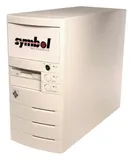
Filed with · 1 model
Also filed with these models on the old site
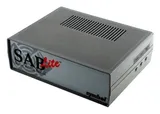
Summary
What is in it
The user's guide for the Symbol Spectrum One Serial Access Bridge (SAB) II, the gateway that links a Spectrum One spread-spectrum radio network of terminals, transceivers and cradles to a host computer over a serial link. Written for the system administrator, it gives a system overview (hardware, software, radio terminals, transceivers, cradles, printers, chipping seed) and then covers host connectivity, site survey, editing the SSP.INI configuration, connecting the cradle, host and primary transceiver, power up and audible status indicators.
Its parts
- System Overview
- Installation and Configuration
From the manual · read page by page
Key facts from this manual
Each line names its page in the PDF.
Spectrum One Serial Access Bridge (SAB) II User's Guide, 70-13150-01, for SAB software version 3.01 (Revision A, September 1994), written for the system administrator. It covers the SAB II; it does not name the SAB Lite. It explains how the bridge links a host computer to a Spectrum One radio network and walks through configuring SSP.INI, cabling the cradle, host and primary transceiver, and powering up.
- Device
- Gateway that links a host computer to the Spectrum One wireless network over a serial link p. 8
- Ports
- One RS-422 port (primary transceivers), two RS-232-C ports (cradle and host), one RJ-11 modem jack p. 10
- Storage and software
- 3-1/2", 1.44Mb floppy drive; SAB software diskette version 3.01 stays in the drive (SSP.EXE, SSP.INI) p. 10
- Network size
- One SAB, 1 to 16 transceivers, 1 to 40 radio terminals, 1 to 24 cradle slots (Models 3860 and 3866), optional printers p. 7
- Terminals listed
- LRT 3800, PRC 3310, VRC 3910, PDT 3110, APS 3395 p. 7
- Radio
- Direct sequence spread spectrum, 902MHz to 928MHz, 49 software-selectable channels of about 1MHz each p. 7
- Default host link
- 9600 baud, 8 data bits, no parity, 1 stop bit, no flow control p. 16
- Cradle cables
- Null modem cable 59846-00 for Model 3860 and 58946-01 for Model 3866 p. 21
- Host cables
- Symbol null modem cable 59846-02 (DB-9 at the SAB, DB-25 at the host); 61383-01 when using RTS/CTS flow control p. 22
- Transceiver cable
- 50-foot RS-422 cable 61047-00, female DB-25 to the SAB and male DB-25 to the transceiver p. 23
- Host requirements
- RS-232-C cable under 50 feet; host serial port with hardware buffering (16550 UART or better) p. 14
- Cradle functions
- Direct serial communication, battery charging, file transfer and initial program download, new terminal configuration p. 12
- Beep codes
- Single beep: cradle is ready; repeating beep every 3 seconds: SAB is waiting for DSR p. 24
- Host enablers
- DOS, PC UNIX, RS/6000 with AIX, SPARC with Sun, HP9000 with HP-UX, OS/2 and VAX/VMS serial enablers p. 26
What this manual walks you through
- Conducting a site survey before installation p. 15
- Editing SSP.INI for the host link, BARs, radio channels and NetBIOS entries p. 15, 16, 17, 18
- Removing the front bezel to reach the connectors p. 20
- Connecting the cradle p. 21
- Connecting the host, with or without RTS/CTS flow control p. 22
- Connecting the primary transceiver and antenna p. 23
- Powering up and reading the beep indicators p. 24
- Assigning unit numbers to terminals in the cradle p. 19
Good to know
- With DSRWait enabled, the SAB will not initialize unless the host application is running. p. 24
- Transceiver NVM must be clear before the transceiver is installed in the network. p. 23
- Turn the SAB power switch off before installing hardware components. p. 19
- Make a backup copy of the SAB software diskette and use the copy for configuration and operation. p. 10
- Do not modify the [Log] directives in SSP.INI. p. 18
Questions this manual answers
What cable connects a Symbol SAB II to the host computer?
Symbol null modem cable 59846-02, or 61383-01 when the link uses RTS/CTS flow control. p. 22
How many terminals and transceivers can one SAB support?
One SAB supports 1 to 16 transceivers and 1 to 40 radio terminals. p. 7
Why does my SAB beep every 3 seconds?
A repeating beep every 3 seconds means the SAB is waiting for DSR from the host. p. 24
What radio frequency does the Spectrum One network use?
902MHz to 928MHz direct sequence spread spectrum, with 49 channels. p. 7
What are the default serial settings between the SAB and the host?
The default SSP.INI sets 9600 baud, 8 data bits, no parity, 1 stop bit and no flow control. p. 16
The whole text · 4 parts
Read the manual here as text
Its text as extracted from the PDF, unedited, in parts; each page opens the PDF at that page.
The file