Manual · Symbol
Spectrum One Serial Access Bridge (SAB) II Programmer's Reference Guide
Manual94 pagesPDF 1.8 MB
Programmer's reference guide for the Symbol Spectrum One Serial Access Bridge (SAB) II: serial packet protocol and BAR commands.
What this file really is
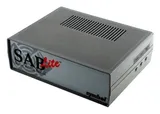
The old site listed this file as “Programming Manual” for the Symbol SAB-Lite. The file is named for the SAB-Lite, but the document is the programmer's reference guide for the Spectrum One Serial Access Bridge (SAB) II and does not mention the SAB-Lite.
Filed with · 1 model
Also filed with these models on the old site
Summary
What is in it
A programmer's reference for host programmers writing applications that talk to Symbol Series 3000 radio terminals through the Spectrum One Serial Access Bridge (SAB) II over an RS-232-C serial link. It explains sessions and datagrams, connection setup, data buffers, packet structure and naming, then documents every serial packet protocol transaction between SAB and host, and the bridge access routines (BARs) for host file access and network administration.
Its parts
- Development Overview
- Serial Packet Protocol Transactions
- BAR Reference
From the manual
Key facts from this manual
Each line names its page in the PDF.
Spectrum One Serial Access Bridge (SAB) II Programmer's Reference Guide, 70-13151-01, for SAB software version 3.01 (Revision A, September 1994). It covers the SAB II; it does not name the SAB Lite. It is written for host programmers and explains the serial packet protocol between host and SAB and the bridge access routines (BARs) for file access and network administration.
- Host link
- The SAB connects a host application to Spectrum One radio terminals over an RS-232-C serial link p. 8
- Software version
- SAB software 3.01 p. 1
- Terminals and hosts
- Up to 64 terminal addresses; the SAB supports one host p. 12, 18
- Data buffers
- 512 bytes in datagram mode, 1024 bytes in session mode; exceeding it gives NetBIOS error 0x01 Illegal Buffer Length p. 9
- Packet format
- STX start, 3-byte user address, 2-byte control field, 3-byte count, data, ASCII Return (0x0D) end p. 18, 20
- Reserved addresses
- Terminals use 001 to 064; 126 is administrative BARs, 127 file access BARs; 000, 126 and 127 are reserved p. 15, 18
- Enabling BARs
- In SSP.INI under [BARs], set Admin to yes and Filesrv to yes p. 10
- Serial setting for BARs
- BAR packets carry binary data and need the serial link at 8-bit data and no parity p. 20
- Network names
- Host applications HOSThhhppp; terminals SYMBOLrrr, with rrr from 000 to 251 p. 12, 13
- BAR command codes
- 0x01 create file through 0x0A get host time and date; 0x40 administrative request p. 43
- Development tools
- STEP terminal program, host enablers (the SAB uses only Symbol serial enablers) and the Spectrum One ADK p. 7
- Session modes
- Asynchronous mode maps to NetBIOS session mode, synchronous to datagram mode; session mode is advised for reliable data p. 9
What this manual walks you through
- Development tools and the SAB interface components p. 7, 8
- Choosing session or datagram mode p. 9
- Establishing and ending a terminal connection p. 9
- Naming hosts, terminals and BARs and converting names to serial IDs p. 12, 13, 14
- Packet types from SAB to host and from host to SAB p. 16, 17
- Packet field definitions p. 18, 19, 20
- BAR command and response header structure p. 43, 44
- Using file access BARs, starting with Create File p. 44, 45, 46
Good to know
- The host cannot start a Disconnect Request; it sends a Hang Up Request to ask the SAB to disconnect. p. 9
- When a terminal logs off, the host must answer with a Disconnect Request so the address can be reused. p. 18
- Create File on an existing file truncates it to 0 length and loses its data. p. 45
Questions this manual answers
How many terminals can a Spectrum One SAB II address?
The user address field can specify up to 64 terminals, and the SAB supports one host. p. 12, 18
How do I enable BARs on the SAB?
In SSP.INI under [BARs], set Admin to yes for administrative BARs and Filesrv to yes for file access BARs. p. 10
What is the largest data buffer the SAB accepts from a host?
512 bytes in datagram mode or 1024 bytes in session mode; more gives NetBIOS error 0x01 Illegal Buffer Length. p. 9
What serial settings do SAB BAR packets need?
BAR packets hold binary data, so the serial link should be set to 8-bit data and no parity. p. 20
The whole text · 12 parts
Read the manual here as text
Its text as extracted from the PDF, unedited, in parts; each page opens the PDF at that page.
- Pages 1 to 31-3
- Pages 4 to 64-6
- Chapter 1 Development Overview7-14
- Chapter 2 Serial Packet Protocol Transactions, pages 15 to 2415-24
- Chapter 2 Serial Packet Protocol Transactions, pages 25 to 3425-34
- Chapter 2 Serial Packet Protocol Transactions, pages 35 to 4235-42
- Chapter 3 BAR Reference, pages 43 to 5243-52
- Chapter 3 BAR Reference, pages 53 to 6253-62
- Chapter 3 BAR Reference, pages 63 to 7263-72
- Chapter 3 BAR Reference, pages 73 to 8273-82
- Chapter 3 BAR Reference, pages 83 to 8883-88
- Appendix A Hex Image Download89-94
The file