Manual · Symbol
NetVision Data Phone Product Reference Guide
Manual90 pagesPDF 924 KB
Product reference guide for the Symbol NetVision Data Phone, a Spectrum24 802.11 VoIP phone: setup, configuration and firmware updates.
Filed with · 2 models
Also filed with these models on the old site

Summary
What is in it
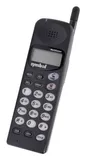
Symbol's product reference guide for the NetVision Data Phone, a wireless Voice-over-IP telephone for Spectrum24 802.11 networks that also runs HTML web-based applications. Written for administrators, it explains site styles, user profiles, gateway and peer-to-peer telephony, intercom mode, installing the NetVision Telephone Administrator, configuring phones by serial cable or FTP, the web client, text messaging, system information and maintenance, firmware updates, parameter defaults, supported gateways and technical data.
Its parts
- Introduction
- Administrator Requirements and Installation
- Configuring NetVision Telephones
- NetVision Phone Web Client
- Text Messaging
- NetVision Phone System Information and Maintenance
- Updating Telephone Firmware
From the manual
Key facts from this manual
Some pages are scans or cannot be read; this says only what the readable text supports. Each line names its page in the PDF.
The Symbol NetVision Data Phone Product Reference Guide (70-20621-01, June 1999), written for the system administrator of a site using these Spectrum24 wireless voice-over-IP phones with a built-in laser scanner. It prints no model number of its own. It explains site styles and telephony modes, installing the NetVision Telephone Administrator, updating firmware, phone parameter defaults, supported gateways and technical data.
- Device
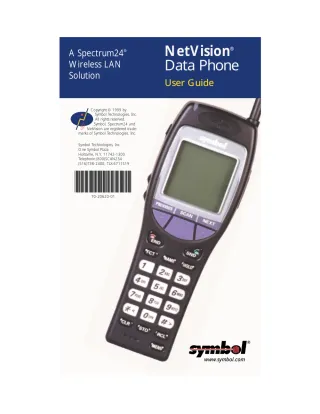
- Voice-over-IP telephone for Spectrum24 802.11 wireless networks, with a thin client for HTML web applications p. 9
- Battery
- 7.2 volts rechargeable lithium ion; 150 minutes (2.5 hour) talk time, 24 hours standby per charge p. 71
- Radio
- IEEE 802.11, 2.4 - 2.485 GHz, 1 Mbps data rate, 100 mW output p. 71, 72
- Range
- 1,000+ ft. (300+ meters) p. 72
- Scanner
- Visible laser diode at 650 nm; 53° nominal scan angle; 36±3 scans per second p. 72
- Display
- LCD, 16 line, 12 characters p. 72
- Keypad
- 0-9, *, #, Clear, Store, Recall, Hold, Previous, Scan, Next, End, Function, Name, Menu, Send; letters through the Function key p. 72
- Serial port
- 1 serial port; 9-pin serial cable part number NVP-021 p. 22, 72
- Dimensions
- 1 x 2 x 6 in. (2.54 x 5.08 x 15.24 cm) p. 72
- Weight
- 8 oz. (227 gm) p. 72
- Temperature
- -30°C to 60°C (-22°F to 140°F) p. 72
- Phone protocol
- ITU H.323 version 1; works with Intel Proshare and Microsoft NetMeeting p. 71
- Gateway part number
- PGW-SSAT-0008-0: Cisco/Selsius analog gateway with eight analog ports (AT-8) and CallManager software p. 69
- Administrator PC
- Windows NT 4.0 Server with Service Pack 3, IIS 4.0, Internet Explorer 4.0; Pentium 233 MHz with 96MB RAM or higher p. 22
What this manual walks you through
- Choosing a Shared or Personal site style and setting up user profiles p. 11, 12
- How gateway, peer-to-peer and intercom telephony work p. 14, 15, 16, 17
- What the Software Developer Kit contains p. 21
- Installing and starting the NetVision Telephone Administrator on Windows NT p. 22, 23
- Updating the phone firmware over the serial cable p. 57, 58
- Fixing firmware transfer errors such as a time-out or an unavailable COM port p. 58, 59
- Resetting the phone to factory default settings p. 61
- Using the preprogrammed FCT functions such as call block, network status and mute p. 62
- Phone parameter defaults for network, messaging, serial port and power management p. 63, 64, 65, 66
- Gateways and routers that work with the phone p. 69, 70
Good to know
- Resetting to defaults clears the network and user settings and the speed-dial list; the phone then cannot make or receive calls. p. 61
- Reload the configuration file after upgrading the firmware. p. 58
- Only phones with gateway permission can call traditional telephones; peer-to-peer phones can call only other H.323 devices. p. 14
- In a Shared site a user can log on to only one phone at a time, and PINs cannot be duplicated. p. 12
- The Roam Info and Constant Tone functions are meant only for diagnostics. p. 62
Questions this manual answers
What battery does the Symbol NetVision Data Phone take?
A 7.2 volt rechargeable lithium ion battery, rated for 150 minutes of talk time or 24 hours of standby per charge. p. 71
What is the wireless range of the NetVision Data Phone?
The technical data gives a range of 1,000+ ft. (300+ meters). p. 72
How do I update the NetVision Data Phone firmware?
Connect the phone to the Administrator PC with the serial cable and send the firmware file from the NetVision Telephone Administrator by Xmodem; it takes about 90 seconds. p. 57, 58
What does File transfer failed (time-out) mean during a firmware update?
The transfer did not complete; check that the cable is attached to the server and the phone, go back to the Xmodem transfer page and retry. p. 58
What PC does the NetVision Telephone Administrator need?
Windows NT 4.0 Server with Service Pack 3, the NT Option Pack with IIS 4.0, Internet Explorer 4.0, and at least a Pentium 233 MHz with 96MB RAM. p. 22
Contents
Chapters and sections
Each line opens the PDF at its page.
- NetVision Data Phone Product Reference Guide1
- Chapter 1 Introduction9
- Chapter 2 Administrator Requirements and Installation21
- Chapter 3 Configuring NetVision Telephones25
- Chapter 4 NetVision Phone Web Client43
- Chapter 5 Text Messaging49
- Chapter 6 NetVision Phone System Information and Maintenance51
- Chapter 7 Updating Telephone Firmware57
- Appendix A Phone Maintenance61
- Appendix B Browser and Scanner Settings67
- Appendix C Gateways Supporting the NetVision Phone69
- Appendix D Technical Data71
- Appendix E Customer Support73
- Appendix F Regulatory Compliance75
- Appendix G Phone Configuration Worksheet79
- Index81
The whole text · 9 parts
Read the manual here as text
Its text as extracted from the PDF, unedited, in parts; each page opens the PDF at that page.
The file