Spec sheet · Symbol
Symbol MK-1000 Spec Sheet
Spec sheet2 pagesPDF 774 KB
Both pages are below, each with its text.
Covers · 1 model
The models it covers
From the sheet · read page by page
Key facts from this sheet
Each line names its page in the PDF.
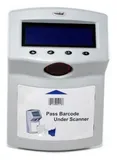
A two-page Symbol Technologies spec sheet (08/02) for the MK1000 MicroKiosk, a fixed-mount self-service terminal that lets shoppers check prices and shows in-store promotions. It describes where and how the kiosk is used and lists its physical, scanner, memory, software, communication and environmental specifications.
- Device
- Interactive self-service terminal for price checks and in-store promotion messages p. 1
- Communications
- Serial (RS-232/RS-485); Ethernet TCP/IP; Spectrum24 wireless LAN, 2 Mbps Frequency Hopping (IEEE 802.11) or 11 Mbps Direct Sequence (IEEE 802.11b) p. 2
- Power
- 12-24 VAC or 12-36 VDC; supports Symbol power over Ethernet (BiasT) p. 2
- External port
- RS-232 (RJ45) for peripherals such as a handheld scanner or printer p. 2
- Scan engine
- SE 3223 omni-directional scan engine p. 1
- Scanner
- 650 ± 10 nm laser diode; 590-640 scans per second p. 2
- Display
- 64 H x 240 W graphical liquid crystal display (LCD) p. 2
- Memory
- 1 MB flash p. 2
- Software
- Existing PCK91XX applications; VT220 terminal emulation; IBM 4680 and 4690 terminal emulation p. 2
- Symbologies
- UPC/EAN, Code 39, Interleaved 2 of 5, Code 128, Codabar, MSI Plessey, PDF417, RSS and Composite Codes p. 2
- Function keys
- Four programmable function keys for customer interaction p. 1
- Dimensions
- 11.4 in. H x 7.75 in. W x 4.25 in. D (max.) / 29 cm H x 19.6 cm W x 10.8 cm D p. 2
- Weight
- 3 lbs./1.4 kg p. 2
- Operating environment
- 0° C to 50° C (32° F to 122° F); 5% to 95% humidity, noncondensing p. 2
What this sheet walks you through
- Where to place the kiosk in a store p. 1
- Installing on a wired network or a Spectrum24 wireless LAN p. 1
- Specification highlights p. 2
Questions this sheet answers
What networks can the Symbol MK1000 connect to?
Serial RS-232/RS-485, Ethernet TCP/IP, or a Spectrum24 wireless LAN at 2 Mbps (802.11) or 11 Mbps (802.11b). p. 2
What power does the MK1000 MicroKiosk need?
12-24 VAC or 12-36 VDC, or Symbol's power over Ethernet (BiasT). p. 2
What terminal emulations does the MK1000 support?
VT220 and IBM 4680 and 4690 terminal emulation, and it runs existing PCK91XX applications. p. 2
Can I connect a handheld scanner or printer to the MK1000?
Yes, through its external RS-232 (RJ45) port. p. 2
The file
Size and text
Every page · 2
Read it here
Each page as it is printed, and its words beside it, so a phone can search and copy them.
Page1of 2
Open in the PDF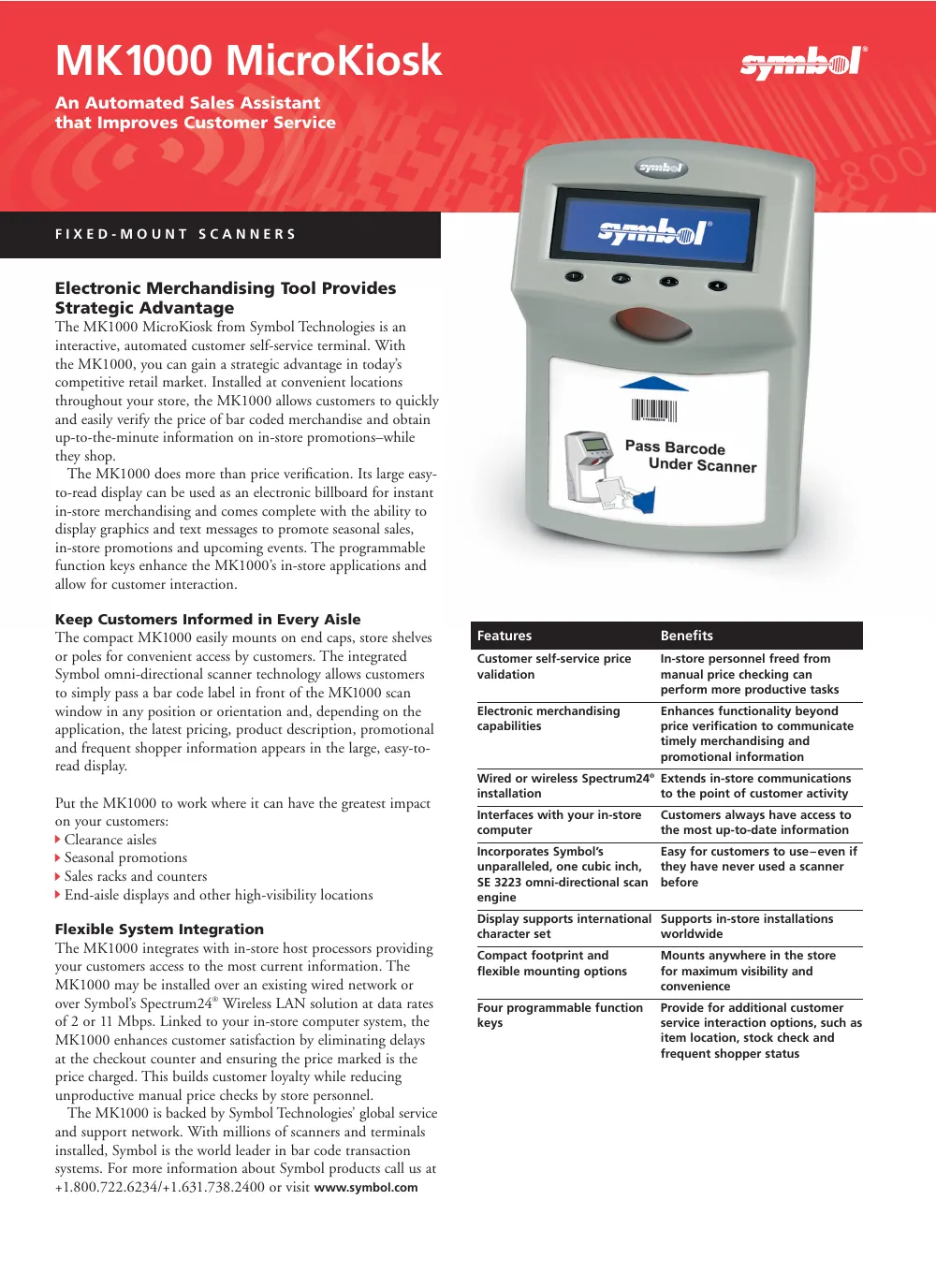
The text of page 1, from the PDF itself
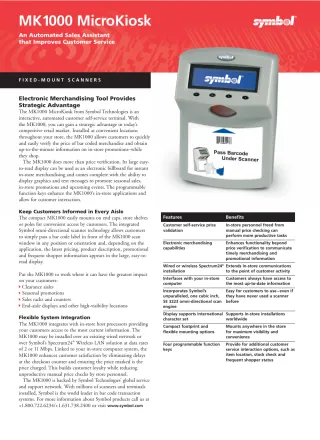
MK1000 MicroKiosk An Automated Sales Assistant that Improves Customer Service
FIXED-MOUNT SCANNERS
Electronic Merchandising Tool Provides Strategic Advantage The MK1000 MicroKiosk from Symbol Technologies is an interactive, automated customer self-service terminal. With the MK1000, you can gain a strategic advantage in today’s competitive retail market. Installed at convenient locations throughout your store, the MK1000 allows customers to quickly and easily verify the price of bar coded merchandise and obtain up-to-the-minute information on in-store promotions–while they shop. The MK1000 does more than price verification. Its large easyto-read display can be used as an electronic billboard for instant in-store merchandising and comes complete with the ability to display graphics and text messages to promote seasonal sales, in-store promotions and upcoming events. The programmable function keys enhance the MK1000’s in-store applications and allow for customer interaction. Keep Customers Informed in Every Aisle
The compact MK1000 easily mounts on end caps, store shelves or poles for convenient access by customers. The integrated Symbol omni-directional scanner technology allows customers to simply pass a bar code label in front of the MK1000 scan window in any position or orientation and, depending on the application, the latest pricing, product description, promotional and frequent shopper information appears in the large, easy-toread display. Put the MK1000 to work where it can have the greatest impact on your customers: Clearance aisles Seasonal promotions Sales racks and counters End-aisle displays and other high-visibility locations Flexible System Integration
The MK1000 integrates with in-store host processors providing your customers access to the most current information. The MK1000 may be installed over an existing wired network or over Symbol’s Spectrum24® Wireless LAN solution at data rates of 2 or 11 Mbps. Linked to your in-store computer system, the MK1000 enhances customer satisfaction by eliminating delays at the checkout counter and ensuring the price marked is the price charged. This builds customer loyalty while reducing unproductive manual price checks by store personnel. The MK1000 is backed by Symbol Technologies’ global service and support network. With millions of scanners and terminals installed, Symbol is the world leader in bar code transaction systems. For more information about Symbol products call us at +1.800.722.6234/+1.631.738.2400 or visit www.symbol.com
Features
Benefits
Customer self-service price validation
In-store personnel freed from manual price checking can perform more productive tasks
Electronic merchandising capabilities
Enhances functionality beyond price verification to communicate timely merchandising and promotional information
Wired or wireless Spectrum24® Extends in-store communications installation to the point of customer activity Interfaces with your in-store computer
Customers always have access to the most up-to-date information
Incorporates Symbol’s Easy for customers to use – even if unparalleled, one cubic inch, they have never used a scanner SE 3223 omni-directional scan before engine Display supports international Supports in-store installations character set worldwide Compact footprint and flexible mounting options
Mounts anywhere in the store for maximum visibility and convenience
Four programmable function keys
Provide for additional customer service interaction options, such as item location, stock check and frequent shopper status
Page2of 2
Open in the PDF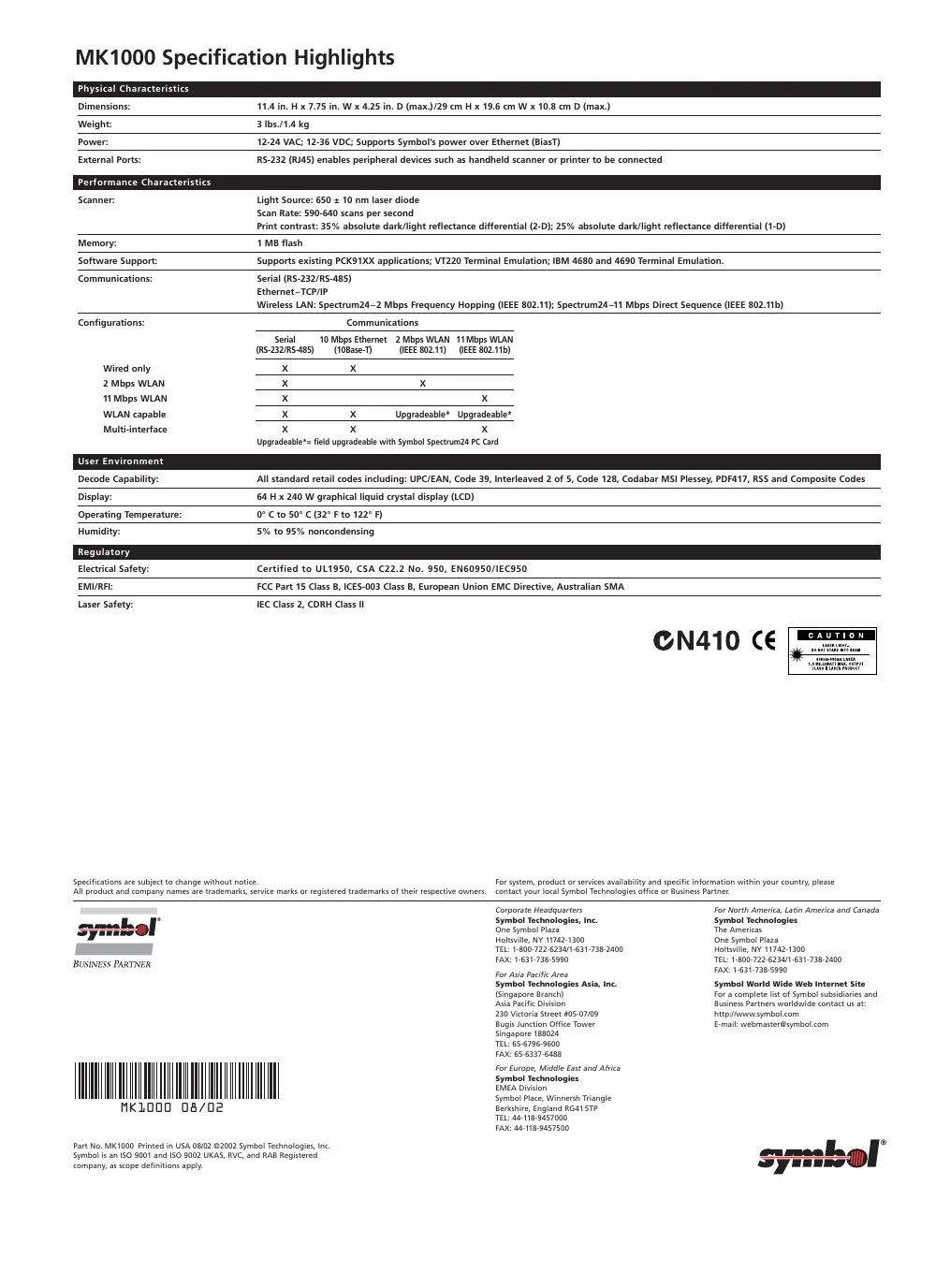
The text of page 2, from the PDF itself
MK1000 Specification Highlights Physical Characteristics Dimensions:
11.4 in. H x 7.75 in. W x 4.25 in. D (max.)/29 cm H x 19.6 cm W x 10.8 cm D (max.)
- Weight
- 3 lbs./1.4 kg
- Power
- 12-24 VAC; 12-36 VDC; Supports Symbol’s power over Ethernet (BiasT)
- External Ports
- RS-232 (RJ45) enables peripheral devices such as handheld scanner or printer to be connected
Performance Characteristics Scanner:
Light Source: 650 ± 10 nm laser diode Scan Rate: 590-640 scans per second Print contrast: 35% absolute dark/light reflectance differential (2-D); 25% absolute dark/light reflectance differential (1-D)
- Memory
- 1 MB flash
- Software Support
- Supports existing PCK91XX applications; VT220 Terminal Emulation; IBM 4680 and 4690 Terminal Emulation.
- Communications
- Serial (RS-232/RS-485) Ethernet – TCP/IP Wireless LAN: Spectrum24 – 2 Mbps Frequency Hopping (IEEE 802.11); Spectrum24 –11 Mbps Direct Sequence (IEEE 802.11b)
- Configurations
- Communications Serial 10 Mbps Ethernet 2 Mbps WLAN 11Mbps WLAN (RS-232/RS-485) (10Base-T) (IEEE 802.11) (IEEE 802.11b)
Wired onlyX2 Mbps WLANX11 Mbps WLANXWLAN capableXXXXMulti-interface
X X X Upgradeable* Upgradeable* X
Upgradeable*= field upgradeable with Symbol Spectrum24 PC Card
User Environment Decode Capability:
All standard retail codes including: UPC/EAN, Code 39, Interleaved 2 of 5, Code 128, Codabar MSI Plessey, PDF417, RSS and Composite Codes
- Display
- 64 H x 240 W graphical liquid crystal display (LCD)
- Operating Temperature
- 0° C to 50° C (32° F to 122° F)
- Humidity
- 5% to 95% noncondensing
- Regulatory Electrical Safety
- Certified to UL1950, CSA C22.2 No. 950, EN60950/IEC950
- EMI/RFI
- FCC Part 15 Class B, ICES-003 Class B, European Union EMC Directive, Australian SMA
- Laser Safety
- IEC Class 2, CDRH Class II
Specifications are subject to change without notice. All product and company names are trademarks, service marks or registered trademarks of their respective owners.
For system, product or services availability and specific information within your country, please contact your local Symbol Technologies office or Business Partner. Corporate Headquarters Symbol Technologies, Inc. One Symbol Plaza Holtsville, NY 11742-1300 TEL: 1-800-722-6234/1-631-738-2400 FAX: 1-631-738-5990 For Asia Pacific Area Symbol Technologies Asia, Inc. (Singapore Branch) Asia Pacific Division 230 Victoria Street #05-07/09 Bugis Junction Office Tower Singapore 188024 TEL: 65-6796-9600 FAX: 65-6337-6488
MK1000 08/02 Part No. MK1000 Printed in USA 08/02 ©2002 Symbol Technologies, Inc. Symbol is an ISO 9001 and ISO 9002 UKAS, RVC, and RAB Registered company, as scope definitions apply.
For Europe, Middle East and Africa Symbol Technologies EMEA Division Symbol Place, Winnersh Triangle Berkshire, England RG41 5TP TEL: 44-118-9457000 FAX: 44-118-9457500
For North America, Latin America and Canada Symbol Technologies The Americas One Symbol Plaza Holtsville, NY 11742-1300 TEL: 1-800-722-6234/1-631-738-2400 FAX: 1-631-738-5990 Symbol World Wide Web Internet Site For a complete list of Symbol subsidiaries and Business Partners worldwide contact us at: http://www.symbol.com E-mail: webmaster@symbol.com