Manual · Symbol
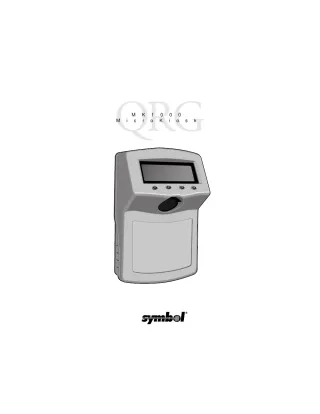
MK1000 MicroKiosk Quick Reference
Manual17 pagesPDF 247 KB
Quick reference for the Symbol MK1000 MicroKiosk price checker: parts, scanning, host connections and wall mounting.
Covers · 1 model
The models it covers

Summary
What is in it
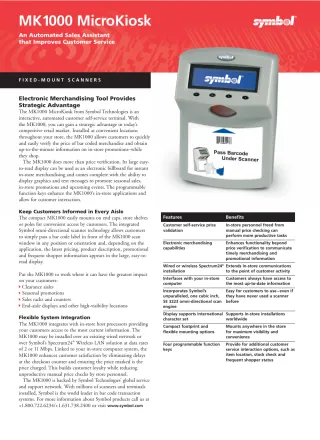
Symbol's quick reference for the MK1000 MicroKiosk, a scanning system that lets retail shoppers check prices on bar coded merchandise and see in-store promotions. It shows the parts of the unit, the function, reset and contrast buttons, bar code scanning and scan modes, specular reflection, the four ways to connect to a host, mounting on a wall, configuring host communication, ergonomic recommendations and regulatory information.
Its parts
- Introduction
- About This Guide
- Parts of the MK1000
- Function Buttons
- Reset Button and Contrast Control Button
- Mounting the MK1000 on a Wall
- Configuring for Host Communication
- Ergonomic Recommendations
- Regulatory Information
- FCC RF Exposure Guidelines
From the manual · read page by page
Key facts from this manual
Some pages are scans or cannot be read; this says only what the readable text supports. Each line names its page in the PDF.
The Symbol MK1000 MicroKiosk Quick Reference (72-52968-02, Revision A, March 2002), a short setup and use guide for the MK1000 in-store price verifier with a scanner, display and function buttons. It covers the parts and buttons, scan modes, the four host interfaces and power options, wall mounting with a template, host communication, and regulatory notes.
- Device
- In-store price verification kiosk with a bar code scanner and a large display for graphics and text messages p. 3
- Host interfaces
- Wireless Ethernet (2Mb or 11Mb RF), wired Ethernet (10Base-T), wired RS-485 or wired RS-232 p. 9
- Power options
- MK1000 power supply on an AC outlet; Ethernet versions can also take Power-over-Ethernet p. 9
- Power supply rating
- Symbol-approved supply rated 12-36 Vdc or 12-24-vac, minimum 16va p. 13
- Ports
- Power port, Com/Scanner port and LAN port on the back p. 4
- Symbologies
- All standard 1-dimensional bar codes plus PDF, micro-PDF and composite codes p. 6
- Scan modes
- Cyclone omnidirectional 1D pattern (factory default); Smart Raster for PDF-417, RSS and composite codes p. 6
- Laser
- 630-680nm, 1.0 mW max output p. 14
- Host communication
- PCK emulation; parameters and bar codes in the Product Reference Guide p/n 72-53977-xx p. 11
- PCK 9100 wiring
- An RS-485 pin-out converter lets the MK1000 use existing PCK 9100 wiring p. 9
- Function buttons
- Four programmable buttons for navigating an application and answering prompts p. 5
- Reset and contrast
- Reset button (pressed with a paper clip) and display contrast control on the lower right side p. 5
- Mounting
- Wall, pole or counter top; Wall Mount Kit, Pole Mount Kit and Counter Top Stand sold separately p. 10
- Wall screw spacing
- 5 inches (12.7 cm) left to right, 6 inches (15.3 cm) top to bottom p. 10
What this manual walks you through
- Identifying the parts, ports and buttons of the MK1000 p. 4
- Resetting the unit and adjusting display contrast p. 5
- Choosing a scan mode for 1D or PDF417 codes p. 6
- Avoiding specular reflection when scanning p. 7
- Choosing a host interface and power source p. 9
- Mounting the MK1000 on a wall without the wall mount kit p. 8, 10, 11
- Configuring host communication p. 11
- Ergonomic recommendations for users p. 12
Good to know
- In the factory default Cyclone mode, the MK1000 does not decode 2D bar codes like PDF. p. 6
- Leave at least 9/16 of an inch (14.3 mm) between the center of the right side mount holes and the nearest object. p. 10
- Use only a Symbol-approved power supply. p. 13
- External antennas must keep at least 20 cm from all persons to meet FCC RF exposure rules. p. 12
- In the EEA the 2.4GHz radio is limited to 100 mW EIRP, with narrower bands in France and for outdoor use in Belgium; Italy needs a license outdoors. p. 13
Questions this manual answers
What is the Symbol MK1000 MicroKiosk used for?
Shoppers scan merchandise to check prices, and its display can show graphics and text messages for in-store promotions. p. 3
What power supply does the MK1000 need?
A Symbol-approved supply rated 12-36 Vdc or 12-24 vac, minimum 16 va; Ethernet versions can instead take Power-over-Ethernet. p. 9, 13
Can the MK1000 read PDF417 bar codes?
Yes, in the Smart Raster scan mode. The factory default Cyclone mode does not decode 2D codes like PDF. p. 6
How do I reset the Symbol MK1000?
Push the Reset button on the lower right-hand side of the unit with a paper clip. p. 5
Can the MK1000 use existing PCK 9100 wiring?
Yes. An RS-485 pin-out converter maps the PCK 9100 signals to the MK1000 pin-out. p. 9
Contents
Chapters and sections
Each line opens the PDF at its page.
The whole text · 2 parts
Read the manual here as text
Its text as extracted from the PDF, unedited, in parts; each page opens the PDF at that page.
The file