Manual · Symbol
MDM 3006 Modem Module Quick Reference
Manual32 pagesPDF 266 KB
Quick reference guide for the Symbol MDM 3006 modem module for SPT 1700, SPT 1800, PPT 2700 and PPT 2800 terminals.
Covers · 1 model
The models it covers
Summary
What is in it
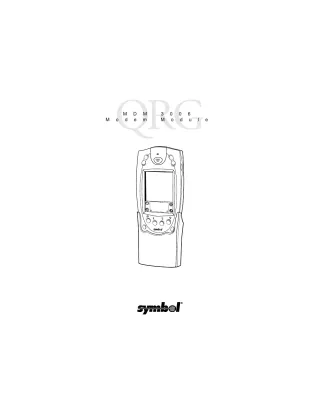
Quick reference guide for the Symbol MDM 3006 modem module, which attaches to the bottom of an SPT 1700, SPT 1800, PPT 2700 or PPT 2800 terminal so it can dial into a remote host computer. It covers the connectors, attaching and removing the module, charging the terminal's battery through it, connecting to an analog phone line, setting up dial-in for Palm OS, Pocket PC 2000 and Pocket PC 2002, modem country setup, troubleshooting, technical specifications and regulatory information.
Its parts
- Introduction
- About This Guide
- MDM 3006 Connectors
- Attaching and Removing the MDM 3006
- Charging the Terminal’s Battery
- Connecting to the Phone Line
- Configuring for Palm OS
- Configuring for Pocket PC 2000
- Configuring for Pocket PC 2002
- Modem Country Setup
- Troubleshooting
- Technical Specifications
- Regulatory Information
From the manual
Key facts from this manual
Each line names its page in the PDF.
This is the 2002 quick reference guide for the Symbol MDM 3006 Modem Module, which lets SPT 1700, SPT 1800, PPT 2700 and PPT 2800 terminals dial into a remote host over a phone line. It covers attaching the module, charging the terminal through it and setting up dial-in on Palm OS, Pocket PC 2000 and Pocket PC 2002 terminals. It also gives country codes, troubleshooting and technical specifications.
- Device
- Modem module that attaches to the bottom of an SPT 1700, SPT 1800, PPT 2700 or PPT 2800 terminal p. 3, 4
- Line speed
- Up to 56,000 bps; V.42bis compression and V.42 LAPM error correction p. 26
- Terminal to modem speed
- Up to 230,400 bps depending on terminal; 57,600 bps recommended p. 26
- Connectors
- RJ-11 phone jack and battery charger connector p. 4
- Charging power supply
- Symbol-approved, 9VDC, minimum 2A p. 4
- Chipset
- Conexant SCM p. 26
- Standards
- Bell 103, Bell 212A, Hayes AT command set; ITU V.22bis, V.32bis, V.34, V.90 and others p. 26
- Dialing
- Tone and rotary pulse p. 26
- Current draw
- 160 mA connected, 155 mA disconnected (typical) p. 26
- Temperature
- Operating 0 to 50°C; storage -20 to 65°C p. 26
- Ringer equivalence
- 0.1B p. 26
- Country setting
- Defaults to US (country code B5); other countries set with +GCI=<country_code> p. 21
- Software
- Palm OS 3.2 and 3.5 drivers PowerDrv32.prc and PowerDrv35.prc; eConnect applet for Pocket PC 2002 p. 6, 16
What this manual walks you through
- Attaching and removing the module p. 4
- Charging the terminal battery through the module p. 4, 5
- Connecting to an analog phone line p. 5, 6
- Setting up a Palm OS terminal for modem HotSync p. 6, 7, 8, 9, 10
- Setting up a Pocket PC 2000 terminal to dial in and use ActiveSync p. 10, 11, 12, 13, 14
- Setting up a Pocket PC 2002 terminal with eConnect p. 15, 16, 17, 18, 19, 20
- Setting the modem for another country p. 21
- Troubleshooting connection, charging, ActiveSync and dial-out problems p. 22, 23, 24, 25
Good to know
- While the module is attached, the terminal cannot use a cradle or its bottom RS-232 port. p. 4
- Use a standard analog phone line. p. 6
- To reduce the risk of fire, use only No. 26 AWG or larger RJ-11 cable. p. 6
- The modem has no speaker. p. 8
- Power to the modem is cut when the terminal battery is low. p. 22
Questions this manual answers
Which terminals work with the MDM 3006 modem?
The SPT 1700, SPT 1800, PPT 2700 and PPT 2800. p. 3
How fast is the MDM 3006 modem?
Line speed is up to 56,000 bps. A terminal to modem speed of 57,600 bps is recommended. p. 26
How long does the terminal battery take to charge through the MDM 3006?
About two hours if the terminal is off; the terminal can still be used while plugged in. p. 5
How do I set the MDM 3006 for a country other than the US?
Enter the +GCI=<country_code> command in the modem init string or extra dial-string commands. The default is the US, code B5. p. 21
Why does no data go over the modem after it connects?
Data may be going over the S24 radio link instead. The guide says to disable the radio link temporarily so the modem connection is used. p. 25
Contents
Chapters and sections
Each line opens the PDF at its page.
- Introduction3
- About This Guide3
- MDM 3006 Connectors4
- Attaching and Removing the MDM 30064
- Charging the Terminal’s Battery4
- Connecting to the Phone Line5
- Configuring for Palm OS6
- Configuring for Pocket PC 200010
- Configuring for Pocket PC 200215
- Modem Country Setup21
- Troubleshooting22
- Technical Specifications26
- Regulatory Information27
The whole text · 6 parts
Read the manual here as text
Its text as extracted from the PDF, unedited, in parts; each page opens the PDF at that page.
The file