Manual · Symbol
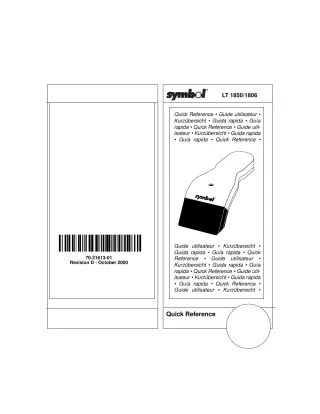
LT 1850/1806 Quick Reference
Manual42 pagesPDF 194 KB
Quick reference for the Symbol LT 1850 and LT 1806 hand-held laser scanners, in English, French, German, Italian and Spanish.
Names · 2 models
The models it names
 Symbol LT-1806Hand-held laser barcode scanner from$185.0085 in stock Symbol LT-1850Hand-held laser barcode scanner from$185.005 in stock
Filed with · 6 models
Also filed with these models on the old site
Symbol LT-1800Hand-held laser barcode scanner from$185.0015 in stock Symbol LT-1804Hand-held laser barcode scanner from$185.0013 in stock Symbol LT-1810Hand-held laser barcode scanner from$185.0064 in stock Symbol LT-1820Hand-held laser barcode scanner from$185.0025 in stock Symbol LT-1830Hand-held laser barcode scanner from$185.0013 in stock Symbol LT-1880Hand-held laser barcode scanner from$185.0032 in stock Summary
What is in it
A short multilingual quick reference (English, French, German, Italian and Spanish) for the Symbol LT 1850 and LT 1806 hand-held laser scanners. It shows how to scan in triggered and triggerless mode, which models can switch between the two modes and the bar codes that select the mode, what the beep means, how to clean the exit window, what to check when nothing happens, and scanner labeling and patent information.
Its parts
- Scanning Made Easy
- Model Configurations
- What Does The Beep Mean?
- Maintenance
- What If...
- Scanner Labeling
From the manual
Key facts from this manual
Each line names its page in the PDF.
A short multilingual quick reference guide for the Symbol LT 1850 and LT 1806 scanners of the LaserTouch LT 1800 Series (part 70-31613-01, Revision D, October 2000; the cover also prints "LT 1700 Series"). It shows triggered and triggerless scanning, how to switch modes with bar codes, what the beep means, cleaning, troubleshooting, and support contacts.
- Document
- Quick Reference, part 70-31613-01, Revision D, October 2000 p. 1
- Product family
- LaserTouch LT 1800 Series p. 33
- Scan modes
- Triggered or triggerless on LT 1850 ending I100A or E100E and LT 1806 ending I500A or E500E p. 14
- Triggered mode use
- Battery and portable terminal setups where low power draw matters p. 14
- Triggerless mode
- Laser runs continuously; beam blinks until it decodes p. 14
- Scan element
- Mylar strip, mirror assembly and magnet p. 33
- Decode indicator
- One short high beep; decode LED turns green p. 4
- Mode setup
- Scan TRIGGER MODE, then TRIGGERED or TRIGGERLESS, then ENTER p. 14
What this manual walks you through
- Scanning in triggered mode p. 4
- Scanning in triggerless mode p. 5
- Switching between triggered and triggerless mode with programming bar codes p. 14, 19, 20
- Correcting or canceling a programming entry p. 14, 21
- Understanding the beep p. 22
- Cleaning the exit window p. 22
- Troubleshooting when nothing happens p. 23
- Ergonomic recommendations for scanner users p. 35
Good to know
- The scan beam must cross every bar and space of the symbol to read it. p. 4
- Do not spray water or cleaning liquid straight into the exit window. p. 22
- The unit must be set up for the facility's network and applications before use. p. 32
- The guide points to the Product Reference Guide for fuller information. p. 23
- Avoid staring into the beam of a Class 2 laser scanner. p. 38
Questions this manual answers
How do I put an LT 1850 in triggerless mode?
Scan the TRIGGER MODE bar code, then TRIGGERLESS, then ENTER. This applies to LT 1850 units ending I100A or E100E and LT 1806 units ending I500A or E500E. p. 14, 20
What does one beep mean on the LT 1806?
One short high beep means the bar code was decoded successfully. Other beeps should be referred to the person in charge of scanning. p. 22
Why does my LT 1850 not scan anything?
The guide lists checking system power, loose cables, that the system is programmed for that bar code type, and that the symbol is not defaced. p. 23
How do I clean the LT 1850 window?
Wipe the exit window with a tissue moistened with ammonia and water; do not spray liquid straight into it. p. 22
What is inside the LT 1800 Series scan element?
The guide describes a Mylar scan element made of a Mylar strip, a mirror assembly and a magnet. p. 33
Contents
Chapters and sections
Each line opens the PDF at its page.
- Quick Reference Guide1
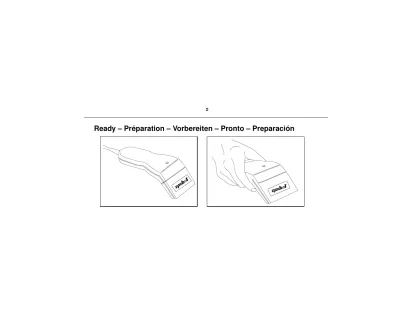
- Ready – Préparation – Vorbereiten – Pronto – Preparación2
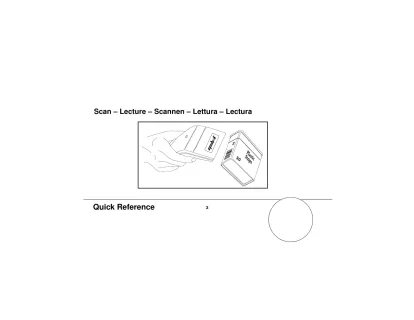
- Scan – Lecture – Scannen – Lettura – Lectura3
- Scanning Made Easy4
- Lectura facile6
- Scannen – einfach gemacht8
- Lettura facile10
- Procedimiento de lectura12
- Model Configurations14
- Configurations des modèles15
- Modell-Konfigurationen16
- Configurazioni dei modelli17
- Configuración de los distintos modelos18
- ENTER –ENTER – ENTER – ENTER – INTRO20
- What Does The Beep Mean?22
- Maintenance22
- What If...23
- Que signifie le “bip” ?24
- Entretien24
- Que faire si ? …25
- Was bedeutet der Piepton?26
- Wartung26
- Was tun, falls ...27
- Significato del bip28
- Manutenzione28
- Cosa fare se...29
- Señal acústica30
- Cuidados30
- Resolución de anomalías31
- Scanner Labeling38
1 more line, from page 42 on
The whole text · 5 parts
Read the manual here as text
Its text as extracted from the PDF, unedited, in parts; each page opens the PDF at that page.
The file