Manual · Symbol
LS 4800/4900, LS 6800 Flash Programming Procedure
Manual6 pagesPDF 21 KB
Flash programming procedure for upgrading software in Symbol LS 4800/4900 and LS 6800 scanners from a PC over RS-232.
Covers · 3 models
The models it covers
Summary
What is in it
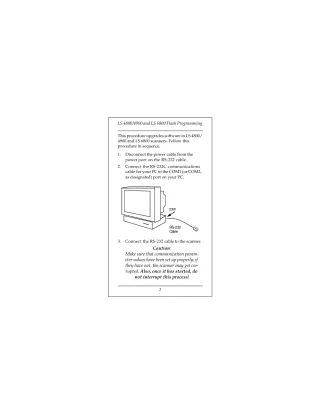
A short step-by-step procedure for upgrading the software in Symbol LS 4800/4900 and LS 6800 scanners. It covers connecting the scanner to a PC COM port with the RS-232 cable, applying wall power, scanning the Set Defaults bar code, running the FLSHHOST program from DOS with the hex file, port and baud rate, scanning the FLASHMODE bar code, and checking the burn checksums that confirm a successful download, with warnings not to interrupt the process.
From the manual · read page by page
Key facts from this manual
Each line names its page in the PDF.
Symbol's six-page Flash Programming Procedure (70-17636-01 Revision B, November 1997) for the LS 4800/4900 and LS 6800 scanners. It walks through loading new scanner software from a DOS PC over an RS-232 cable and confirming the download worked.
- Document
- Flash Programming Procedure, 70-17636-01 Revision B, November 1997 p. 1
- Upgrade method
- Scanner software loaded from a PC COM port over an RS-232C cable p. 2
- Host program
- FLSHHOST run from DOS with a .hex file, optional port and baud rate p. 4
- Ports
- COM1 or COM2; COM1 by default p. 4
- Baud rates
- 38400, 19200, 9600, 4800, 2400, 1200 or 300; 19200 by default p. 4
- Power
- Wall power connected to the scanner; the LS 4900 will not flash without it p. 3
- Bar codes used
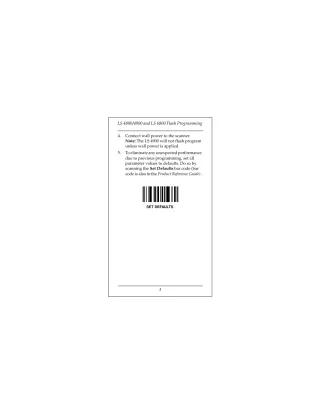
- SET DEFAULTS before the upgrade, then FLASHMODE to start it p. 3, 5
- Success check
- Burn Checksum from Unit and from PC must match p. 6
What this manual walks you through
- Connecting the scanner to a PC for flash programming p. 2, 3
- Resetting parameters to defaults before an upgrade p. 3
- Running the FLSHHOST program and choosing port and baud rate p. 4
- Starting flash mode with the FLASHMODE bar code p. 5
- Reading the status messages and checksums after the download p. 5, 6
Good to know
- Communication parameters must be set up properly first or the scanner may be corrupted. p. 2
- 19200 baud is recommended for laptops and older PCs with an 8250 UART; 38400 only on newer desktops with a 16550 UART. p. 4
- Scanning the FLASHMODE bar code gives no beep. p. 5
Questions this manual answers
How do I update the firmware on a Symbol LS 6800 scanner?
Connect it to a PC COM port with the RS-232 cable and wall power, scan Set Defaults, run FLSHHOST with the .hex file from DOS, then scan FLASHMODE. p. 2, 3, 4, 5
What baud rate should I use to flash an LS 4800?
The default is 19200, which is strongly recommended for laptops and older PCs; 38400 can be used on a newer desktop with a 16550 UART. p. 4
Why won't my LS 4900 flash program?
The procedure says the LS 4900 will not flash program unless wall power is applied. p. 3
How do I know the LS 4800 flash upgrade worked?
When the Burn Checksum from Unit and Burn Checksum from PC messages are identical, programming succeeded and the scanner resets and runs the new code. p. 6
The whole text · 1 part
Read the manual here as text
Its text as extracted from the PDF, unedited, in parts; each page opens the PDF at that page.
The file