Manual · Symbol
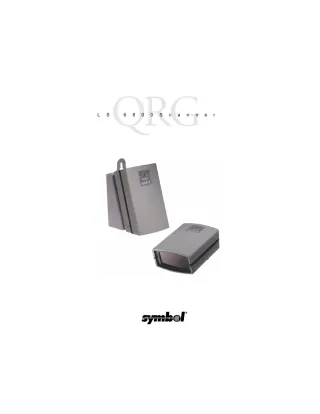
LS 6800 Scanner Quick Reference
Manual24 pagesPDF 483 KB
Quick reference guide for the Symbol LS 6800 hands-free raster scanner, which reads PDF417 and standard 1-D bar codes.
Filed with · 1 model
Also filed with these models on the old site
Summary
What is in it
Symbol's quick reference guide for the LS 6800, a hands-free scanner with a raster pattern made to read PDF417 two-dimensional bar codes as well as standard 1-D codes, for attended or unattended use. It covers the host interface and mounting fixtures, system components, installation with RS-232C or Synapse cables, the trigger modes, how to present and align 1-D and 2-D codes, specular reflection, maintenance, troubleshooting, regulatory information and test symbols.
Its parts
- Introduction
- Host Interface
- Mounting Fixtures
- Setup
- Scanning with the LS 6800
- Trigger Modes
- Scanning 1-D or 2-D Bar Codes: Attended Mode
- Specular Reflection
- Maintenance
- What If ...
- Regulatory Information
- Test Symbols
From the manual · read page by page
Key facts from this manual
Some pages are scans or cannot be read; this says only what the readable text supports. Each line names its page in the PDF.
The Symbol quick reference for the LS 6800 hands-free scanner, a fixed-mount raster laser scanner that reads PDF417 and standard 1-D bar codes. The guide names only the LS 6800 series, not the LS 6804 by name. It walks through setup with an RS-232C or Synapse cable, mounting, trigger modes, scanning technique, cleaning and basic troubleshooting.
- Device
- Hands-free raster laser scanner for PDF417 (2-D) and standard 1-D bar codes, for attended or unattended use p. 3
- Host interface
- RS-232C single-port cable with a 9-pin or 25-pin host connector, or a Synapse Smart Cable set p. 3, 4
- Read range
- 3 to 8 inches in blinking mode p. 12
- Laser
- Visible laser diode, 680 nm, 1.0 milliwatt maximum output p. 3, 18
- Scan patterns
- Smart Raster, Slab Only Raster, Always Raster, Programmable Raster, Line Only p. 10
- Activation
- Hardwired trigger, photo-sensor, footswitch, RS-232C command, external object sensor, continuous or blinking laser mode p. 3
- Default mode
- Blinking Laser Mode, laser blinks at about a 50% duty cycle p. 11
- Power
- Power supply plugs into the host cable's power input port; the host system or the Synapse cable can also supply power p. 7, 8, 9
- In the system
- One scanner, one power supply, one interface cable; a desk stand or a wall-mount bracket p. 4
- Indicators
- Red LED for laser on and alignment, green LED and beep for a good decode p. 3
- External trigger
- Switch with a stereo miniplug into the flying lead of the host D-connector; triggers when the line is pulled to ground p. 11
- Mounting
- Fixture bottom plate has holes for 6-32 screws p. 6
- Scan angles
- Specular dead zone 2 degrees from the beam for 1-D, 9 degrees for PDF417; not effective beyond 30 degrees from the normal p. 15, 16
- Guide number
- 70-17124-02, Revision C, May 2002 p. 24
What this manual walks you through
- Installing the scanner with an RS-232C cable p. 5, 6, 7, 8
- Installing the scanner with a Synapse cable p. 8, 9
- Mounting on a desk stand or a wall p. 5, 6
- Choosing a raster pattern p. 10
- Setting up hardware, software, blinking or continuous triggering p. 11, 12
- Scanning 1-D and PDF417 bar codes in attended mode p. 12, 13, 14
- Reading tall PDF417 symbols p. 14, 15
- Avoiding specular reflection p. 15, 16
- Cleaning the exit window p. 16
- Troubleshooting no response, bad data and a laser that will not start p. 16, 17
Good to know
- If the laser does not start and the scanner beeps, it may be too hot; move it or let the laser cool. p. 17
- Do not let abrasives touch the window or spray liquid straight into it. p. 16
- The manual states the scanner is labeled a Class 2 laser product; do not stare into the beam. p. 18
- Screws and bolts for mounting are not supplied. p. 6
- The manual states it is a Class A digital device; use in a residential area is likely to cause interference. p. 19
Questions this manual answers
How does the LS 6800 connect to a computer?
Through an RS-232C single-port cable with a 9-pin or 25-pin host connector, or through a Synapse Smart Cable set. p. 3, 4
How far from the LS 6800 should the bar code be?
Between 3 and 8 inches in blinking mode; other modes are covered by the decode zones in the Product Reference Guide. p. 12
How do I add a trigger switch to the LS 6800?
Plug the switch into the flying lead of the interface cable's 9-pin or 25-pin host connector; a standard stereo miniplug works. p. 11
Why does the LS 6800 laser not turn on and the scanner beeps?
The scanner may be in too hot an environment; remove it or let the laser cool down. p. 17
Contents
Chapters and sections
Each line opens the PDF at its page.
The whole text · 3 parts
Read the manual here as text
Its text as extracted from the PDF, unedited, in parts; each page opens the PDF at that page.
The file