Manual · Symbol
LS 2100 Undecoded Scanner Product Reference Guide
Manual32 pagesPDF 423 KB
Product reference guide for the Symbol LS 2100 undecoded hand-held laser scanner: setup, scanning, maintenance and specifications.
Names · 1 model
The models it names
Filed with · 3 models
Also filed with these models on the old site
Summary
What is in it
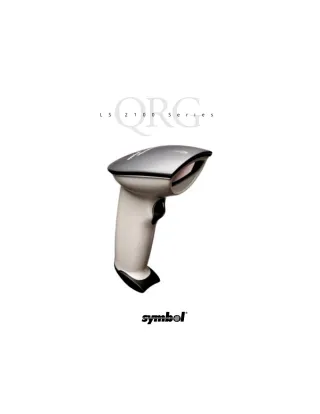
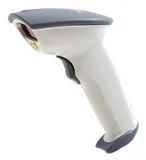
Symbol's product reference guide for the LS 2100 undecoded hand-held laser scanner, part of the LS 2100 Series that also includes the LS 2104 and LS 2106. It covers installing and switching cables, connecting to a host, scanning technique and aiming, the meaning of beeps, the decode zone, cleaning, troubleshooting, standard and optional accessories, technical specifications and the signal descriptions of the 10-pin connector.
Its parts
- About This Guide
- Setting Up the LS 2100
- Scanning with the LS 2100
- Maintenance and Specifications
From the manual · read page by page
Key facts from this manual
Some pages are scans or cannot be read; this says only what the readable text supports. Each line names its page in the PDF.
Symbol's product reference guide (70-32818-01, Revision B, April 2001) for the LS 2100 undecoded hand-held laser scanner. It walks through fitting and changing the cable, connecting to a host, scanning technique, cleaning and troubleshooting, and lists accessories with part numbers, technical specifications and the connector signals. It also briefly describes the LS 2104 and LS 2106 family members, which have their own reference guides.
- Device
- Undecoded hand-held laser scanner built on the SE 1200 Series scan engine with a visible laser diode p. 7, 11
- Decoding
- Determined by the interface controller, not the scanner p. 21
- Power
- 4.75 to 14 VDC; 99 mA @ 5 VDC typical p. 21
- Connector
- 10-pin cable receptacle on the bottom of the scanner p. 13, 24
- Standard cable
- Straight cable, 9-pin D female, 25-06751-01; 6 ft (183 cm) p. 20, 21
- Terminal cables
- PDT 3300 coil cable 25-05611-03; PDT 1510 RJ-41 cable 25-06859-01; UDI terminals coil cable 25-08185-01 p. 20
- Stands
- Hands-free stand, free standing, 21-33324-01; desk-mount stand 21-33323-01 p. 21
- Working range
- Up to 11 in. typical on 100% UPC/EAN; 5.5 mil minimum element width p. 21
- Scan rate
- Approximately 36 scans/sec (bidirectional) p. 21
- Tilt tolerance
- Roll ± 55°, pitch ± 50°, yaw ± 35° (from normal) p. 21
- Temperature
- Operating 32° to 104°F (0° to 40°C); storage -40° to 60°C p. 21
- Weight
- 5.5 oz. (170 gm) without cable p. 22
- Dimensions
- 6.7 in (167 mm) high, 2.8 in (70 mm) wide, 3.4 in (85 mm) deep p. 22
- Drop rating
- 5 ft (152 cm) drops to concrete p. 21
What this manual walks you through
- Installing and changing the scanner cable p. 13, 14
- Connecting to an interface controller or portable terminal p. 14
- Scanning and aiming the scanner p. 15, 16, 17
- Decode zone by bar code density p. 18
- Cleaning the exit window p. 19
- Troubleshooting a scanner that does not read p. 19, 20
- Accessories and cable part numbers p. 20, 21
- Connector pin signal descriptions p. 23, 24
Good to know
- Do not spray water or cleaning liquids directly into the window, and do not remove the scanner's nose. p. 19
- Holding the scanner straight over the bar code causes specular reflection that can blind it; tilt it instead. p. 16
- The controller must be programmed to decode the symbology being scanned. p. 19
- The pin signal descriptions are given for reference only. p. 23
Questions this manual answers
What power does the Symbol LS 2100 need?
4.75 to 14 VDC, drawing 99 mA at 5 VDC typical. p. 21
Does the LS 2100 decode bar codes by itself?
No. It is an undecoded scanner; its decode capability is determined by the interface controller it is connected to. p. 7, 21
What is the part number of the standard LS 2100 cable?
The standard straight cable with a 9-pin D female connector is 25-06751-01. p. 20
How do I change the cable on an LS 2100?
Press the tab on the cable with a small screwdriver, pull the cable out of the receptacle on the bottom, and press the new cable in until it clicks. p. 13, 14
What does one beep mean on the LS 2100?
One short high beep means the bar code was decoded successfully; the green decode LED also lights. p. 17
Contents
Chapters and sections
Each line opens the PDF at its page.
The whole text · 3 parts
Read the manual here as text
Its text as extracted from the PDF, unedited, in parts; each page opens the PDF at that page.
The file